
Tatasoft Disk Clone
Tatasoft Disk Clone: A paid cloning tool with smaller-disk support, bootable media, and Mac disk images. Ranked #20 of 26 in Disk Cloning Software by our editors (7.1/10); pricing: Paid; best for cross-platform cloning with smaller-disk support.
At a glance
- Editor score7.1 / 10
- PricingPaid
- Best forCross-platform cloning with smaller-disk support
- Free planNo
- Paid from$39.95/yr
- Facts checked20 Sep 2026
Where it wins
- Clones whole disks, partitions, or sectors on Windows and macOS
- Supports smaller-disk cloning when used space fits
- Includes WinPE rescue media and bootable macOS clones
Where it doesn't
- There is no free plan
- The Technician edition is available for Windows
- Mac disk-image creation is limited to DMG or ZIP formats
Our verdict on Tatasoft Disk Clone
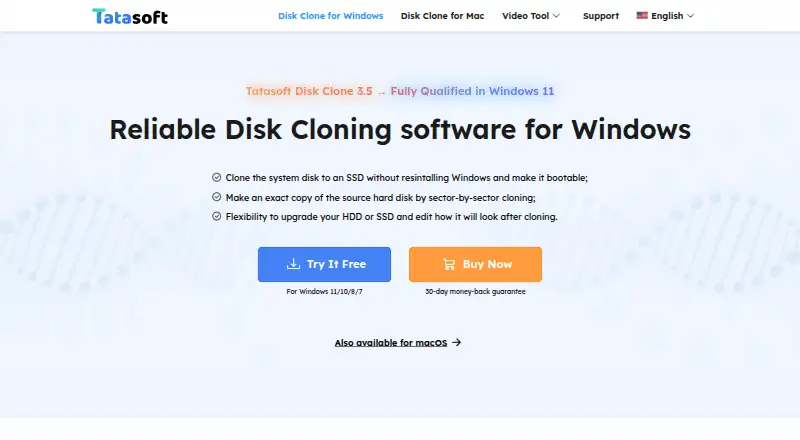
Tatasoft Disk Clone is disk cloning and migration software for Windows and macOS. It is designed for individual users moving operating systems, installed applications, and files between HDDs, SSDs, USB drives, SD cards, and memory cards. Its scope covers whole-disk cloning, partition cloning, and sector-by-sector copying, making it suitable for migrations, disk replacements, and selected recovery workflows.
The standout capability is flexible cloning control. Tatasoft can copy used sectors while ignoring bad sectors, adjust partition layouts, and autofit partitions during cloning. It can also clone to a smaller disk when the destination can hold the used data. Windows editions include WinPE bootable rescue media, while the Mac edition supports bootable macOS clones, selective file and folder copying, and disk-image creation in DMG or ZIP formats. That combination gives it a broader Windows-and-Mac feature set than a tool focused only on full-disk duplication.
Pricing is paid-only. The 1 Month License is $19.95 per month for one license covering two computers, with one month of free upgrades and cancellation at any time. The 1 Year License is $39.95 per year with one year of free upgrades, while Lifetime Upgrades costs $59.95 as a one-time payment and includes lifetime free upgrades. The Windows Technician edition costs $89 and provides unlimited activations plus technical service for clients. Individual users should consider the annual or lifetime options for longer projects; business and IT service providers should look at the Technician edition.
Your product? Our editors can test Tatasoft Disk Clone in depth and publish a review, labelled as paid · from $149/mo →
Tatasoft Disk Clone pricing
All 4 Tatasoft Disk Clone plans and prices →
Tatasoft Disk Clone fact sheet
| Free plan | No |
|---|---|
| Paid from | $39.95/yr |
| Supported operating systems | Not verified |
| Clone scope | Both |
| Bootable media | Yes |
| Resize during cloning | Yes |
| Sector cloning modes | Both |
| Scheduled cloning | Not verified |
| Dissimilar-hardware restore | Not verified |
| Money-back guarantee | 30 days |
| Deployment | Desktop |
| Platforms | Windows, macOS |
| Support | Email, Docs |
| Built for | Solo, Small business (editorial estimate) |
| Pricing | Paid (source) |
| Website | tatasoft.com |
| Facts checked | 20 Sep 2026 |
Alternatives to Tatasoft Disk Clone
- ClonezillaA capable free choice for cross-platform cloning, recovery, and multi-device deployment.9.4
- RescuezillaA free, cross-platform recovery toolkit for imaging, cloning, and restoring computers.9.2
- FOG ProjectA strong free choice for network-based imaging, with more deployment focus than general-purpose cloning.9.0



See all Tatasoft Disk Clone alternatives →
Used Tatasoft Disk Clone? Be the first to review it
The editor score above is our own research. What this page doesn't have yet is a reader's view — what you used Tatasoft Disk Clone for, what worked and what didn't. No stars are seeded and no review is paid for; an editor reads every one before it appears.
Write a reviewTwo minutes · verified accounts only · read by an editor before it appears
Featured on iTechGuides

Tatasoft Disk Clone is listed in our Disk Cloning Software directory. Add the badge to your site — it links back to this page.
<a href="https://www.itechguides.com/products/tatasoft-disk-clone/"><img src="https://www.itechguides.com/best/badge/tatasoft-disk-clone.svg" alt="Featured on iTechGuides" width="230" height="46"></a>
Reviewed by iTechGuides Editors · Editorial team · Updated Oct 2026
Advertiser disclosure: iTechGuides is reader-supported. Vendors can pay for top positions in our rankings and for a place on other products' pages, and we may earn a commission when you click some links. Bought places stand at the number bought; this page and our disclosure say so. Paying vendors may get a fuller, more detailed review from our editors, and that review can change their score. How we rank.
Last updated · How we research and update