SUSE Studio ImageWriter
SUSE Studio ImageWriter: A focused Linux tool for raw and hybrid image writing with kiosk safeguards. Ranked #31 of 38 in Bootable USB Software by our editors (5.7/10); pricing: Free plan; best for controlled Linux USB image writing.
At a glance
- Editor score5.7 / 10
- PricingFree plan
- Best forControlled Linux USB image writing
- Free planYes
- Paid fromFree
- Facts checked21 Sep 2026
Where it wins
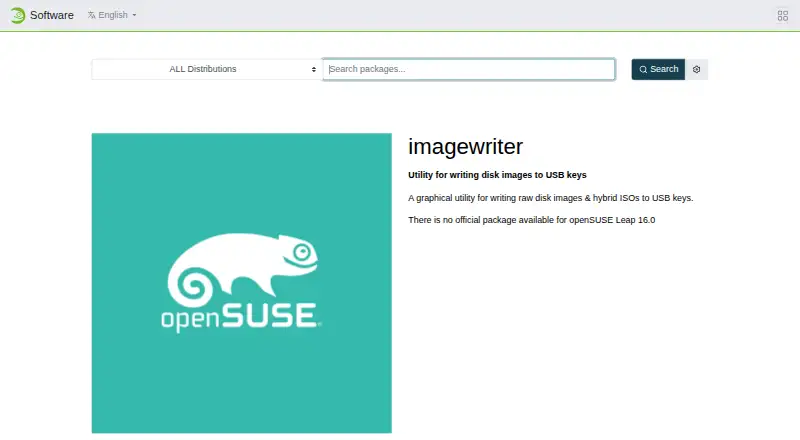
- Writes raw disk images and hybrid ISO images to USB keys
- Kiosk mode filters large hard drives and identifies unknown USB sticks
- Open-source Linux utility with command-line kiosk-mode operation
Where it doesn't
- Limited to Linux according to its published platform scope
- Focused on image writing rather than broader USB tool features
- Kiosk safeguards are designed for controlled environments, not every workflow
Our verdict on SUSE Studio ImageWriter
SUSE Studio ImageWriter is an open-source Linux desktop utility for writing raw disk images and hybrid ISO files to USB keys. It fits Linux users who need a focused way to transfer prepared images, as well as organizations operating controlled USB-writing environments. The project documents Linux compilation with Qt and supports builds using HAL, udisks1, or udisks2. Its scope is deliberately narrow: image writing rather than a broad collection of bootable-drive management features.
The standout capability is kiosk mode. It is designed for environments where external hard drives may be connected, so it ignores large hard drives during kiosk operation and marks unknown USB sticks as SUSE Studio devices. That can help reduce selection errors when the tool is used in a supervised or constrained setting. A command-line kiosk-mode option adds an additional way to operate the utility within controlled workflows, while raw-image and hybrid-ISO support covers two important image formats.
The published pricing model is open source, with a free plan, making the product suitable when licensing cost is a priority. Its platform fit is more specific than that of general-purpose bootable USB tools: the listed platform is Linux, and the documented build paths are Linux-oriented. Choose SUSE Studio ImageWriter if you want a free, open-source Linux utility centered on image writing and kiosk safeguards. Choose another tool if you need a broader bootable-media feature set or a different desktop operating system.
Your product? Our editors can test SUSE Studio ImageWriter in depth and publish a review, labelled as paid · from $149/mo →
SUSE Studio ImageWriter pricing
SUSE Studio ImageWriter fact sheet
| Free plan | Yes |
|---|---|
| Paid from | Free |
| Windows app | Not verified |
| macOS app | Not verified |
| Linux app | Yes |
| Multiboot support | Not verified |
| Persistent storage | Not verified |
| Image downloads | Not verified |
| Partition schemes | Not verified |
| Deployment | Desktop |
| Platforms | Linux |
| Built for | Solo, Small business (editorial estimate) |
| Pricing | Free plan |
| Website | software.opensuse.org |
| Facts checked | 21 Sep 2026 |
Alternatives to SUSE Studio ImageWriter
- VentoyA free, open-source multiboot USB utility with broad image and boot-mode support.9.4
- Universal USB InstallerA free, broad USB creation toolkit with multiboot, persistence, downloads, and QEMU testing.9.2
- Easy2BootA free, format-flexible choice for advanced multiboot USB and hard-disk setups.9.1


See all SUSE Studio ImageWriter alternatives →
Used SUSE Studio ImageWriter? Be the first to review it
The editor score above is our own research. What this page doesn't have yet is a reader's view — what you used SUSE Studio ImageWriter for, what worked and what didn't. No stars are seeded and no review is paid for; an editor reads every one before it appears.
Write a reviewTwo minutes · verified accounts only · read by an editor before it appears
Featured on iTechGuides

SUSE Studio ImageWriter is listed in our Bootable USB Software directory. Add the badge to your site — it links back to this page.
<a href="https://www.itechguides.com/products/suse-studio-imagewriter/"><img src="https://www.itechguides.com/best/badge/suse-studio-imagewriter.svg" alt="Featured on iTechGuides" width="230" height="46"></a>
Reviewed by iTechGuides Editors · Editorial team · Updated Oct 2026
Advertiser disclosure: iTechGuides is reader-supported. Vendors can pay for top positions in our rankings and for a place on other products' pages, and we may earn a commission when you click some links. Bought places stand at the number bought; this page and our disclosure say so. Paying vendors may get a fuller, more detailed review from our editors, and that review can change their score. How we rank.
Last updated · How we research and update