
SuperDuper!
SuperDuper!: A focused macOS cloning tool with bootable copies, scheduling, and a lifetime license. Ranked #12 of 26 in Disk Cloning Software by our editors (8.0/10); pricing: Free plan; best for mac startup-drive copies and recovery.
At a glance
- Editor score8.0 / 10
- PricingFree plan
- Best forMac startup-drive copies and recovery
- Free planYes
- Facts checked23 Sep 2026
Where it wins
- Creates bootable copies of compatible Mac startup drives
- Smart Update supports incremental, scheduled, and unattended copies
- Restores individual files or entire volumes, including from disk images
Where it doesn't
- Runs on macOS rather than multiple desktop platforms
- Free mode is limited to Erase, then copy backups
- Mobile backup is not supported
Our verdict on SuperDuper!
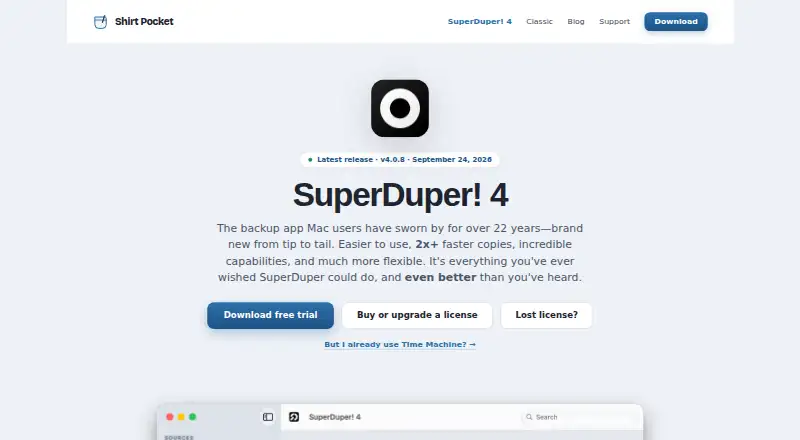
SuperDuper! is macOS backup software from Shirt Pocket for copying Mac startup drives, external volumes, files, and folders. It is aimed at Mac users who want bootable copies for startup-drive recovery, file-level restoration, or migration to another compatible drive. The application runs natively on Apple silicon and Intel Macs, and it can create disk images, including encrypted images, as well as send backups to network-share destinations.
The free unregistered mode has no time limit, but it is limited to Erase, then copy backups. The paid SuperDuper! 4 license costs $43.95 USD as a one-time purchase and adds unlimited scheduled and Smart Update copies, unattended copying, and use on all personal Macs. The published plan is subscription-free. The displayed price is a US price, so local currency, taxes, and upgrade pricing may differ. For someone who needs recurring incremental backups or unattended schedules, the paid license is the relevant tier; users needing only full erase-and-copy backups can start with the free mode.
SuperDuper! keeps its focus on Mac storage rather than covering multiple desktop or mobile platforms. Its restoration options include Finder drag-and-drop recovery for individual files and whole-volume restoration using Restore - all files. Backups can also be prepared for Apple Migration Assistant, and Apple Shortcuts is listed as an integration. Choose SuperDuper! if bootable Mac copies, scheduled Smart Update backups, and direct recovery workflows are priorities. Consider another product if you need Windows or mobile backup, or a broader cross-platform backup service.
Your product? Our editors can test SuperDuper! in depth and publish a review, labelled as paid · from $149/mo →
SuperDuper! pricing
All 2 SuperDuper! plans and prices →
SuperDuper! fact sheet
| Free plan | Yes |
|---|---|
| Paid from | Not verified |
| Supported operating systems | Not verified |
| Clone scope | Not verified |
| Bootable media | Not verified |
| Resize during cloning | Not verified |
| Sector cloning modes | Not verified |
| Scheduled cloning | Not verified |
| Dissimilar-hardware restore | Not verified |
| Deployment | Desktop |
| Platforms | macOS |
| Support | Email, Docs |
| Built for | Solo, Small business (editorial estimate) |
| Integrations | 2 integrations: Apple Shortcuts, Time Machine |
| Pricing | Free plan (source) |
| Website | shirt-pocket.com |
| Facts checked | 23 Sep 2026 |
SuperDuper! integrations
SuperDuper! lists 2 integrations on its own site.
- Apple Shortcuts
- Time Machine
Alternatives to SuperDuper!
- ClonezillaA capable free choice for cross-platform cloning, recovery, and multi-device deployment.9.4
- RescuezillaA free, cross-platform recovery toolkit for imaging, cloning, and restoring computers.9.2
- FOG ProjectA strong free choice for network-based imaging, with more deployment focus than general-purpose cloning.9.0



See all SuperDuper! alternatives →
Also Ranked In
SuperDuper! is ranked in 2 of our directories.
Used SuperDuper!? Be the first to review it
The editor score above is our own research. What this page doesn't have yet is a reader's view — what you used SuperDuper! for, what worked and what didn't. No stars are seeded and no review is paid for; an editor reads every one before it appears.
Write a reviewTwo minutes · verified accounts only · read by an editor before it appears
Featured on iTechGuides

SuperDuper! is listed in our Disk Cloning Software directory. Add the badge to your site — it links back to this page.
<a href="https://www.itechguides.com/products/superduper/"><img src="https://www.itechguides.com/best/badge/superduper.svg" alt="Featured on iTechGuides" width="230" height="46"></a>
Reviewed by iTechGuides Editors · Editorial team · Updated Oct 2026
Advertiser disclosure: iTechGuides is reader-supported. Vendors can pay for top positions in our rankings and for a place on other products' pages, and we may earn a commission when you click some links. Bought places stand at the number bought; this page and our disclosure say so. Paying vendors may get a fuller, more detailed review from our editors, and that review can change their score. How we rank.
Last updated · How we research and update