
StreamElements SE.Live
StreamElements SE.Live: A free OBS plugin for multistreaming with chat, alerts, and flexible output controls. Ranked #8 of 43 in Multistreaming Software by our editors (8.3/10); pricing: Free plan; best for usage-based multistreaming projects.
At a glance
- Editor score8.3 / 10
- PricingFree plan
- Best forUsage-based multistreaming projects
- Free planYes
- Paid fromFree
- Facts checked20 Sep 2026
Where it wins
- Streams to Twitch, YouTube, TikTok, X, KICK, and custom RTMP
- Combines multi-chat, activity feeds, alerts, and overlays in OBS
- Supports horizontal and vertical canvases with per-output audio tracks
Where it doesn't
- Requires OBS Studio and a local computer for streaming
- macOS availability is currently presented as a beta
- Maximum listed quality is 1080p
Our verdict on StreamElements SE.Live
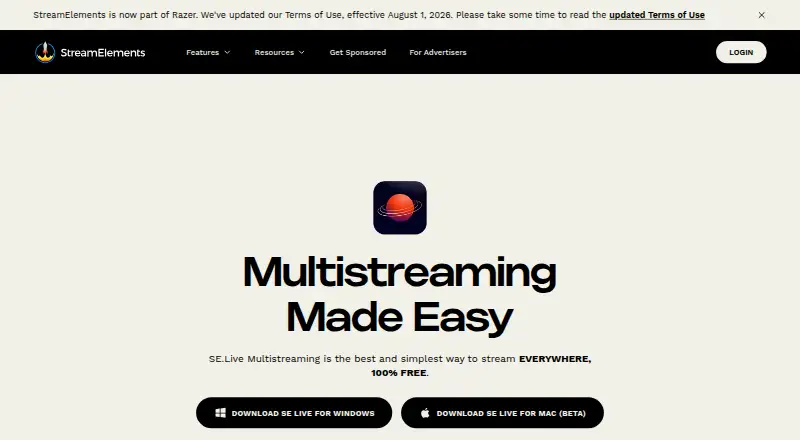
StreamElements SE.Live is a desktop OBS Studio plugin for live streamers who want to send one broadcast to multiple destinations. It combines multistreaming with a unified multi-chat, multiplatform activity feed, alerts, overlays, replay capture, and custom canvas options inside OBS. The published platform details cover Windows and macOS, with macOS presented as a beta, while supported destinations include Twitch, YouTube, TikTok, X, KICK, and custom RTMP outputs. Its free plan makes it relevant for creators who want multistreaming without a separate paid tier described here.
The main strength is how much of the streaming workflow stays connected to OBS. SE.Live supports custom horizontal and vertical canvases, per-output audio track selection, and alerts and overlays in OBS, giving streamers control over how each destination receives the broadcast. The unified chat and activity feed also bring audience interactions from supported platforms into one view. Backtrack replay buffer adds a way to capture recent moments, while recording is included in the category specifications. The maximum listed quality is 1080p, so the product is positioned around standard high-definition streaming rather than higher listed output tiers.
SE.Live is a strong fit for streamers who already work in OBS and want a free, multi-platform workflow with custom RTMP support and platform-specific output controls. It is less suitable for anyone seeking a standalone streaming application, since the product is an OBS plugin and its workflow centers on a local computer. macOS users should also account for its beta status. Choose SE.Live when integrated OBS controls, multi-chat, and broad destination support matter most; consider an alternative if you need a non-OBS workflow or output quality above 1080p.
Your product? Our editors can test StreamElements SE.Live in depth and publish a review, labelled as paid · from $149/mo →
StreamElements SE.Live pricing
All 1 StreamElements SE.Live plans and prices →
StreamElements SE.Live fact sheet
| Free plan | Yes |
|---|---|
| Paid from | Free |
| Simultaneous destinations | Not verified |
| Custom RTMP | Yes |
| Supported destinations | Twitch, YouTube, TikTok, X, KICK, custom RTMP |
| Guest support | Not verified |
| Stream recording | Yes |
| Maximum video quality | 1080p |
| Deployment | Desktop |
| Platforms | Windows, macOS |
| Support | Community, Docs |
| Built for | Solo, Small business (editorial estimate) |
| Integrations | 6 integrations: Twitch, YouTube, TikTok, X, KICK, Custom RTMP |
| Pricing | Free plan (source) |
| Website | streamelements.com |
| Facts checked | 20 Sep 2026 |
StreamElements SE.Live integrations
StreamElements SE.Live lists 6 integrations on its own site.
- Twitch
- YouTube
- TikTok
- X
- KICK
- Custom RTMP
Alternatives to StreamElements SE.Live
- Streamlabs MultistreamA flexible cloud-forwarding option for creators targeting major platforms and custom RTMP.9.2
- RestreamA broad multistreaming platform with browser production, scheduling, chat, analytics, and recordings.8.8
- SplitCam MultistreamA capable free encoder for creators who want direct multistreaming without a cloud relay.8.7



See all StreamElements SE.Live alternatives →
StreamElements SE.Live vs the competition
- StreamElements SE.Live vs Streamlabs Multistream
- StreamElements SE.Live vs Restream
- StreamElements SE.Live vs SplitCam Multistream
- StreamElements SE.Live vs OneStream Live
- StreamElements SE.Live vs PRISM Live Studio
- StreamElements SE.Live vs Lightstream



Compare StreamElements SE.Live with any tool side by side →
Also Ranked In
StreamElements SE.Live is ranked in 4 of our directories.
Used StreamElements SE.Live? Be the first to review it
The editor score above is our own research. What this page doesn't have yet is a reader's view — what you used StreamElements SE.Live for, what worked and what didn't. No stars are seeded and no review is paid for; an editor reads every one before it appears.
Write a reviewTwo minutes · verified accounts only · read by an editor before it appears
Featured on iTechGuides

StreamElements SE.Live is listed in our Multistreaming Software directory. Add the badge to your site — it links back to this page.
<a href="https://www.itechguides.com/products/streamelements-se-live/"><img src="https://www.itechguides.com/best/badge/streamelements-se-live.svg" alt="Featured on iTechGuides" width="230" height="46"></a>
Reviewed by iTechGuides Editors · Editorial team · Updated Oct 2026
Advertiser disclosure: iTechGuides is reader-supported. Vendors can pay for top positions in our rankings and for a place on other products' pages, and we may earn a commission when you click some links. Bought places stand at the number bought; this page and our disclosure say so. Paying vendors may get a fuller, more detailed review from our editors, and that review can change their score. How we rank.
Last updated · How we research and update