
SplitCam Multistream
SplitCam Multistream: A capable free encoder for creators who want direct multistreaming from Windows. Ranked #39 of 70 in Live Streaming Encoders by our editors (5.5/10); pricing: Free plan; best for free high-destination Windows streaming.
At a glance
- Editor score5.5 / 10
- PricingFree plan
- Best forFree high-destination Windows streaming
- Free planYes
- Paid fromFree
- Founded2003
- Facts checked20 Sep 2026
Where it wins
- Multistreams to 84+ configured destinations with per-destination bitrate controls
- Scene composition supports webcam, screen, browser, game, IP-camera and media sources
- Free plan includes virtual camera, AI effects, audio mixing and no watermark
Where it doesn't
- No browser-based studio; production runs through installed software
- Direct encoding places the streaming workload on the user's device
- It is oriented toward live production rather than scheduling or replay workflows
Our verdict on SplitCam Multistream
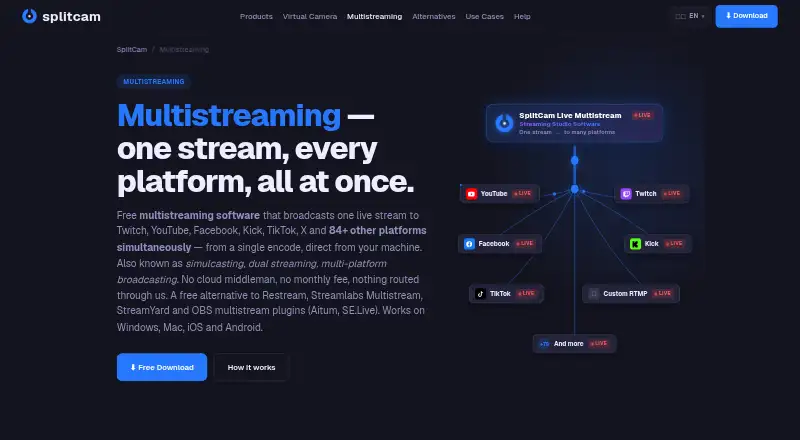
SplitCam Multistream is live-production and encoding software for creators, streamers, educators, churches and broadcasters. It combines scene composition, webcam and screen capture, virtual-camera output, audio mixing, visual effects and direct multistreaming. The software supports Windows, macOS, iOS and Android, with OBS Studio project import and hardware-encoding support. It is especially suited to Windows users who want to send one live production to many destinations from their own machine rather than through a cloud relay.
The published pricing structure is straightforward: the Free plan costs $0 and includes multistreaming, scene composition, virtual camera, AI background removal, an audio mixer and no watermark. The vendor describes 84+ preconfigured destinations and says up to 8 destinations are comfortable with no hard cap. Other included controls and production tools include per-destination bitrate settings, noise suppression, VST plugin support and AI visual effects. There is no paid tier to compare, so the product's appeal rests on the breadth of its free feature set rather than tier-based upgrades.
Platform coverage is a major part of the product's fit. Destinations and integrations include YouTube, Twitch, Facebook, Kick, TikTok, Instagram, X, LinkedIn, Discord, Telegram, WhatsApp and Custom RTMP. Scene sources cover webcam, screen, browser, game, IP-camera and media inputs, while virtual-camera output supports other video applications. The trade-off is a local encoder model: SplitCam sends streams directly from the user's device, and there is no browser studio. Buyers who need scheduling, replay, or recording-centered workflows should consider a more specialized alternative; buyers seeking free, high-destination live multistreaming should pick SplitCam Multistream.
Your product? Our editors can test SplitCam Multistream in depth and publish a review, labelled as paid · from $149/mo →
SplitCam Multistream pricing
All 1 SplitCam Multistream plans and prices →
SplitCam Multistream fact sheet
| Free plan | Yes |
|---|---|
| Paid from | Free |
| Encoder type | Not verified |
| Output protocols | Not verified |
| Maximum resolution | 4k |
| Simultaneous outputs | Not verified |
| Local recording | Not verified |
| Remote guest sources | Not verified |
| Deployment | Desktop, Mobile |
| Platforms | Windows, macOS, iOS, Android |
| Built for | Solo, Small business, Mid-market (editorial estimate) |
| Integrations | 84+ integrations: YouTube, Twitch, Facebook, Kick, TikTok, Instagram … See all → |
| Pricing | Free plan (source) |
| Website | splitcam.com |
| Facts checked | 20 Sep 2026 |
SplitCam Multistream integrations
SplitCam Multistream lists 84+ integrations on its own site — the 12 named here are the ones its pages call out.
- YouTube
- Twitch
- Kick
- TikTok
- X
- Discord
- Telegram
- Custom RTMP
See all SplitCam Multistream integrations →
Alternatives to SplitCam Multistream
- AWS Elemental MediaLiveA capable cloud encoder for complex AWS-based broadcast workflows.9.4
- Bitmovin Live EncoderA broad live-encoding stack for platforms, broadcasters, and streaming service providers.9.3
- Google Cloud Live Stream APIA cloud API for multi-rendition live delivery, recording, captions, and distribution.9.2


See all SplitCam Multistream alternatives →
Also Ranked In
SplitCam Multistream is ranked in 8 of our directories; the 6 strongest besides Live Streaming Encoders.
Used SplitCam Multistream? Be the first to review it
The editor score above is our own research. What this page doesn't have yet is a reader's view — what you used SplitCam Multistream for, what worked and what didn't. No stars are seeded and no review is paid for; an editor reads every one before it appears.
Write a reviewTwo minutes · verified accounts only · read by an editor before it appears
Featured on iTechGuides

SplitCam Multistream is listed in our Live Streaming Encoders directory. Add the badge to your site — it links back to this page.
<a href="https://www.itechguides.com/products/splitcam-multistream/"><img src="https://www.itechguides.com/best/badge/splitcam-multistream.svg" alt="Featured on iTechGuides" width="230" height="46"></a>
Reviewed by iTechGuides Editors · Editorial team · Updated Oct 2026
Advertiser disclosure: iTechGuides is reader-supported. Vendors can pay for top positions in our rankings and for a place on other products' pages, and we may earn a commission when you click some links. Bought places stand at the number bought; this page and our disclosure say so. Paying vendors may get a fuller, more detailed review from our editors, and that review can change their score. How we rank.
Last updated · How we research and update