
STB Suite
STB Suite: A specialized suite for deep multi-drive diagnostics, screening, logging, and automation. Ranked #24 of 26 in Disk Diagnostic Software by our editors (6.4/10); pricing: Paid; best for enterprise manufacturing and screening workflows.
At a glance
- Editor score6.4 / 10
- PricingPaid
- Best forEnterprise manufacturing and screening workflows
- Free planNo
- Facts checked20 Sep 2026
Where it wins
- Multi-drive, multithreaded screening through the DMM
- Graphical test-sequence creation without programming
- Detailed text, CSV, and database logging
Where it doesn't
- Paid software with no free plan
- Broad enterprise feature set may exceed routine diagnostic needs
- Published requirements include older Windows and Linux versions
Our verdict on STB Suite
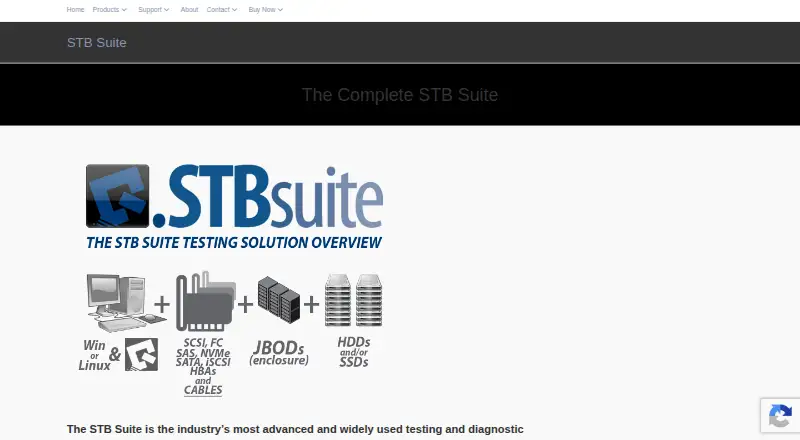
STB Suite is professional testing and diagnostic software for hard disk drives, SSDs, tape drives, storage libraries, and related peripherals. It is designed for repair depots, OEMs, storage manufacturers, integrators, field-service organizations, and enterprise testing operations. The suite combines an interactive GUI, multi-drive manufacturing and screening tools, a developer API, automation components, and a bus analyzer. It covers SCSI, Fibre Channel, SAS, SATA, iSCSI, ATAPI, and other storage interfaces, giving specialized teams a broad toolkit for storage-device evaluation.
Its strongest fit is high-volume or technically detailed screening. STB Suite can run sequential read tests across an entire drive to identify bad sectors, perform read and write testing, and view, log, and screen SMART data against thresholds. The DMM provides multithreaded, multi-drive screening, while graphical test-sequence creation avoids programming for routine workflow design. The suite also includes short, extended, conveyance, and selective SATA SMART self-tests, drive firmware downloading, and peripheral-bus trace capture and analysis. These capabilities make it more suitable for manufacturing, repair, and validation workflows than for occasional desktop troubleshooting.
Automation and reporting are central to the product’s positioning. Detailed text, CSV, and database logging support structured records, while the Linux command-line disk manufacturing engine extends use beyond the Windows interface. Developer connectivity includes Visual Basic, Visual C++, Visual Basic .NET, and a Linux shared-object library. Listed purchase options include a one-year lease, a complete STB Suite license, and Performa support and upgrade plans with different coverage periods. STB Suite suits organizations that need repeatable, multi-drive diagnostics and integration options; teams seeking a simple, general-purpose disk utility should choose a narrower tool.
Your product? Our editors can test STB Suite in depth and publish a review, labelled as paid · from $149/mo →
STB Suite pricing
All 5 STB Suite plans and prices →
STB Suite fact sheet
| Free plan | No |
|---|---|
| Paid from | Not verified |
| Bad-sector scan | Yes |
| Read/write testing | Yes |
| Surface scan | Yes |
| Bootable media | Not verified |
| Platform | Not verified |
| SMART tests | Yes |
| Maximum drive size | Not verified |
| Money-back guarantee | 30 days |
| Deployment | Desktop |
| Platforms | Windows, Linux |
| Support | Email, Phone, Docs |
| Built for | Mid-market, Enterprise (editorial estimate) |
| Integrations | 4 integrations: Visual Basic, Visual C++, Visual Basic .NET, Linux shared-object library |
| Pricing | Paid (source) |
| Website | stbsuite.com |
| Facts checked | 20 Sep 2026 |
STB Suite integrations
STB Suite lists 4 integrations on its own site.
- Visual Basic
- Visual C++
- Visual Basic .NET
- Linux shared-object library
Alternatives to STB Suite
- DiskMasterA free, open-source diagnostic suite for monitoring and investigating drive health.9.4
- Hard Disk SentinelA broad disk-monitoring suite with free access and paid features for deeper diagnostics and management.9.2
- smartmontoolsA free, cross-platform SMART toolkit for technically proficient administrators.9.0

See all STB Suite alternatives →
Used STB Suite? Be the first to review it
The editor score above is our own research. What this page doesn't have yet is a reader's view — what you used STB Suite for, what worked and what didn't. No stars are seeded and no review is paid for; an editor reads every one before it appears.
Write a reviewTwo minutes · verified accounts only · read by an editor before it appears
Featured on iTechGuides

STB Suite is listed in our Disk Diagnostic Software directory. Add the badge to your site — it links back to this page.
<a href="https://www.itechguides.com/products/stb-suite/"><img src="https://www.itechguides.com/best/badge/stb-suite.svg" alt="Featured on iTechGuides" width="230" height="46"></a>
Reviewed by iTechGuides Editors · Editorial team · Updated Oct 2026
Advertiser disclosure: iTechGuides is reader-supported. Vendors can pay for top positions in our rankings and for a place on other products' pages, and we may earn a commission when you click some links. Bought places stand at the number bought; this page and our disclosure say so. Paying vendors may get a fuller, more detailed review from our editors, and that review can change their score. How we rank.
Last updated · How we research and update