
Staff-FTP
Staff-FTP: A free Windows FTP client for FXP transfers, scripting and custom commands. Ranked #30 of 36 in FTP Clients by our editors (6.1/10); pricing: Free plan; best for free Windows FTP with FXP support.
At a glance
- Editor score6.1 / 10
- PricingFree plan
- Best forFree Windows FTP with FXP support
- Free planYes
- Paid fromFree
- Protocol coverageMulti-protocol
- Facts checked20 Sep 2026
Where it wins
- Supports server-to-server FXP transfers with transfer status display
- Includes TLS/SSL, custom FTP commands and a script engine
- Free Windows download with multilingual interface and glFTPd management
Where it doesn't
- Native support is limited to Windows
- No synchronization or scheduling features are listed
- macOS and Linux require compatibility or virtualization tools
Our verdict on Staff-FTP
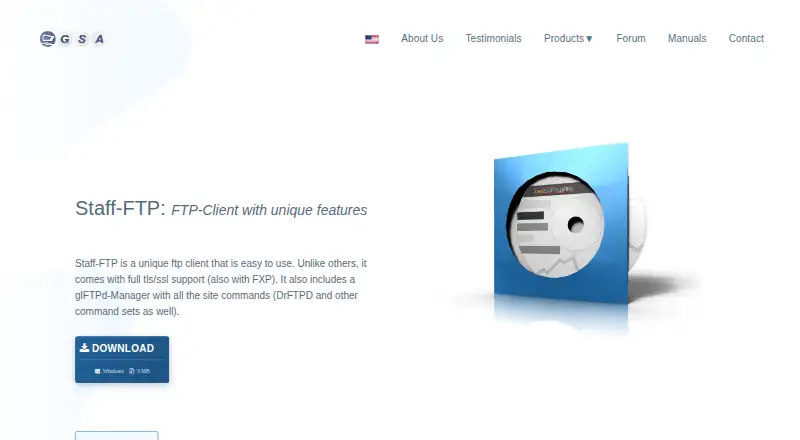
Staff-FTP is a free desktop FTP client for Windows, aimed at users who need standard FTP transfers alongside server-to-server FXP transfers. Its feature set includes TLS/SSL connections, custom FTP commands, scripting, glFTPd management, multilingual support and an FXP transfer status display. The product is a practical fit for Windows users who want more than basic file transfers, particularly when FXP is part of the workflow.
The pricing is straightforward: Staff-FTP is listed as freeware, with a free download available from the product page. There are no paid tiers described. Its main distinction is the combination of FXP support and transfer-oriented controls, including FXP status visibility, custom commands and a script engine. TLS/SSL support adds an encrypted connection option, while glFTPd management broadens its usefulness for users working with that server environment.
Platform fit is the key consideration. Staff-FTP is presented as a Windows client, while macOS and Linux users are directed toward compatibility or virtualization tools rather than a native build. The published feature set also does not include synchronization or scheduling, so users seeking those capabilities should consider a different FTP client. Choose Staff-FTP if you need a free Windows tool with FTP, FXP, scripting and custom-command support; choose an alternative if native macOS or Linux support, synchronization or scheduling is essential.
Your product? Our editors can test Staff-FTP in depth and publish a review, labelled as paid · from $149/mo →
Staff-FTP pricing
Staff-FTP fact sheet
| Free plan | Yes |
|---|---|
| Paid from | Free |
| Protocol coverage | Multi-protocol |
| Supported platforms | Windows |
| File synchronization | Not verified |
| Scheduled transfers | Not verified |
| Transfer automation | Yes |
| Concurrent transfers | Not verified |
| Portable version | Not verified |
| Deployment | Desktop |
| Platforms | Windows |
| Support | Email, Community |
| Built for | Solo, Small business (editorial estimate) |
| Pricing | Free plan |
| Website | gsa-online.de |
| Facts checked | 20 Sep 2026 |
Alternatives to Staff-FTP
- WinSCPA capable free Windows client for multi-protocol transfers, scripting, and SSH workflows.9.3
- FileZilla ClientA capable free FTP client for straightforward desktop file transfers.9.2
- CyberduckA broad, free FTP client for desktop transfers, synchronization, and automation.9.1



See all Staff-FTP alternatives →
Used Staff-FTP? Be the first to review it
The editor score above is our own research. What this page doesn't have yet is a reader's view — what you used Staff-FTP for, what worked and what didn't. No stars are seeded and no review is paid for; an editor reads every one before it appears.
Write a reviewTwo minutes · verified accounts only · read by an editor before it appears
Featured on iTechGuides

Staff-FTP is listed in our FTP Clients directory. Add the badge to your site — it links back to this page.
<a href="https://www.itechguides.com/products/staff-ftp/"><img src="https://www.itechguides.com/best/badge/staff-ftp.svg" alt="Featured on iTechGuides" width="230" height="46"></a>
Reviewed by iTechGuides Editors · Editorial team · Updated Oct 2026
Advertiser disclosure: iTechGuides is reader-supported. Vendors can pay for top positions in our rankings and for a place on other products' pages, and we may earn a commission when you click some links. Bought places stand at the number bought; this page and our disclosure say so. Paying vendors may get a fuller, more detailed review from our editors, and that review can change their score. How we rank.
Last updated · How we research and update