SQL Assistant
SQL Assistant: A broad Windows SQL workspace with database documentation, modeling, comparison, and AI assistance. Ranked #16 of 27 in Database Documentation Tools by our editors (7.6/10); pricing: 14-day trial; best for developers wanting documentation inside database tooling.
At a glance
- Editor score7.6 / 10
- Pricing14-day trial
- Best forDevelopers wanting documentation inside database tooling
- Free planNo
- Paid from$240.31/user one-time
- Database coverageRelational
- Founded1997 · Rego Park, New York, USA
- Facts checked21 Sep 2026
Where it wins
- Generates database documentation alongside schema and data tools
- Combines browsing, modeling, comparison, source control, and automation
- Works with many editors and includes AI database assistants
Where it doesn't
- No free plan; licenses start at $240.31 one time
- Standard and Professional licenses cover one user each
- Windows desktop focus may not suit teams needing broader platforms
Our verdict on SQL Assistant
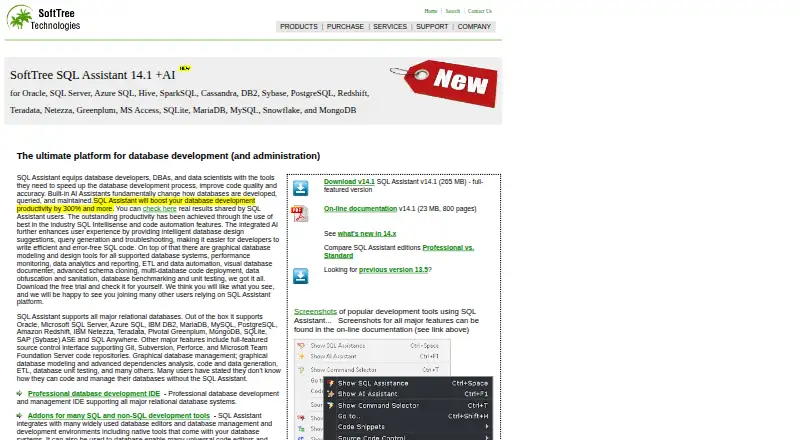
SQL Assistant is a Windows desktop development and administration tool for database developers, DBAs, and data scientists. Its documentation generation sits within a wider SQL workspace that includes code completion, IntelliSense, syntax validation, formatting, schema browsing, graphical modeling, and schema, database, jobs, and data comparison. It supports relational databases and connects to MongoDB through its BI Connector, with an API also listed as a platform.
Documentation is strongest when it is part of an active database workflow. SQL Assistant can generate database documentation while also supporting source control through Git, Subversion, Perforce, and TFS, plus data import, export, database-to-database transfer, multi-server execution, scheduling, and search-and-replace. AI assistants cover database design, query generation, and troubleshooting. Integration with tools such as SQL Server Management Studio, Visual Studio, Eclipse, DBeaver, pgAdmin, Navicat, MySQL Workbench, and HeidiSQL gives developers several ways to keep the product within an existing editor environment.
Pricing is based on one-time licenses. Standard Edition costs $240.31 for the SQL Assistant standard feature set and a 1-user license. Professional Edition costs $395.14 and adds the full feature set plus a Professional multi-server SQL IDE, also for 1 user. A 14-day free trial is available. Choose SQL Assistant if database documentation needs to live alongside modeling, comparison, source control, migration, automation, and SQL development. Teams seeking a dedicated documentation product, a free plan, or a platform beyond its Windows desktop and API options should consider a narrower or more broadly hosted alternative.
Your product? Our editors can test SQL Assistant in depth and publish a review, labelled as paid · from $149/mo →
SQL Assistant pricing
All 2 SQL Assistant plans and prices →
SQL Assistant fact sheet
| Free plan | No |
|---|---|
| Paid from | $240.31/user one-time |
| Database coverage | Relational |
| Data lineage | Yes |
| Data dictionary | Not verified |
| Schema history | Not verified |
| Deployment | Not verified |
| Single sign-on | Not verified |
| Free trial | 14 days |
| Deployment | Desktop |
| Platforms | Windows |
| Support | Email, Phone, Community, Docs |
| Built for | Small business, Mid-market, Enterprise (editorial estimate) |
| Integrations | 15 integrations: SQL Server Management Studio, Visual Studio, Eclipse, IBM Data Studio, DBeaver, PL/SQL Developer … |
| Pricing | 14-day trial (source) |
| Website | softtreetech.com |
| Facts checked | 21 Sep 2026 |
SQL Assistant integrations
SQL Assistant lists 15 integrations on its own site.
- SQL Server Management Studio
- Visual Studio
- Eclipse
- IBM Data Studio
- DBeaver
- PL/SQL Developer
- Oracle SQL*Plus
- Toad
- PostgreSQL pgAdmin
- Navicat
- MySQL Workbench
- HeidiSQL
- Microsoft Access
- UltraEdit
- Notepad++
Alternatives to SQL Assistant
- DataedoA broad, governed data catalog with strong lineage and quality coverage at a high annual price.9.4
- AzimuttA broad toolkit for exploring, analyzing, designing, and documenting large mixed-model schemas.9.2
- SchemaCrawlerA free, open-source choice for automated relational database documentation and analysis.9.0



See all SQL Assistant alternatives →
Used SQL Assistant? Be the first to review it
The editor score above is our own research. What this page doesn't have yet is a reader's view — what you used SQL Assistant for, what worked and what didn't. No stars are seeded and no review is paid for; an editor reads every one before it appears.
Write a reviewTwo minutes · verified accounts only · read by an editor before it appears
Featured on iTechGuides

SQL Assistant is listed in our Database Documentation Tools directory. Add the badge to your site — it links back to this page.
<a href="https://www.itechguides.com/products/sql-assistant/"><img src="https://www.itechguides.com/best/badge/sql-assistant.svg" alt="Featured on iTechGuides" width="230" height="46"></a>
Reviewed by iTechGuides Editors · Editorial team · Updated Oct 2026
Advertiser disclosure: iTechGuides is reader-supported. Vendors can pay for top positions in our rankings and for a place on other products' pages, and we may earn a commission when you click some links. Bought places stand at the number bought; this page and our disclosure say so. Paying vendors may get a fuller, more detailed review from our editors, and that review can change their score. How we rank.
Last updated · How we research and update