Splitwave
Splitwave: A free, cross-platform audio router for live processing, recording, streaming, and DAW workflows. Ranked #4 of 30 in Audio Enhancement Software by our editors (9.0/10); pricing: Free plan; best for cross-platform open-source audio production.
At a glance
- Editor score9.0 / 10
- PricingFree plan
- Best forCross-platform open-source audio production
- Free planYes
- Paid fromFree
- Noise reductionYes
- Facts checked20 Sep 2026
Where it wins
- Free and open source under the MIT license
- Routes microphones, apps, files, effects, and plugins in real time
- Supports macOS, Linux, and Windows with broad recording formats
Where it doesn't
- Virtual audio devices are available only on macOS and Linux
- The node-based workflow may require careful pipeline configuration
- Its wide feature set may exceed the needs of simple audio enhancement
Our verdict on Splitwave
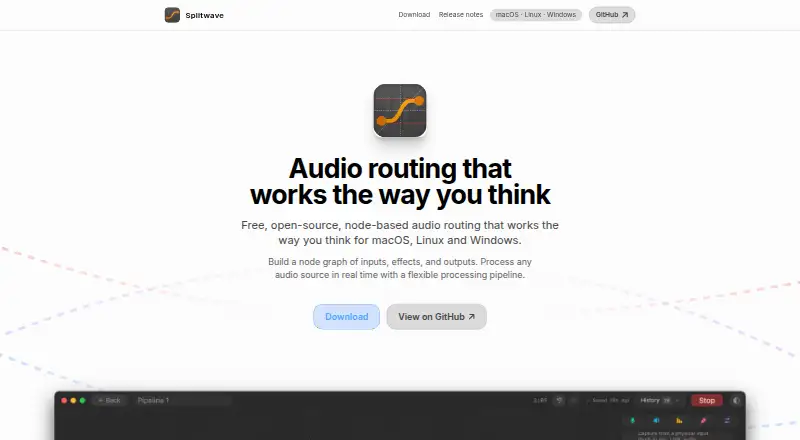
Splitwave is a desktop audio router for macOS, Linux, and Windows, designed for users who need more than basic volume or tone adjustment. Its node-based graph connects microphones, system audio, per-application audio, WAV files, effects, plugins, speakers, recordings, and virtual devices in real time. That makes it relevant to streamers, podcasters, musicians, audio engineers, and users moving audio between communication, broadcast, and digital audio workstation applications. The software is free and open source under the MIT license.
Its strongest differentiator is the combination of routing and processing depth. Splitwave includes noise suppression, a 10-band graphic equalizer, compression, limiting, gating, reverb, delay, metering, and other effects. It can host CLAP, VST3, and Audio Unit plugins, while recording to WAV, FLAC, AIFF, Opus, MP3, and AAC. Named pipelines, effect presets, and pipeline templates support repeatable setups. WebRTC and UDP nodes extend the routing model to network audio, giving the product a wider scope than a single-purpose noise reduction or equalizer utility.
Platform and ecosystem fit are also central to the choice. Splitwave integrates with Zoom, Discord, OBS, Logic Pro, Ableton Live, Reaper, GarageBand, and VB-Cable, covering communication, streaming, and DAW workflows. Virtual audio devices are available on macOS and Linux, while the application itself also supports Windows. Users who want reusable, application-aware routing across these operating systems should find the feature coverage compelling. Those seeking only quick microphone cleanup, or who need virtual audio devices on Windows, may prefer a narrower tool with a simpler workflow.
Your product? Our editors can test Splitwave in depth and publish a review, labelled as paid · from $149/mo →
Splitwave pricing
Splitwave fact sheet
| Free plan | Yes |
|---|---|
| Paid from | Free |
| Noise reduction | Yes |
| Equalizer | Yes |
| Virtual surround | Not verified |
| Audio routing | Yes |
| App-specific profiles | Not verified |
| Supported platforms | macOS, Linux, Windows |
| Equalizer bands | 10 bands |
| Deployment | Desktop |
| Platforms | macOS, Linux, Windows |
| Integrations | 8 integrations: Zoom, Discord, OBS, Logic Pro, Ableton Live, Reaper … |
| Pricing | Free plan |
| Website | splitwave.app |
| Facts checked | 20 Sep 2026 |
Splitwave integrations
Splitwave lists 8 integrations on its own site.
- Zoom
- Discord
- OBS
- Logic Pro
- Ableton Live
- Reaper
- GarageBand
- VB-Cable
Alternatives to Splitwave
- SteelSeries SonarA capable free Windows audio suite for gamers and streamers who want detailed control.9.4
- VoicemeeterA deep Windows audio router with free tiers for mixing, effects, and network audio.9.2
- Elgato Wave LinkA free mixer for creators who need flexible routing, multiple mixes, and plugin effects.9.1


See all Splitwave alternatives →
Splitwave vs the competition
- Splitwave vs SteelSeries Sonar
- Splitwave vs Voicemeeter
- Splitwave vs Elgato Wave Link
- Splitwave vs RØDE UNIFY
- Splitwave vs Patchd
- Splitwave vs FxSound


Compare Splitwave with any tool side by side →
Used Splitwave? Be the first to review it
The editor score above is our own research. What this page doesn't have yet is a reader's view — what you used Splitwave for, what worked and what didn't. No stars are seeded and no review is paid for; an editor reads every one before it appears.
Write a reviewTwo minutes · verified accounts only · read by an editor before it appears
Featured on iTechGuides

Splitwave is listed in our Audio Enhancement Software directory. Add the badge to your site — it links back to this page.
<a href="https://www.itechguides.com/products/splitwave/"><img src="https://www.itechguides.com/best/badge/splitwave.svg" alt="Featured on iTechGuides" width="230" height="46"></a>
Reviewed by iTechGuides Editors · Editorial team · Updated Oct 2026
Advertiser disclosure: iTechGuides is reader-supported. Vendors can pay for top positions in our rankings and for a place on other products' pages, and we may earn a commission when you click some links. Bought places stand at the number bought; this page and our disclosure say so. Paying vendors may get a fuller, more detailed review from our editors, and that review can change their score. How we rank.
Last updated · How we research and update