
Spack
Spack: Spack fits teams managing complex scientific and systems dependencies across varied hardware. Ranked #18 of 27 in Python Package Managers by our editors (7.0/10); pricing: Free plan; best for scientific and systems software dependencies.
At a glance
- Editor score7.0 / 10
- PricingFree plan
- Best forScientific and systems software dependencies
- Free planYes
- Paid fromFree
- Lockfile supportYes
- Facts checked20 Sep 2026
Where it wins
- Controls versions, compilers, build options, and target architectures
- Supports reproducible environments with spack.yaml and spack.lock files
- Installs from source or binary caches across Linux, macOS, and Windows
Where it doesn't
- Its broad configuration model may require more package-management knowledge
- Its focus extends beyond Python-specific package workflows
- Managing many package combinations can add configuration overhead
Our verdict on Spack
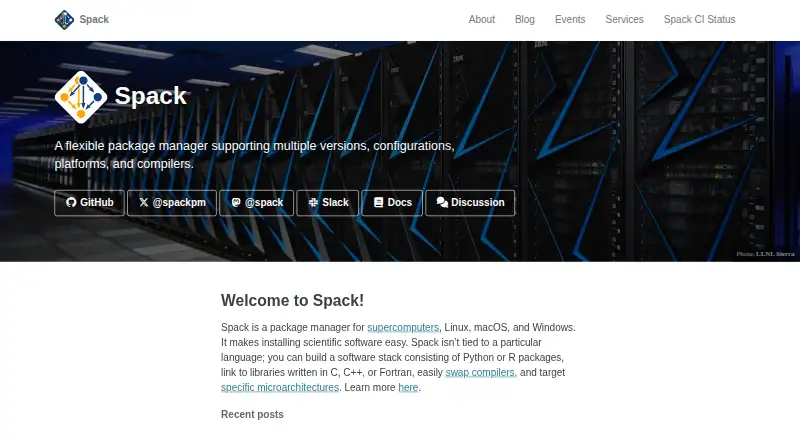
Spack is an open-source package manager for scientific software, supercomputers, and shared computing environments. It is designed for users, developers, administrators, research teams, and high-performance computing centers that need to manage dependencies across different versions, compilers, architectures, and build configurations. Although it is adjacent to Python package management, Spack covers broader scientific and systems software needs and supports Linux, macOS, and Windows.
The package model is the main reason to consider Spack. Users can install packages from source or binary build caches while specifying compiler choices, build options, target architectures, and versions. Multiple configurations can be installed non-destructively, and dependencies can be linked using RPATH. Python-based package recipes extend the system for teams that need to define or adapt package builds. Local and Git-based package repositories also support customized package collections, including private repository workflows.
For reproducible work, Spack provides environments managed through spack.yaml and spack.lock files. Users can activate environments and load associated software views, giving teams a structured way to maintain related software selections. This breadth is useful when projects combine scientific libraries, system tools, and hardware-specific builds, but it may be more configuration than a Python-only project requires. Choose Spack when compiler, architecture, build-option, repository, and environment control matter together. A narrower Python dependency workflow may be better served by a package manager focused primarily on Python packages.
Your product? Our editors can test Spack in depth and publish a review, labelled as paid · from $149/mo →
Spack pricing
Spack fact sheet
| Free plan | Yes |
|---|---|
| Paid from | Free |
| Lockfile support | Yes |
| Environment management | Yes |
| Package publishing | Not verified |
| Private registry | Yes |
| Dependency groups | Not verified |
| Supported platforms | Cross-platform |
| Deployment | Self-hosted |
| Platforms | Linux, macOS, Windows |
| Support | Community, Docs |
| Built for | Mid-market, Enterprise (editorial estimate) |
| Pricing | Free plan |
| Website | spack.io |
| Facts checked | 20 Sep 2026 |
Alternatives to Spack
- uvAn open-source toolkit for managing modern Python projects from dependencies to publishing.9.3
- PoetryA focused open-source workflow for resolving, isolating, building, and publishing Python projects.9.1
- PDMA standards-focused manager for reproducible environments, workspaces, and private indexes.9.0



Also Ranked In
Spack is ranked in 2 of our directories.
Used Spack? Be the first to review it
The editor score above is our own research. What this page doesn't have yet is a reader's view — what you used Spack for, what worked and what didn't. No stars are seeded and no review is paid for; an editor reads every one before it appears.
Write a reviewTwo minutes · verified accounts only · read by an editor before it appears
Featured on iTechGuides

Spack is listed in our Python Package Managers directory. Add the badge to your site — it links back to this page.
<a href="https://www.itechguides.com/products/spack/"><img src="https://www.itechguides.com/best/badge/spack.svg" alt="Featured on iTechGuides" width="230" height="46"></a>
Reviewed by iTechGuides Editors · Editorial team · Updated Oct 2026
Advertiser disclosure: iTechGuides is reader-supported. Vendors can pay for top positions in our rankings and for a place on other products' pages, and we may earn a commission when you click some links. Bought places stand at the number bought; this page and our disclosure say so. Paying vendors may get a fuller, more detailed review from our editors, and that review can change their score. How we rank.
Last updated · How we research and update