
SoundConverter
SoundConverter: A focused Linux batch converter with tag-based organization and configurable output profiles. Ranked #16 of 36 in Audio Converter Software by our editors (7.8/10); pricing: Free plan; best for linux desktop batch conversion.
At a glance
- Editor score7.8 / 10
- PricingFree plan
- Best forLinux desktop batch conversion
- Free planYes
- Paid fromFree
- Batch conversionYes
- Facts checked21 Sep 2026
Where it wins
- Multithreaded processing converts multiple files at once.
- Supports many GStreamer input formats and six output format families.
- Automates filenames and folders using audio tags.
Where it doesn't
- Runs on Linux desktop environments only.
- Does not provide CD ripping.
- Does not offer cloud-based conversion.
Our verdict on SoundConverter
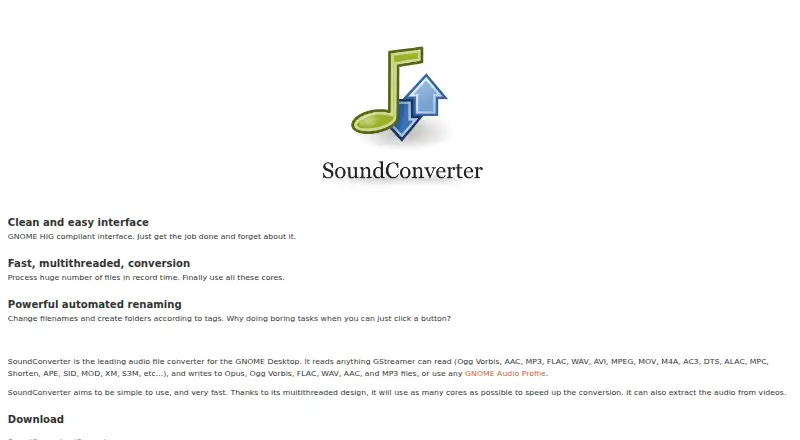
SoundConverter is a free, open-source audio file transcoder for the GNOME desktop environment. It is designed for Linux desktop users who need local batch conversion rather than a cloud service. GStreamer support lets it read audio and video inputs including Ogg Vorbis, AAC, MP3, FLAC, WAV, AVI, MPEG, MOV, M4A, AC3, DTS, ALAC, MPC, Shorten, APE, SID, MOD, XM, and S3M. It can write Opus, Ogg Vorbis, FLAC, WAV, AAC, and MP3 files.
Its strongest fit is high-volume local conversion. Multithreaded processing handles multiple files, while audio extraction from video adds a useful conversion path beyond audio-only sources. Tag-based renaming and folder creation help organize output automatically, and configurable audio profiles provide control over conversion settings. GStreamer and GNOME Audio Profiles are the key ecosystem connections, keeping the product closely aligned with Linux and GNOME desktop workflows.
SoundConverter is a practical choice for solo users and small teams that want free, open-source Linux software for repeatable desktop conversion. It is less suitable for workflows that depend on CD ripping, cloud processing, or platforms beyond Linux. Users who need those capabilities should choose a product built around disc ingestion, web-based conversion, or broader operating-system support instead. For Linux users focused on batch audio conversion, format selection, tag-driven organization, and local processing, its scope is clear and well defined.
Your product? Our editors can test SoundConverter in depth and publish a review, labelled as paid · from $99/mo →
SoundConverter pricing
SoundConverter fact sheet
| Free plan | Yes |
|---|---|
| Paid from | Free |
| Batch conversion | Yes |
| Supported formats | Input: Ogg Vorbis, AAC, MP3, FLAC, WAV, AVI, MPEG, MOV, M4A, AC3, DTS, ALAC, MPC, Shorten, APE, SID, MOD, XM, S3M; output: Opus, Ogg Vorbis, FLAC, WAV, AAC, MP3 |
| Quality controls | Yes |
| Metadata editing | Not verified |
| CD ripping | No |
| Cloud conversion | No |
| Deployment | Desktop |
| Platforms | Linux |
| Support | Community, Docs |
| Built for | Solo, Small business (editorial estimate) |
| Integrations | 2 integrations: GStreamer, GNOME Audio Profiles |
| Pricing | Free plan |
| Website | soundconverter.org |
| Facts checked | 21 Sep 2026 |
SoundConverter integrations
SoundConverter lists 2 integrations on its own site.
- GStreamer
- GNOME Audio Profiles
Alternatives to SoundConverter
- fre:acA capable free desktop converter for cross-platform library management and CD ripping.9.4
- MediaHuman Audio ConverterA capable free converter for batch jobs, metadata handling, and everyday library exports.9.2
- X Lossless DecoderA free macOS tool for accurate lossless conversion, ripping, tagging, and batch processing.9.1

See all SoundConverter alternatives →
Used SoundConverter? Be the first to review it
The editor score above is our own research. What this page doesn't have yet is a reader's view — what you used SoundConverter for, what worked and what didn't. No stars are seeded and no review is paid for; an editor reads every one before it appears.
Write a reviewTwo minutes · verified accounts only · read by an editor before it appears
Featured on iTechGuides

SoundConverter is listed in our Audio Converter Software directory. Add the badge to your site — it links back to this page.
<a href="https://www.itechguides.com/products/soundconverter/"><img src="https://www.itechguides.com/best/badge/soundconverter.svg" alt="Featured on iTechGuides" width="230" height="46"></a>
Guides on audio converter software
- 12 Best Free Audio Converter Software for Windows 11Aug 2026
- 10 Best Free Audio Converter Tools (Online & Offline)Aug 2026
- 7 Best Free Audio Converter Software Programs in 2026Aug 2026
Reviewed by iTechGuides Editors · Editorial team · Updated Oct 2026
Advertiser disclosure: iTechGuides is reader-supported. Vendors can pay for top positions in our rankings and for a place on other products' pages, and we may earn a commission when you click some links. Bought places stand at the number bought; this page and our disclosure say so. Paying vendors may get a fuller, more detailed review from our editors, and that review can change their score. How we rank.
Last updated · How we research and update