SmartSniff
SmartSniff: A free, focused Windows utility for TCP/IP conversations, filtering, exports, and HTTP extraction. Ranked #28 of 31 in Network Packet Analyzer Software by our editors (5.8/10); pricing: Free plan; best for basic Windows TCP conversation capture.
At a glance
- Editor score5.8 / 10
- PricingFree plan
- Best forBasic Windows TCP conversation capture
- Free planYes
- Paid fromFree
- Operating systemsWindows 98/ME/NT/2000/XP/2003/2008/Vista/7/8
- Founded2001
- Facts checked21 Sep 2026
Where it wins
- Freeware with live TCP/IP capture and conversation views
- Filters, HTTP extraction, process information, and export options
- Portable operation with command-line capture support
Where it doesn't
- Documented operating-system coverage ends with Windows 8
- No decryption support
- Focused on TCP/IP capture rather than broad protocol analysis
Our verdict on SmartSniff
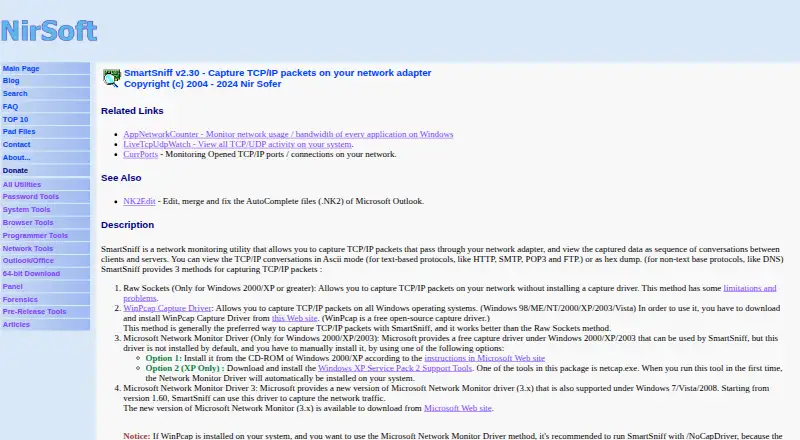
SmartSniff is a portable freeware utility from NirSoft for capturing TCP/IP packets from a selected network adapter and presenting them as client-server conversations. It suits Windows users who need a focused way to inspect traffic, review live conversations, apply filters, and save captured data without installing a larger analysis suite. Views include ASCII, hexadecimal, automatic, and URL-list formats, giving basic traffic inspection different ways to present the same capture.
The tool’s ecosystem is centered on Windows capture components and related NirSoft utilities. It can capture through raw sockets, WinPcap/Npcap, or the Microsoft Network Monitor Driver. IPNetInfo and the GeoLite City database are also listed integrations. For operational workflows, SmartSniff supports capture and display filters, packet-summary and TCP/IP-stream exports, several capture-file formats, and command-line capture options. It can also retrieve process information for captured TCP packets and extract HTTP files from selected streams. Its Freeware plan includes TCP/IP packet capture, conversation viewing, filters, and export or save functions.
SmartSniff is a practical choice for basic TCP conversation capture on the Windows versions it documents, including Windows 98/ME, NT, 2000, XP, 2003, 2008, Vista, 7, and 8. Its scope is narrower than a full protocol-analysis platform: decryption is not supported, and the feature set is focused on TCP/IP packets, conversations, streams, and HTTP extraction. Choose it when free, portable capture with filtering and command-line options matches the task. Choose an alternative when current Windows coverage, encrypted-traffic analysis, or broader protocol inspection is required.
Your product? Our editors can test SmartSniff in depth and publish a review, labelled as paid · from $149/mo →
SmartSniff pricing
All 1 SmartSniff plans and prices →
SmartSniff fact sheet
| Free plan | Yes |
|---|---|
| Paid from | Free |
| Live capture | Yes |
| Command-line tool | Yes |
| Traffic decryption | No |
| Operating systems | Windows 98/ME/NT/2000/XP/2003/2008/Vista/7/8 |
| Capture file formats | .ssp, tcpdump/libpcap, Microsoft Network Monitor .cap |
| Protocol dissectors | Not verified |
| Deployment | Desktop |
| Platforms | Windows |
| Support | Email, Docs |
| Built for | Solo, Small business (editorial estimate) |
| Integrations | 4 integrations: WinPcap/Npcap, Microsoft Network Monitor Driver, IPNetInfo, GeoLite City database |
| Pricing | Free plan (source) |
| Website | nirsoft.net |
| Facts checked | 21 Sep 2026 |
SmartSniff integrations
SmartSniff lists 4 integrations on its own site.
- WinPcap/Npcap
- Microsoft Network Monitor Driver
- IPNetInfo
- GeoLite City database
Alternatives to SmartSniff
- WiresharkA complete free analyzer for live capture, offline analysis, protocol inspection, and packet decryption.9.4
- TSharkA free, open-source choice for structured, scriptable packet analysis.9.2
- tcpdumpA free, open-source choice for precise capture, filtering, and PCAP inspection.9.0


See all SmartSniff alternatives →
Used SmartSniff? Be the first to review it
The editor score above is our own research. What this page doesn't have yet is a reader's view — what you used SmartSniff for, what worked and what didn't. No stars are seeded and no review is paid for; an editor reads every one before it appears.
Write a reviewTwo minutes · verified accounts only · read by an editor before it appears
Featured on iTechGuides

SmartSniff is listed in our Network Packet Analyzer Software directory. Add the badge to your site — it links back to this page.
<a href="https://www.itechguides.com/products/smartsniff/"><img src="https://www.itechguides.com/best/badge/smartsniff.svg" alt="Featured on iTechGuides" width="230" height="46"></a>
Reviewed by iTechGuides Editors · Editorial team · Updated Oct 2026
Advertiser disclosure: iTechGuides is reader-supported. Vendors can pay for top positions in our rankings and for a place on other products' pages, and we may earn a commission when you click some links. Bought places stand at the number bought; this page and our disclosure say so. Paying vendors may get a fuller, more detailed review from our editors, and that review can change their score. How we rank.
Last updated · How we research and update