
Sharkoon SKILLER Gaming Software
Sharkoon SKILLER Gaming Software: A free Windows utility for detailed mouse controls, macros, profiles and RGB. Ranked #45 of 105 in Keyboard and Mouse Customization Software by our editors (5.3/10); pricing: Free plan; best for windows users focused on mouse customization.
At a glance
- Editor score5.3 / 10
- PricingFree plan
- Best forWindows users focused on mouse customization
- Free planYes
- Paid fromFree
- Supported operating systemsWindows
- Facts checked22 Sep 2026
Where it wins
- Remaps mouse buttons and supports editable macros with up to 255 repetitions
- Offers DPI from 100 to 12,000 and polling rates from 125 to 1,000 Hz
- Provides RGB controls, onboard profiles and factory-reset settings
Where it doesn't
- Supports Windows desktop deployment only
- Its documented scope centers on compatible Sharkoon gaming devices
- Keyboard customization is not part of the documented feature set
Our verdict on Sharkoon SKILLER Gaming Software
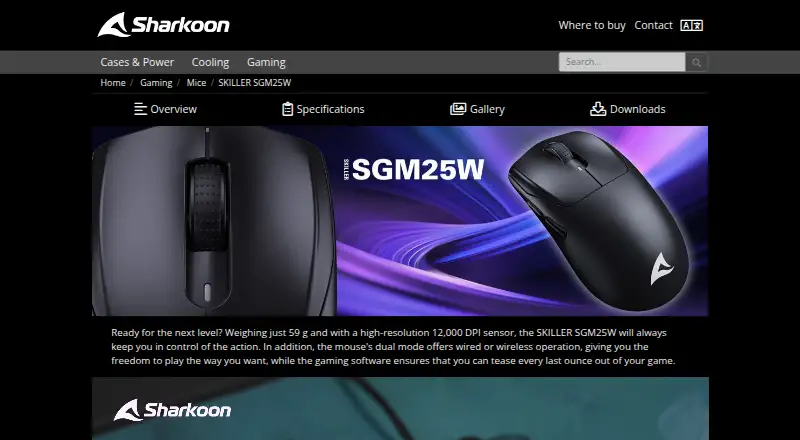
Sharkoon SKILLER Gaming Software is free Windows desktop software for configuring compatible SKILLER gaming devices. It is aimed at solo and small-team users who want to customize a compatible mouse rather than manage a broad keyboard-and-mouse suite. For the SKILLER SGM25W, the software handles button reassignment, sensitivity settings, polling rate, RGB illumination, macros and game profiles. Sharkoon distributes it as a Windows download from the mouse product page and provides an official software manual.
Its strongest area is mouse configuration depth. Users can assign functions to programmable mouse buttons, record and edit macros, and save or load them with support for up to 255 repetitions. Sensitivity settings cover DPI levels from 100 to 12,000, while polling-rate controls range from 125 Hz to 1,000 Hz. RGB illumination settings include effects, brightness and speed. These controls give gaming-focused users a focused way to tailor compatible hardware without a software fee.
Profile handling is another practical strength. The software can save and load game profiles, with five profile slots listed for the product category, and the compatible mouse provides onboard memory for game profiles. Factory-reset controls are also available. The trade-off is scope: the documented feature set is centered on mouse customization for compatible Sharkoon devices, while keyboard customization is not part of the documented offering. Choose it if you use supported Sharkoon gaming hardware on Windows and want macros, profiles, DPI, polling-rate and RGB controls. Choose an alternative if you need broader keyboard customization, wider platform support or a cross-brand device ecosystem.
Your product? Our editors can test Sharkoon SKILLER Gaming Software in depth and publish a review, labelled as paid · from $149/mo →
Sharkoon SKILLER Gaming Software pricing
Sharkoon SKILLER Gaming Software fact sheet
| Free plan | Yes |
|---|---|
| Paid from | Free |
| Supported operating systems | Windows |
| Macro support | Yes |
| Per-app profiles | Not verified |
| Onboard device memory | Yes |
| Polling rate control | Yes |
| Sensitivity controls | Yes |
| Profile slots | 5 profiles |
| Deployment | Desktop |
| Platforms | Windows |
| Support | Email, Docs |
| Built for | Solo, Small business (editorial estimate) |
| Pricing | Free plan |
| Website | en.sharkoon.com |
| Facts checked | 22 Sep 2026 |
Alternatives to Sharkoon SKILLER Gaming Software
- Razer SynapseA free Razer-focused hub for remapping, macros, profiles, and Chroma lighting.9.2
- Logi Options+A broad free toolkit for remapping, automation, profiles, and multi-computer control.9.1
- Logitech G HUBA free desktop suite for Logitech G lighting, profiles, and device settings.9.0



See all Sharkoon SKILLER Gaming Software alternatives →
Used Sharkoon SKILLER Gaming Software? Be the first to review it
The editor score above is our own research. What this page doesn't have yet is a reader's view — what you used Sharkoon SKILLER Gaming Software for, what worked and what didn't. No stars are seeded and no review is paid for; an editor reads every one before it appears.
Write a reviewTwo minutes · verified accounts only · read by an editor before it appears
Featured on iTechGuides

Sharkoon SKILLER Gaming Software is listed in our Keyboard and Mouse Customization Software directory. Add the badge to your site — it links back to this page.
<a href="https://www.itechguides.com/products/sharkoon-skiller-gaming-software/"><img src="https://www.itechguides.com/best/badge/sharkoon-skiller-gaming-software.svg" alt="Featured on iTechGuides" width="230" height="46"></a>
Reviewed by iTechGuides Editors · Editorial team · Updated Oct 2026
Advertiser disclosure: iTechGuides is reader-supported. Vendors can pay for top positions in our rankings and for a place on other products' pages, and we may earn a commission when you click some links. Bought places stand at the number bought; this page and our disclosure say so. Paying vendors may get a fuller, more detailed review from our editors, and that review can change their score. How we rank.
Last updated · How we research and update