
Session Canvas
Session Canvas: A focused open-source toolkit for publishing conference programmes. Ranked #21 of 34 in Event Scheduling Software by our editors (6.9/10); pricing: Open source; best for open-source schedule publishing.
At a glance
- Editor score6.9 / 10
- PricingOpen source
- Best forOpen-source schedule publishing
- Paid fromFree
- Facts checked20 Sep 2026
Where it wins
- Covers CFPs, review workflows, scheduling, and speaker communications
- Flags room, time, and speaker conflicts during agenda planning
- Publishes widgets, JSON feeds, iCal exports, and optional Airtable sync
Where it doesn't
- Requires self-hosting on the organizer’s own Supabase project
- Web and self-hosted deployment limit its platform reach
- Its focus is conference programmes rather than broader event operations
Our verdict on Session Canvas
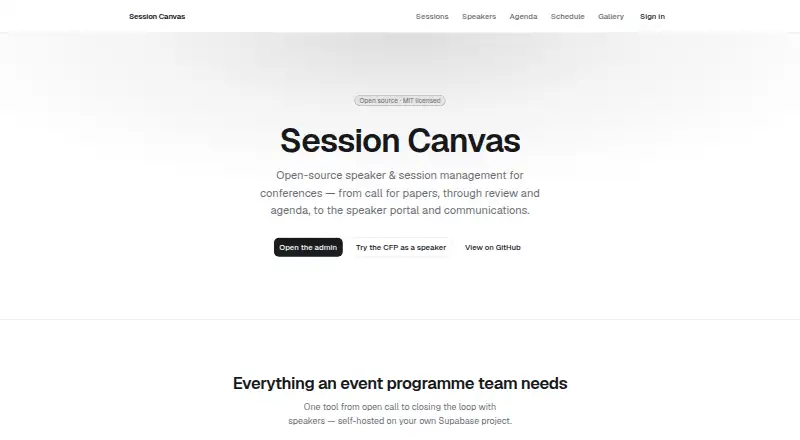
Session Canvas is an open-source conference programme tool for organizers managing speaker submissions, evaluations, agendas, speaker profiles, communications, and public event content. The workflow starts with a configurable public call-for-speakers form, questions, and deadlines, then moves through track-based evaluator routing and review. Once sessions are selected, organizers can build agendas with drag-and-drop controls across day, room, and list views. Speaker portals use passwordless magic links, while templated communications and calendar invitations help coordinate participants.
Its open-source model and MIT license make Session Canvas a practical fit for teams that want to manage the software in their own environment. The product is self-hosted on the organizer’s own Supabase project, so deployment is part of the ownership model rather than a separate hosted service. Airtable synchronization is available for teams that want that connection, while public JSON schedules and whole-event iCal exports support distribution beyond the main interface. Embeddable widgets extend public content to session, speaker, agenda, itinerary, and gallery pages.
The product’s strongest quality is its focused depth: it brings CFP intake, review, speaker management, agenda planning, conflict warnings, and programme publishing into one conference-specific workflow. That focus also defines its boundary. Session Canvas is web and self-hosted only, with Airtable as its listed integration, making it better suited to organizations that value control over a broad platform ecosystem. Choose it when open-source ownership and schedule publishing are central requirements; look elsewhere when you need a wider event-management scope or a different deployment model.
Your product? Our editors can test Session Canvas in depth and publish a review, labelled as paid · from $149/mo →
Session Canvas pricing
Session Canvas fact sheet
| Free plan | Not verified |
|---|---|
| Paid from | Free |
| Attendee limit | Not verified |
| Session tracks | Yes |
| Room scheduling | Yes |
| Speaker management | Yes |
| Attendee mobile app | Not verified |
| Hybrid event support | Not verified |
| Deployment | Self-hosted |
| Platforms | Web |
| Built for | Small business, Mid-market (editorial estimate) |
| Integrations | 1 integrations: Airtable |
| Pricing | Open source |
| Website | sessioncanvas.dev |
| Facts checked | 20 Sep 2026 |
Session Canvas integrations
Session Canvas lists 1 integrations on its own site.
- Airtable
Alternatives to Session Canvas
- Zoho BackstageA broad event platform covering registration, programming, engagement, and hybrid delivery.9.2
- FourwavesA strong fit for research conferences needing submissions, scheduling, and hybrid event tools.8.8
- SchedA feature-rich event platform for schedules, reservations, check-in, and mobile apps.8.7



See all Session Canvas alternatives →
Used Session Canvas? Be the first to review it
The editor score above is our own research. What this page doesn't have yet is a reader's view — what you used Session Canvas for, what worked and what didn't. No stars are seeded and no review is paid for; an editor reads every one before it appears.
Write a reviewTwo minutes · verified accounts only · read by an editor before it appears
Featured on iTechGuides

Session Canvas is listed in our Event Scheduling Software directory. Add the badge to your site — it links back to this page.
<a href="https://www.itechguides.com/products/session-canvas/"><img src="https://www.itechguides.com/best/badge/session-canvas.svg" alt="Featured on iTechGuides" width="230" height="46"></a>
Reviewed by iTechGuides Editors · Editorial team · Updated Oct 2026
Advertiser disclosure: iTechGuides is reader-supported. Vendors can pay for top positions in our rankings and for a place on other products' pages, and we may earn a commission when you click some links. Bought places stand at the number bought; this page and our disclosure say so. Paying vendors may get a fuller, more detailed review from our editors, and that review can change their score. How we rank.
Last updated · How we research and update