
Seer
Seer: A focused Windows utility for Spacebar previews across common file formats. Ranked #19 of 31 in File Viewer Software by our editors (6.9/10); pricing: Paid; best for windows Explorer quick-preview users.
At a glance
- Editor score6.9 / 10
- PricingPaid
- Best forWindows Explorer quick-preview users
- Free planNo
- Paid from$15.99 one-time
- Facts checked22 Sep 2026
Where it wins
- Spacebar previews directly from Windows Explorer
- Supports PDFs, images, code, video, archives, Markdown and Office files
- One-time licenses include lifetime updates
Where it doesn't
- Available only for Windows desktops
- No free plan; paid licenses start at $15.99 one time
- Some additional formats depend on plugins
Our verdict on Seer
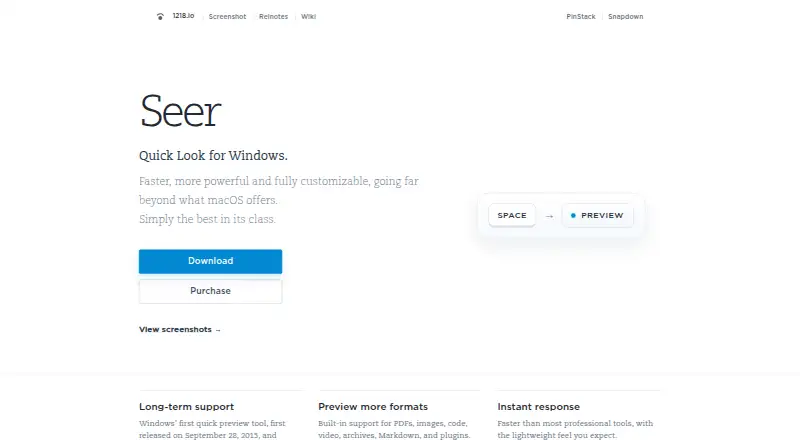
Seer is a Windows desktop Quick Look utility for people who want to inspect files from File Explorer by pressing the Spacebar. It previews PDFs, images, code, video, archives, Markdown, Office documents, folders and web pages, with plugins available for additional formats. The product is available as an installer, portable application and Microsoft Store version, making it a focused choice for Windows users who want faster file inspection without opening each file in its full application.
Pricing is structured as three one-time desktop licenses. Personal costs $15.99 for 1 PC and includes lifetime updates. Plus costs $26.99 for 3 PCs, while Studio costs $34.99 for 5 PCs; both also include lifetime updates. There is no free plan. The paid tiers differ mainly by device coverage, so Personal suits a single Windows computer, while Plus and Studio fit users who need activation across several PCs.
Seer's strongest fit is broad preview coverage within a Windows Explorer workflow. Supported features include previews inside supported archives, large text files and PDFs, copying visible content from previews, and searching within loaded JSON data. Office document preview is provided through OfficeViewer, and plugins can extend format support. The trade-off is platform focus: Seer is for Windows desktops rather than a cross-platform file viewer, and users who need formats beyond the built-in coverage may need plugins. Choose it for Spacebar-driven browsing across varied files; consider an alternative if Windows-only access or paid licensing does not fit.
Your product? Our editors can test Seer in depth and publish a review, labelled as paid · from $149/mo →
Seer pricing
Seer fact sheet
| Free plan | No |
|---|---|
| Paid from | $15.99 one-time |
| Listed formats | Not verified |
| Primary access | Desktop |
| Maximum file size | Not verified |
| Archive preview | Yes |
| Office file preview | Yes |
| Code file preview | Yes |
| In-file search | Yes |
| Deployment | Desktop |
| Platforms | Windows |
| Support | Email, Community, Docs |
| Built for | Solo, Small business (editorial estimate) |
| Pricing | Paid (source) |
| Website | 1218.io |
| Facts checked | 22 Sep 2026 |
Alternatives to Seer
- OpenText Brava!A cross-platform viewer for controlled document review, redaction, comparison, and publishing.9.3
- XnView MPA free image viewer with broad format support and paid commercial licensing.9.1
- OkularA capable open-source viewer for PDFs, forms, annotations, signatures, and more.8.9


Also Ranked In
Seer is ranked in 2 of our directories.
Used Seer? Be the first to review it
The editor score above is our own research. What this page doesn't have yet is a reader's view — what you used Seer for, what worked and what didn't. No stars are seeded and no review is paid for; an editor reads every one before it appears.
Write a reviewTwo minutes · verified accounts only · read by an editor before it appears
Featured on iTechGuides

Seer is listed in our File Viewer Software directory. Add the badge to your site — it links back to this page.
<a href="https://www.itechguides.com/products/seer/"><img src="https://www.itechguides.com/best/badge/seer.svg" alt="Featured on iTechGuides" width="230" height="46"></a>
Guides on file viewer software
- 12 Best Free Log File Viewer Software for Windows PCAug 2026
- 8 Best FREE GEDCOM File Viewer Software for Windows PCAug 2026
- Best Free Universal File Viewer Software for Windows 11/10Aug 2026
Reviewed by iTechGuides Editors · Editorial team · Updated Oct 2026
Advertiser disclosure: iTechGuides is reader-supported. Vendors can pay for top positions in our rankings and for a place on other products' pages, and we may earn a commission when you click some links. Bought places stand at the number bought; this page and our disclosure say so. Paying vendors may get a fuller, more detailed review from our editors, and that review can change their score. How we rank.
Last updated · How we research and update