
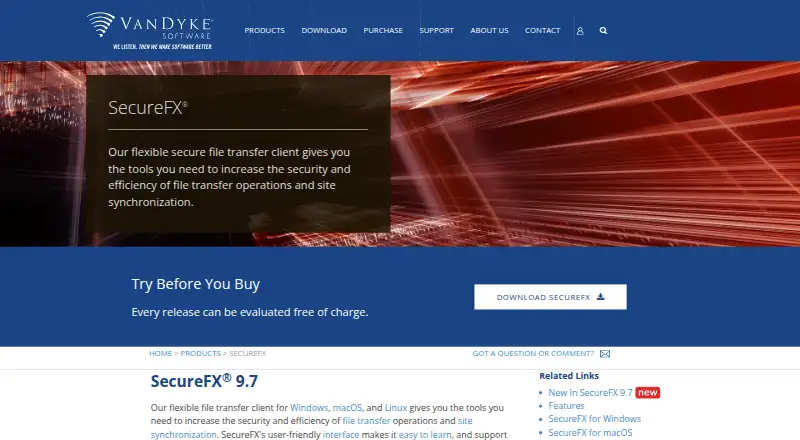
SecureFX
SecureFX: A paid, cross-platform client for secure transfers, synchronization, and automation. Ranked #5 of 31 in SFTP Client Software by our editors (8.8/10); pricing: 30-day trial; best for professional users needing secure automation.
At a glance
- Editor score8.8 / 10
- Pricing30-day trial
- Best forProfessional users needing secure automation
- Free planNo
- Paid from$59.95/device one-time
- Supported platformsWindows, macOS, Linux
- Facts checked20 Sep 2026
Where it wins
- Supports SFTP, SCP, FTPS, HTTPS, FTP, and HTTP transfers
- Automates unattended transfers with SFXCL and Windows task scheduling
- Combines synchronization, resumable transfers, and remote file editing
Where it doesn't
- No free plan is available
- Windows task scheduling is limited to Windows users
- Pricing covers software updates and support for set periods
Our verdict on SecureFX
SecureFX is a desktop file-transfer client for Windows, macOS, and Linux. It is designed for network professionals, IT administrators, web designers, and organizations managing secure file transfers. Alongside SFTP and SCP, it supports FTPS, HTTPS, FTP, and HTTP connections, making it suitable for teams that work across multiple transfer protocols. Its feature set also covers local-to-remote and server-to-server folder synchronization, remote file editing with save-back upload, transfer queues, and automatic reconnect and resume support.
The published plans use one-time license prices that include software updates and support for a defined period. “SecureFX — 1 year of updates” costs $59.95, while “SecureFX — 3 years of updates” costs $96. There is no free plan, and a 30-day free trial is available. The plans are differentiated by the length of included updates and support rather than by separate feature sets, so the choice centers on how long that coverage is needed.
SecureFX fits environments that need both interactive desktop transfers and repeatable workflows. SSH public-key authentication and smart-card support address authentication needs, while SFXCL provides command-line automation for unattended transfers. Windows users also receive a built-in task scheduler. The client connects with SecureCRT, Amazon S3, S3-compatible storage, and WebDAV, and its protocol coverage includes SSH2, SFTP, SCP, FTPS, HTTPS, WebDAV, S3, FTP, and HTTP. Choose SecureFX for cross-platform transfer work with synchronization and automation; users seeking a free client should consider an alternative.
Questions about SecureFX
Is there a free trial of SecureFX? Yes: a 30-day free trial.
What does SecureFX run on? Windows, macOS and Linux. It runs as a desktop app.
What does SecureFX integrate with? 4 integrations: SecureCRT, Amazon S3, S3-compatible storage and WebDAV.
Does SecureFX offer a money-back guarantee? Yes: 30 days.
Who is SecureFX built for? Small businesses, mid-market companies and enterprises (our editorial estimate).
Your product? Our editors can test SecureFX in depth and publish a review, labelled as paid · from $149/mo →
SecureFX pricing
All 2 SecureFX plans and prices →
SecureFX fact sheet
| Free plan | No |
|---|---|
| Paid from | $59.95/device one-time |
| Supported protocols | SSH2, SFTP, SCP, FTPS, HTTPS, WebDAV, S3, FTP, HTTP |
| Supported platforms | Windows, macOS, Linux |
| Folder synchronization | Yes |
| SSH key authentication | Yes |
| Remote file editing | Yes |
| Automation support | Scheduling |
| Free trial | 30 days |
| Money-back guarantee | 30 days |
| Deployment | Desktop |
| Platforms | Windows, macOS, Linux |
| Compliance & security | HIPAA, 2FA |
| Support | Email, Phone, Tickets, Docs |
| Built for | Small business, Mid-market, Enterprise (editorial estimate) |
| Integrations | 4 integrations: SecureCRT, Amazon S3, S3-compatible storage, WebDAV |
| Pricing | 30-day trial (source) |
| Website | vandyke.com |
| Facts checked | 20 Sep 2026 |
SecureFX integrations
SecureFX lists 4 integrations on its own site.
- SecureCRT
- Amazon S3
- S3-compatible storage
- WebDAV
Alternatives to SecureFX
- WinSCPA capable free SFTP client for Windows users who need scripting and synchronization.9.4
- CyberduckA versatile, open-source SFTP client for cross-platform file transfers and cloud connections.9.2
- FileZilla ClientA capable free SFTP client for cross-platform file transfers and remote file management.9.0



See all SecureFX alternatives →
SecureFX vs the competition
- SecureFX vs WinSCP
- SecureFX vs Cyberduck
- SecureFX vs FileZilla Client
- SecureFX vs Filestash
- SecureFX vs CrossFTP
- SecureFX vs lftp

Compare SecureFX with any tool side by side →
Used SecureFX? Be the first to review it
The editor score above is our own research. What this page doesn't have yet is a reader's view — what you used SecureFX for, what worked and what didn't. No stars are seeded and no review is paid for; an editor reads every one before it appears.
Write a reviewTwo minutes · verified accounts only · read by an editor before it appears
Featured on iTechGuides

SecureFX is listed in our SFTP Client Software directory. Add the badge to your site — it links back to this page.
<a href="https://www.itechguides.com/products/securefx/"><img src="https://www.itechguides.com/best/badge/securefx.svg" alt="Featured on iTechGuides" width="230" height="46"></a>
Reviewed by iTechGuides Editors · Editorial team · Updated Nov 2026
Advertiser disclosure: iTechGuides is reader-supported. Vendors can pay for top positions in our rankings and for a place on other products' pages, and we may earn a commission when you click some links. Bought places stand at the number bought; this page and our disclosure say so. Paying vendors may get a fuller, more detailed review from our editors, and that review can change their score. How we rank.
Last updated · How we research and update