
Screens
Screens: A cost-conscious Apple client for remote control, file transfer, and multi-display access. Ranked #65 of 134 in Remote Desktop Software by our editors (5.4/10); pricing: 7-day trial; best for apple users accessing mixed desktop systems.
At a glance
- Editor score5.4 / 10
- Pricing7-day trial
- Best forApple users accessing mixed desktop systems
- Free planNo
- Paid from$29.99/yr
- Access modeBoth
- Founded2003 · Montreal, Canada
- Facts checked20 Sep 2026
Where it wins
- Connects to Mac, Windows, Linux, and Raspberry Pi computers
- Supports continuous access, file transfer, clipboard, and multiple displays
- Includes SSH tunneling, privacy mode, and VPN connectivity
Where it doesn't
- Screens clients are limited to iOS, iPadOS, macOS, and visionOS
- No free plan is available
- File transfers are between Apple devices and remote Macs
Our verdict on Screens
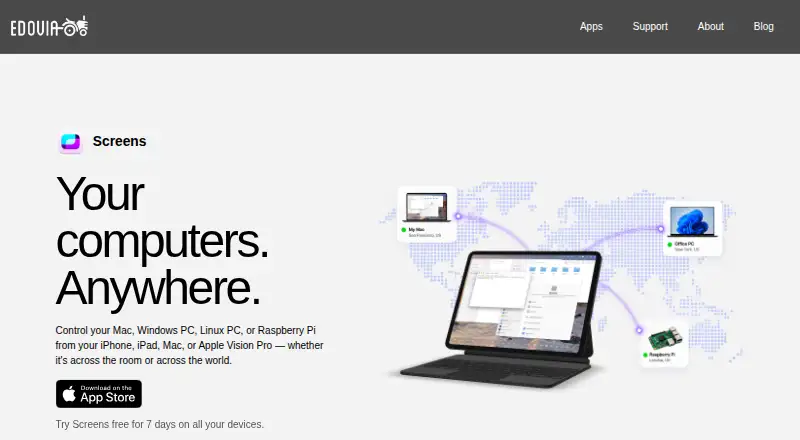
Screens is a remote desktop client from Edovia for accessing and controlling Mac, Windows, Linux, and Raspberry Pi computers from iPhone, iPad, Mac, or Apple Vision Pro. It suits Apple users who need to reach mixed desktop systems over local networks or the internet. Screens Connect supports continuous remote accessibility, while Screens Assist supports occasional remote help when someone is present to approve a connection.
Pricing is straightforward but paid-only. The Monthly Subscription costs $3.99 per month, the Annual Subscription costs $29.99 per year, and the Lifetime plan costs $179.99 as a one-time purchase. A seven-day free trial is available on all devices. The feature set covers remote control, clipboard sharing, multiple-display selection, and connection modes for observing or controlling shared Mac sessions. Buyers choosing between plans can weigh recurring cost against the one-time Lifetime option.
The Apple ecosystem is central to the product. Screens integrates with iCloud, Siri, Shortcuts, and Spotlight, and supports Tailscale and NordVPN Meshnet connectivity. Built-in SSH tunneling and custom SSH keys add connection flexibility, while Curtain Mode provides privacy for remote Macs. The main boundary is client coverage: Windows and Linux function as remote hosts rather than Screens client platforms. Apple users who want a focused remote-access tool for mixed systems should consider Screens; teams needing Windows or Linux client applications should choose another option.
Your product? Our editors can test Screens in depth and publish a review, labelled as paid · from $149/mo →
Screens pricing
All 3 Screens plans and prices →
Screens fact sheet
| Free plan | No |
|---|---|
| Paid from | $29.99/yr |
| Access mode | Both |
| Supported platforms | iOS, iPadOS, macOS, visionOS; connects to Windows, Linux, and Raspberry Pi |
| File transfer | Yes |
| Session recording | Not verified |
| Managed devices | Not verified |
| Mobile apps | Yes |
| Free trial | 7 days |
| Deployment | Desktop, Mobile |
| Platforms | iOS, macOS |
| Support | Email, Docs |
| Built for | Solo, Small business (editorial estimate) |
| Integrations | 6 integrations: Tailscale, NordVPN Meshnet, iCloud, Siri, Shortcuts, Spotlight See all → |
| Pricing | 7-day trial (source) |
| Website | edovia.com |
| Facts checked | 20 Sep 2026 |
Screens integrations
Screens lists 6 integrations on its own site.
- Tailscale
- NordVPN Meshnet
- iCloud
- Siri
- Shortcuts
- Spotlight
See all Screens integrations →
Alternatives to Screens
- StarDeskA remote desktop app: reach your own Windows PC or Mac from Windows, macOS, Android or iOS.9.7
- TeamViewer RemoteA mature remote support platform with broad coverage, integrations, and AI features.9.4
- SplashtopA paid remote-access suite with low entry pricing, broad platforms, and deep integrations.9.2


See all Screens alternatives →
Used Screens? Be the first to review it
The editor score above is our own research. What this page doesn't have yet is a reader's view — what you used Screens for, what worked and what didn't. No stars are seeded and no review is paid for; an editor reads every one before it appears.
Write a reviewTwo minutes · verified accounts only · read by an editor before it appears
Featured on iTechGuides

Screens is listed in our Remote Desktop Software directory. Add the badge to your site — it links back to this page.
<a href="https://www.itechguides.com/products/screens/"><img src="https://www.itechguides.com/best/badge/screens.svg" alt="Featured on iTechGuides" width="230" height="46"></a>
Reviewed by iTechGuides Editors · Editorial team · Updated Oct 2026
Advertiser disclosure: iTechGuides is reader-supported. Vendors can pay for top positions in our rankings and for a place on other products' pages, and we may earn a commission when you click some links. Bought places stand at the number bought; this page and our disclosure say so. Paying vendors may get a fuller, more detailed review from our editors, and that review can change their score. How we rank.
Last updated · How we research and update