
Screenberry
Screenberry: A broad, control-focused choice for projection mapping and live visual shows. Ranked #3 of 24 in Projection Mapping Software by our editors (8.5/10); pricing: Free plan · paid from $99/mo; best for cross-platform shows with advanced live control.
At a glance
- Editor score8.5 / 10
- PricingFree plan · paid from $99/mo
- Best forCross-platform shows with advanced live control
- Free planYes
- Paid from$99/mo
- 3D mappingYes
- Facts checked20 Sep 2026
Where it wins
- 3D mapping with automatic calibration, blending, and brightness compensation
- Advanced control through JavaScript, REST, MIDI, OSC, DMX, and Art-Net
- Runs across Windows, macOS, Linux, and web-based remote control
Where it doesn't
- Commercial use starts at $99 per month
- The free Non-Commercial plan adds watermarked outputs
- Lite limits commercial output to 1x4K display and streaming resolution
Our verdict on Screenberry
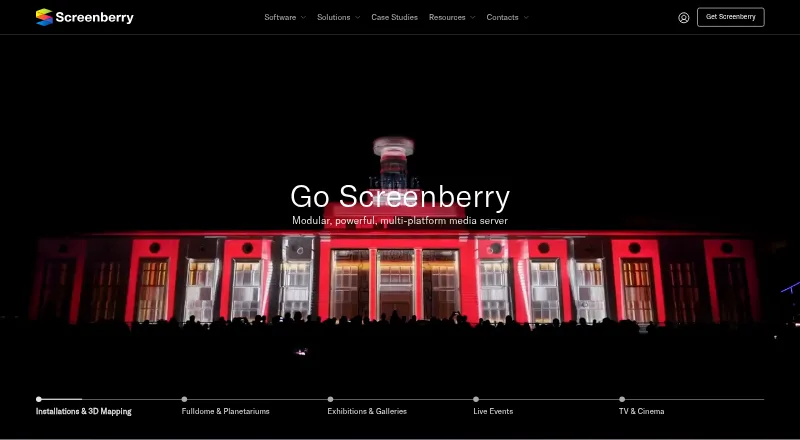
Screenberry is a cross-platform media server for projection mapping, multi-screen playback, fulldome theaters, digital galleries, virtual production, interactive installations, and live events. It suits teams that need both timeline-based sequencing and real-time control, with features spanning 3D scene projection, automatic camera-based calibration, warping, edge blending, live capture, tracking, and playback. It runs on Windows, macOS, and Linux, with a web-based remote control panel for operation across supported environments.
Pricing separates non-commercial access from commercial production work. The Non-Commercial plan includes software licensing, up to 2 FHD display resolution, automatic calibration for up to 2 projectors, and unlimited watermarked outputs. The Subscription plan costs $99 per month and adds commercial usage, up to 4x4K display and streaming resolution, TouchEngine support, Notch Blocks support, and advanced automation. The Permanent plan costs $2,900 one time and raises capacity to up to 16x4K display and streaming resolution, with 1 year of updates and a permanent license. Lite costs $950 one time and provides reduced features, 1x4K display and streaming resolution, basic automation, commercial usage, and a permanent license.
Screenberry stands out for its integration and control coverage. It supports TouchDesigner, Notch, Unity, Unreal Engine, Spout, Dante, VST, NDI, RTSP, RTMP, MIDI, OSC, DMX, Art-Net, and sACN, alongside custom JavaScript, REST, JSON, TCP, and UDP control. Live video capture works with supported capture cards and video APIs, while camera and object tracking extend its use beyond straightforward playback. Choose Screenberry for cross-platform shows that depend on varied inputs, automation, mapping, and external control. Choose an alternative if you need a lower-cost commercial entry point or only require a simpler projection workflow.
Screenberry pricing
All 4 Screenberry plans and prices →
Screenberry fact sheet
| Free plan | Yes |
|---|---|
| Paid from | $99/mo |
| Workflow | Hybrid |
| Projection outputs | 2 outputs |
| Edge blending | Yes |
| Live video input | Yes |
| 3D mapping | Yes |
| Control protocols | Advanced |
| Deployment | Desktop |
| Platforms | Web, Windows, macOS, Linux |
| Support | Email, Community, Docs |
| Built for | Small business, Mid-market, Enterprise (editorial estimate) |
| Integrations | 17 integrations: TouchDesigner, Notch, Unity, Unreal Engine, Spout, Dante … |
| Pricing | Free plan · paid from $99/mo (source) |
| Website | screenberry.com |
| Facts checked | 20 Sep 2026 |
Screenberry integrations
Screenberry lists 17 integrations on its own site.
- TouchDesigner
- Notch
- Unity
- Unreal Engine
- Spout
- Dante
- VST
- NDI
- RTSP
- RTMP
- MIDI
- OSC
- DMX
- Art-Net
- sACN
- PJLink
- MDC
Alternatives to Screenberry
- VIOSOA broad professional toolkit for planning, aligning, controlling, and playing projection shows.9.8
- Christie MystiqueA focused choice for automating alignment and projection mapping across Christie systems.8.8
- MadMapperA capable desktop mapper with broad live-control support and flexible licensing.8.2



See all Screenberry alternatives →
Screenberry vs the competition
- Screenberry vs VIOSO
- Screenberry vs Christie Mystique
- Screenberry vs MadMapper
- Screenberry vs Ghost Arcade
- Screenberry vs Millumin
- Screenberry vs LightAct



Compare Screenberry with any tool side by side →
Used Screenberry? Be the first to review it
The editor score above is our own research. What this page doesn't have yet is a reader's view — what you used Screenberry for, what worked and what didn't. No stars are seeded and no review is paid for; an editor reads every one before it appears.
Write a reviewTwo minutes · verified accounts only · read by an editor before it appears
Featured on iTechGuides

Screenberry is listed in our Projection Mapping Software directory. Add the badge to your site — it links back to this page.
<a href="https://www.itechguides.com/products/screenberry/"><img src="https://www.itechguides.com/best/badge/screenberry.svg" alt="Featured on iTechGuides" width="230" height="46"></a>
Guides on projection mapping software
- 8 Best Projection Mapping Software Tools in 2026 (Paid & Free)Aug 2026
- Projection Mapping Software: 9 Best to Use in 2025 [Fresh List]Aug 2026
Reviewed by iTechGuides Editors · Editorial team · Updated Sep 2026
Advertiser disclosure: iTechGuides is reader-supported. We may earn a commission when you click some links. How we rank.
Last updated · How we research and update