Scoop
Scoop: A free, scriptable Windows package manager focused on portable application installs. Ranked #52 of 92 in Package Managers by our editors (5.3/10); pricing: Free plan; best for portable Windows application installs.
At a glance
- Editor score5.3 / 10
- PricingFree plan
- Best forPortable Windows application installs
- Free planYes
- Paid fromFree
- Facts checked22 Sep 2026
Where it wins
- Installs and updates applications from the command line
- Resolves dependencies and supports JSON manifests
- Supports portable apps, caching, and offline installation workflows
Where it doesn't
- Windows-only, with PowerShell 5.1+ required
- No verified lockfile or workspace support
- Some air-gapped workflows rely on cached artifacts and local transfers
Our verdict on Scoop
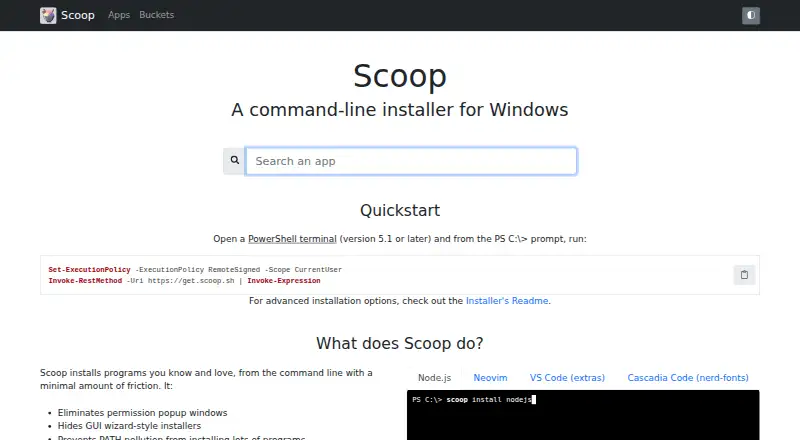
Scoop is an open-source, PowerShell-based package manager for Windows. It is aimed at developers, system administrators, and power users who want scriptable software setup without wizard-style installers or unnecessary system-wide changes. Applications are installed through the command line using JSON manifests and Git-hosted buckets, while shims, version updates, dependency handling, and portable application support help organize repeatable installs. Scoop also supports ZIP archives, installer files, single-file applications, and PowerShell scripts.
There is no paid tier: Scoop is free and open source. Its package-management scope includes automatic dependency resolution, application updates, version management, download caching, private registry authentication, and offline installation through cached artifacts and local transfers. GitHub-hosted buckets provide an ecosystem for application manifests, while optional aria2 integration adds multi-connection downloads. This combination suits teams and individuals who prefer command-line workflows and want application setup represented through manifests and scripts rather than graphical installers.
The main boundary is platform scope: Scoop supports Windows 10+, Windows Server 2016+, and PowerShell 5.1+, so it is not a cross-platform package manager. It also lacks verified lockfile and workspace support, which may matter for projects that need tightly pinned dependency states or monorepo-oriented workflows. Choose Scoop for portable Windows application installs, repeatable command-line setup, and flexible package formats. Choose an alternative when cross-platform coverage, verified lockfiles, or workspace management are central requirements.
Your product? Our editors can test Scoop in depth and publish a review, labelled as paid · from $149/mo →
Scoop pricing
Scoop fact sheet
| Free plan | Yes |
|---|---|
| Paid from | Free |
| Package formats | ZIP, 7z, TAR, GZ, LZMA, LZH archives; installer files; single-file apps; PowerShell scripts |
| Supported platforms | Windows 10 and newer; Windows Server 2016 and newer; Windows 7/8 and Server 2008/2012 with PowerShell 5.1 |
| Dependency resolution | Yes |
| Lockfile support | Not verified |
| Workspace support | Not verified |
| Private registry auth | Not verified |
| Offline installation | Not verified |
| Deployment | Self-hosted |
| Platforms | Windows |
| Support | Community, Docs |
| Built for | Solo, Small business, Mid-market, Enterprise (editorial estimate) |
| Pricing | Free plan |
| Website | scoop.sh |
| Facts checked | 22 Sep 2026 |
Alternatives to Scoop
- npmA complete JavaScript package workflow with public access free and private packages at $7/month.9.4
- uvA broad, open-source toolkit for managing modern Python projects across three platforms.9.2
- YarnA capable JavaScript package manager for consistent installs and monorepositories.9.0


Also Ranked In
Scoop is ranked in 2 of our directories.
Used Scoop? Be the first to review it
The editor score above is our own research. What this page doesn't have yet is a reader's view — what you used Scoop for, what worked and what didn't. No stars are seeded and no review is paid for; an editor reads every one before it appears.
Write a reviewTwo minutes · verified accounts only · read by an editor before it appears
Featured on iTechGuides

Scoop is listed in our Package Managers directory. Add the badge to your site — it links back to this page.
<a href="https://www.itechguides.com/products/scoop/"><img src="https://www.itechguides.com/best/badge/scoop.svg" alt="Featured on iTechGuides" width="230" height="46"></a>
Reviewed by iTechGuides Editors · Editorial team · Updated Oct 2026
Advertiser disclosure: iTechGuides is reader-supported. Vendors can pay for top positions in our rankings and for a place on other products' pages, and we may earn a commission when you click some links. Bought places stand at the number bought; this page and our disclosure say so. Paying vendors may get a fuller, more detailed review from our editors, and that review can change their score. How we rank.
Last updated · How we research and update