
SaveKnight
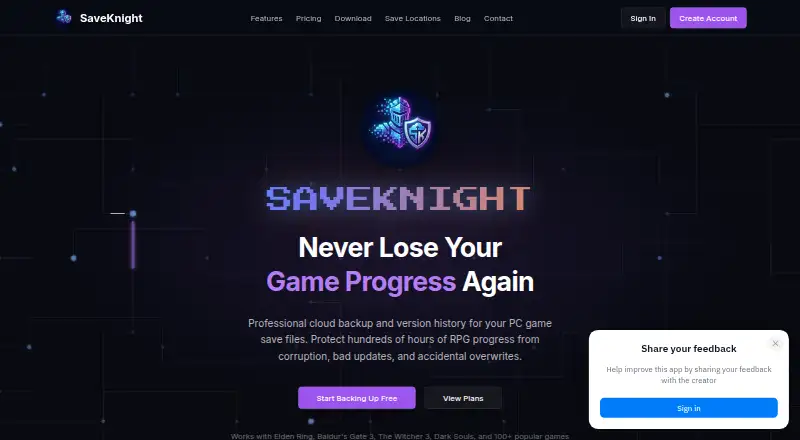
SaveKnight: A focused Windows save manager with encrypted cloud backup and cross-PC sync. Ranked #14 of 26 in Game Save Managers by our editors (8.0/10); pricing: Free plan; best for windows cloud backup with encrypted storage.
At a glance
- Editor score8.0 / 10
- PricingFree plan
- Best forWindows cloud backup with encrypted storage
- Free planYes
- Paid from$5/mo
- Automatic backupYes
- Facts checked20 Sep 2026
Where it wins
- Automatic detection and exit-triggered background backups
- Encrypted cloud storage with unlimited version history
- Cross-PC synchronization and one-click save restoration
Where it doesn't
- Windows-only platform coverage
- Free plan limits users to 2 game profiles and 500 MB
- Restoration is manual rather than automatic
Our verdict on SaveKnight
SaveKnight is a Windows desktop app and cloud backup service for protecting PC game save files. It automatically detects supported games and save locations, backs up selected saves when games exit, and stores encrypted copies in the cloud. Version history supports rollback, while synchronization helps keep saves aligned across gaming PCs. It is aimed at Windows players who want more protection than local save files provide, especially those managing saves across multiple computers.
The free plan includes 2 game profiles, 500 MB of cloud storage, and unlimited version history. Knight costs $5 per month and expands the allowance to 20 game profiles and 20 GB of cloud storage, while retaining unlimited version history and adding priority support. Legend costs $15 per month and raises the limits to 100 game profiles and 100 GB of cloud storage. It also includes priority support and early access to new features. The plan structure makes the free tier suitable for a small library, while larger collections require a paid subscription.
SaveKnight’s main ecosystem fit is its Windows focus and its use of Ludusavi’s database to support thousands of PC games. Automatic game detection reduces the need to locate save folders manually, and one-click restoration provides a direct way to recover previous versions. The service is also open source. However, platform coverage is limited to Windows, and restoration is manual. Players on other platforms or those seeking automatic recovery should choose a tool designed for broader platform support or automated restore workflows. Windows users who value encrypted cloud storage, version history, and cross-PC synchronization are the clearest fit.
Your product? Our editors can test SaveKnight in depth and publish a review, labelled as paid · from $149/mo →
SaveKnight pricing
All 3 SaveKnight plans and prices →
SaveKnight fact sheet
| Free plan | Yes |
|---|---|
| Paid from | $5/mo |
| Automatic backup | Yes |
| Cloud synchronization | Yes |
| Scheduled backups | Not verified |
| Version history | Yes |
| Game detection | Automatic |
| Supported platforms | Windows |
| Restore options | Manual |
| Deployment | Cloud, Desktop |
| Platforms | Windows |
| Built for | Solo, Small business (editorial estimate) |
| Pricing | Free plan (source) |
| Website | saveknight.com |
| Facts checked | 20 Sep 2026 |
Alternatives to SaveKnight
- LudusaviA free, open-source save manager with GUI, CLI, retention, and cloud-sync options.9.4
- Game Save GenieA free, open-source save manager with broad game detection and versioned cloud backups.9.3
- GSBSA capable open-source choice for self-hosted sync, versioning, and recovery.9.2
See all SaveKnight alternatives →
Used SaveKnight? Be the first to review it
The editor score above is our own research. What this page doesn't have yet is a reader's view — what you used SaveKnight for, what worked and what didn't. No stars are seeded and no review is paid for; an editor reads every one before it appears.
Write a reviewTwo minutes · verified accounts only · read by an editor before it appears
Featured on iTechGuides

SaveKnight is listed in our Game Save Managers directory. Add the badge to your site — it links back to this page.
<a href="https://www.itechguides.com/products/saveknight/"><img src="https://www.itechguides.com/best/badge/saveknight.svg" alt="Featured on iTechGuides" width="230" height="46"></a>
Reviewed by iTechGuides Editors · Editorial team · Updated Oct 2026
Advertiser disclosure: iTechGuides is reader-supported. Vendors can pay for top positions in our rankings and for a place on other products' pages, and we may earn a commission when you click some links. Bought places stand at the number bought; this page and our disclosure say so. Paying vendors may get a fuller, more detailed review from our editors, and that review can change their score. How we rank.
Last updated · How we research and update