Save Keeper
Save Keeper: A focused open-source tool for versioned save recovery across modded Vita systems. Ranked #22 of 26 in Game Save Managers by our editors (7.1/10); pricing: Open source; best for PS Vita and PSP save recovery.
At a glance
- Editor score7.1 / 10
- PricingOpen source
- Best forPS Vita and PSP save recovery
- Paid fromFree
- Automatic backupYes
- Facts checked20 Sep 2026
Where it wins
- Timestamped ZIP backups with multiple recovery points per game
- Google Drive uploads and synchronization across Vita or PS TV devices
- Automatic safety backup before overwriting a restored save
Where it doesn't
- Requires a HENkaku-enabled Vita or PS TV and VitaShell
- Restore actions are manual rather than automatic
- Focused on Vita, PSP/Adrenaline, and selected homebrew saves
Our verdict on Save Keeper
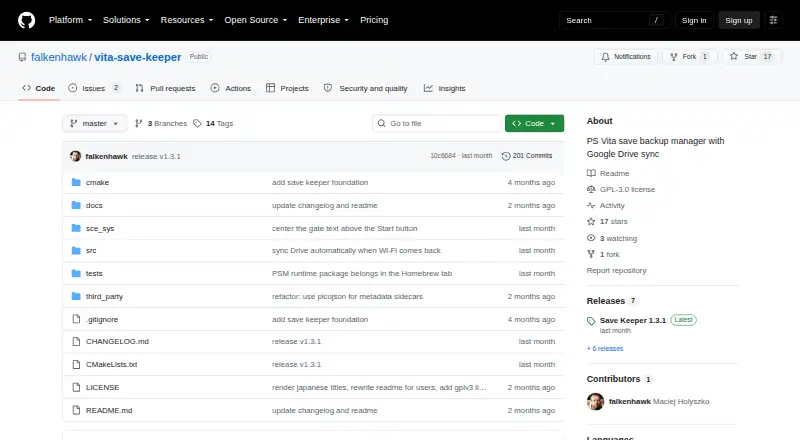
Save Keeper is an open-source save backup manager for modded PS Vita and PS TV systems. It is designed for players who need recoverable copies of Vita, PSP/Adrenaline, and selected homebrew saves. The application creates timestamped ZIP backups, stores them locally, and lets users keep multiple copies per game. Its Vita, Homebrew, and PSP tabs display games with titles and icons, while custom labels make individual backups easier to identify.
Its strongest feature is the combination of version history and overwrite protection. Users can download backups, restore older saves manually, and automatically create a backup of the current save before an overwrite during restoration. Whole-tab backup and upload actions support broader save-management tasks, while configurable homebrew savedata paths provide more control over where supported homebrew data is handled. This makes Save Keeper particularly useful when an older save matters more than a single latest copy.
Google Drive is the product’s listed integration. Backups can be uploaded to the user’s Drive, downloaded for restoration, and synchronized between multiple Vita or PS TV devices. The setup is specific: Save Keeper requires a HENkaku-enabled Vita or PS TV, VitaShell, and a Google account. Restore operations remain manual, and the scope centers on Vita, PSP/Adrenaline, and selected homebrew saves rather than broader game-save platforms. Choose Save Keeper for focused recovery and synchronization on supported systems; choose another tool if you need automatic restoration or coverage beyond this ecosystem.
Your product? Our editors can test Save Keeper in depth and publish a review, labelled as paid · from $149/mo →
Save Keeper pricing
Save Keeper fact sheet
| Free plan | Not verified |
|---|---|
| Paid from | Free |
| Automatic backup | Yes |
| Cloud synchronization | Yes |
| Scheduled backups | Not verified |
| Version history | Yes |
| Game detection | Automatic |
| Supported platforms | Not verified |
| Restore options | Manual |
| Support | Community |
| Built for | Solo (editorial estimate) |
| Integrations | 1 integrations: Google Drive |
| Pricing | Open source |
| Website | github.com |
| Facts checked | 20 Sep 2026 |
Save Keeper integrations
Save Keeper lists 1 integrations on its own site.
- Google Drive
Alternatives to Save Keeper
- LudusaviA free, open-source save manager with GUI, CLI, retention, and cloud-sync options.9.4
- Game Save GenieA free, open-source save manager with broad game detection and versioned cloud backups.9.3
- GSBSA capable open-source choice for self-hosted sync, versioning, and recovery.9.2
See all Save Keeper alternatives →
Used Save Keeper? Be the first to review it
The editor score above is our own research. What this page doesn't have yet is a reader's view — what you used Save Keeper for, what worked and what didn't. No stars are seeded and no review is paid for; an editor reads every one before it appears.
Write a reviewTwo minutes · verified accounts only · read by an editor before it appears
Featured on iTechGuides

Save Keeper is listed in our Game Save Managers directory. Add the badge to your site — it links back to this page.
<a href="https://www.itechguides.com/products/save-keeper/"><img src="https://www.itechguides.com/best/badge/save-keeper.svg" alt="Featured on iTechGuides" width="230" height="46"></a>
Reviewed by iTechGuides Editors · Editorial team · Updated Oct 2026
Advertiser disclosure: iTechGuides is reader-supported. Vendors can pay for top positions in our rankings and for a place on other products' pages, and we may earn a commission when you click some links. Bought places stand at the number bought; this page and our disclosure say so. Paying vendors may get a fuller, more detailed review from our editors, and that review can change their score. How we rank.
Last updated · How we research and update