
Sapling SCM
Sapling SCM: A free, open-source choice for large repositories and stacked-commit workflows. Ranked #17 of 61 in Version Control Software by our editors (7.3/10); pricing: Open source; best for large repositories with stacked commits.
At a glance
- Editor score7.3 / 10
- PricingOpen source
- Best forLarge repositories with stacked commits
- Paid fromFree
- Versioning modelDistributed
- Facts checked22 Sep 2026
Where it wins
- Supports stacked commits and sparse working copies
- Scales to repositories with millions of files and commits
- Works with GitHub, Git, and Visual Studio Code
Where it doesn't
- Git LFS support is partial
- Submodule support is documented for .sl mode
- Mononoke and EdenFS are not supported for external usage
Our verdict on Sapling SCM
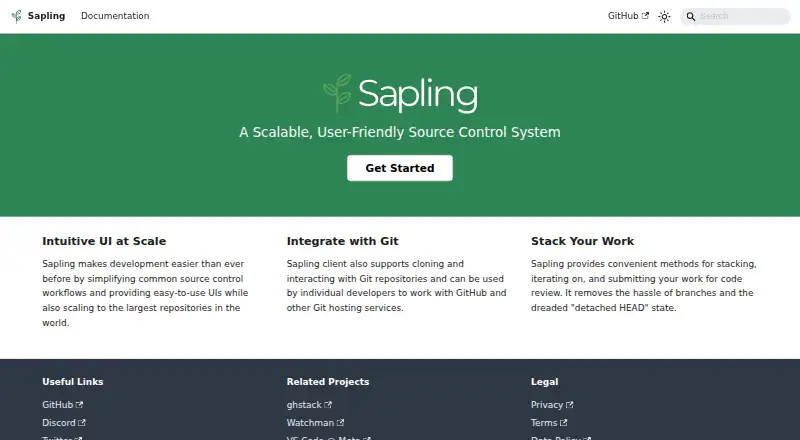
Sapling SCM is an open-source, distributed source control system developed and used at Meta. It provides Git-compatible repository workflows, including clone, commit, checkout, rebase, push, and pull commands. Its strongest fit is for teams managing very large repositories or organizing work as stacked commits. Official binaries are available for macOS, Windows, and Linux, while the Interactive Smartlog provides a web interface for reviewing repository state and commit relationships.
Sapling's standout focus is repository scale and stacked-commit usability. It supports sparse working-copy checkout, which helps developers work with selected portions of a repository, and is designed for repositories containing millions of files and commits. GitHub, Git, and Visual Studio Code integrations support a familiar ecosystem, while Git submodules are supported in .sl mode. These capabilities make Sapling a focused option for engineering teams that want Git compatibility alongside workflows built around large codebases and dependent commit stacks.
Sapling is free and open source, so there are no paid tiers adding separate capabilities. Teams should review its boundaries before adopting it for repositories that depend heavily on Git LFS or standard .git submodule support: Git LFS support is partial, and .git mode submodule support is still work in progress. The Mononoke server component and EdenFS virtual filesystem are used internally at Meta but are not supported for external usage. Sapling is a strong fit for large repositories, sparse checkouts, and stacked commits; teams needing complete Git LFS coverage or broader submodule support should consider an alternative.
Your product? Our editors can test Sapling SCM in depth and publish a review, labelled as paid · from $149/mo →
Sapling SCM pricing
Sapling SCM fact sheet
| Free plan | Not verified |
|---|---|
| Paid from | Free |
| Versioning model | Distributed |
| Self-hosted deployment | No |
| Desktop platforms | Linux, macOS, Windows |
| Large-file handling | Extension |
| File locking | Not verified |
| Sparse checkout | Yes |
| Nested repositories | Yes |
| Deployment | Desktop |
| Platforms | Web, Windows, macOS, Linux |
| Support | Docs, Community |
| Built for | Solo, Small business, Mid-market, Enterprise (editorial estimate) |
| Integrations | 2 integrations: Git, GitHub |
| Pricing | Open source |
| Website | sapling-scm.com |
| Facts checked | 22 Sep 2026 |
Sapling SCM integrations
Sapling SCM lists 2 integrations on its own site.
- Git
- GitHub
Alternatives to Sapling SCM
- GitA broad, free distributed workflow for developers who need precise history control.9.4
- Perforce P4 (Helix Core)A strong choice for teams managing locked files, binaries, and large repositories.9.2
- UnityA broad game and application engine, but not a dedicated version-control system.9.0


See all Sapling SCM alternatives →
Used Sapling SCM? Be the first to review it
The editor score above is our own research. What this page doesn't have yet is a reader's view — what you used Sapling SCM for, what worked and what didn't. No stars are seeded and no review is paid for; an editor reads every one before it appears.
Write a reviewTwo minutes · verified accounts only · read by an editor before it appears
Featured on iTechGuides

Sapling SCM is listed in our Version Control Software directory. Add the badge to your site — it links back to this page.
<a href="https://www.itechguides.com/products/sapling-scm/"><img src="https://www.itechguides.com/best/badge/sapling-scm.svg" alt="Featured on iTechGuides" width="230" height="46"></a>
Reviewed by iTechGuides Editors · Editorial team · Updated Oct 2026
Advertiser disclosure: iTechGuides is reader-supported. Vendors can pay for top positions in our rankings and for a place on other products' pages, and we may earn a commission when you click some links. Bought places stand at the number bought; this page and our disclosure say so. Paying vendors may get a fuller, more detailed review from our editors, and that review can change their score. How we rank.
Last updated · How we research and update