
Samsung Remote Test Lab
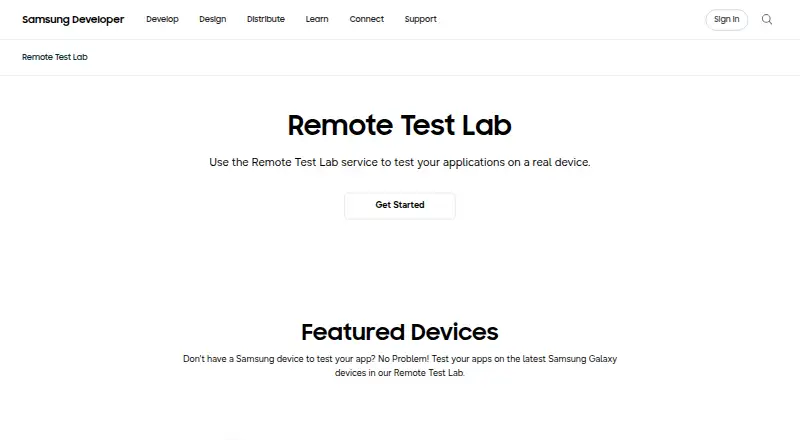
Samsung Remote Test Lab: A free browser-based lab for testing apps on real Samsung devices remotely. Ranked #17 of 20 in Mobile Device Testing Software by our editors (7.5/10); pricing: Free plan; best for teams checking apps on Samsung devices for free.
At a glance
- Editor score7.5 / 10
- PricingFree plan
- Best forTeams checking apps on Samsung devices for free
- Free planYes
- Paid fromFree
- Facts checked21 Sep 2026
Where it wins
- Reserve real Samsung devices and install, run, or remove apps remotely
- Stream screens, inject events, and browse or transfer files
- Connect with ADB and Android Studio; predefined automated tests are listed
Where it doesn't
- Coverage is limited to Samsung Android and Tizen devices
- No general iOS or cross-browser testing is listed
- Predefined automated tests are temporarily unavailable
Our verdict on Samsung Remote Test Lab
Samsung Remote Test Lab gives developers browser-based access to hosted Samsung hardware for application testing. Teams can reserve specific devices, install and run applications, stream screens, inject events, and manage files remotely. Its real-device focus suits developers validating how apps behave across Samsung phones, tablets, watches, and TVs without owning every target device. Access uses a Samsung Developer account and daily usage credits, so it is particularly relevant to teams checking Samsung compatibility rather than those seeking a broad device-testing service.
The service is free, with 20 credits per user per day; each credit represents 15 minutes. There is no conventional paid tier described. Remote controls include screen rotation, folding controls, quality adjustment, and audio streaming from the device. ADB and Android Studio are listed integrations, and Remote Debug Bridge access supports remote debugging workflows. Predefined automated application tests are also listed, though that feature is currently documented as temporarily unavailable. The credits provide bounded daily access, so teams with extended or frequent test sessions should account for the time allocation when planning work.
Its defining trade-off is narrow platform coverage: Samsung Android and Tizen devices, rather than general iOS or cross-browser testing. Support is documented through community resources and documentation. Teams whose release checks center on Samsung hardware can use the remote reservation, streaming, and file tools without a conventional subscription; teams needing broad operating-system coverage or browser testing should choose a service with those capabilities. Device availability and operating-system coverage may change over time.
Your product? Our editors can test Samsung Remote Test Lab in depth and publish a review, labelled as paid · from $149/mo →
Samsung Remote Test Lab pricing
Samsung Remote Test Lab fact sheet
| Free plan | Yes |
|---|---|
| Paid from | Free |
| Real-device access | Not verified |
| Emulator access | Not verified |
| Parallel sessions | Not verified |
| Mobile OS coverage | Not verified |
| Automation frameworks | Not verified |
| Network condition control | Not verified |
| Deployment | Cloud |
| Platforms | Web |
| Support | Community, Docs |
| Built for | Solo, Small business, Mid-market, Enterprise (editorial estimate) |
| Integrations | 2 integrations: ADB, Android Studio |
| Pricing | Free plan |
| Website | developer.samsung.com |
| Facts checked | 21 Sep 2026 |
Samsung Remote Test Lab integrations
Samsung Remote Test Lab lists 2 integrations on its own site.
- ADB
- Android Studio
Alternatives to Samsung Remote Test Lab
- AWS Device FarmRuns automated tests on real mobile devices and desktop browsers, with usage-based and monthly pricing.9.3
- Firebase Test LabRun automated Android and iOS tests across cloud-hosted physical and virtual devices.9.1
- AppiumA self-hosted automation framework for teams assembling their own mobile test stack.9.0



See all Samsung Remote Test Lab alternatives →
Also Ranked In
Samsung Remote Test Lab is ranked in 2 of our directories.
Used Samsung Remote Test Lab? Be the first to review it
The editor score above is our own research. What this page doesn't have yet is a reader's view — what you used Samsung Remote Test Lab for, what worked and what didn't. No stars are seeded and no review is paid for; an editor reads every one before it appears.
Write a reviewTwo minutes · verified accounts only · read by an editor before it appears
Featured on iTechGuides

Samsung Remote Test Lab is listed in our Mobile Device Testing Software directory. Add the badge to your site — it links back to this page.
<a href="https://www.itechguides.com/products/samsung-remote-test-lab/"><img src="https://www.itechguides.com/best/badge/samsung-remote-test-lab.svg" alt="Featured on iTechGuides" width="230" height="46"></a>
Reviewed by iTechGuides Editors · Editorial team · Updated Oct 2026
Advertiser disclosure: iTechGuides is reader-supported. Vendors can pay for top positions in our rankings and for a place on other products' pages, and we may earn a commission when you click some links. Bought places stand at the number bought; this page and our disclosure say so. Paying vendors may get a fuller, more detailed review from our editors, and that review can change their score. How we rank.
Last updated · How we research and update