
Salesforce Business Card Scanner
Salesforce Business Card Scanner: An Android scanner for reviewing card data before sending contacts directly to Salesforce. Ranked #20 of 24 in Business Card Scanner Software by our editors (7.3/10); pricing: Paid; best for android users committed to Salesforce.
At a glance
- Editor score7.3 / 10
- PricingPaid
- Best forAndroid users committed to Salesforce
- Free planNo
- Paid from$99/yr
- Included card scans110 cards/mo
- Founded2014 · Ternopil, Ukraine
- Facts checked21 Sep 2026
Where it wins
- Reviews and corrects recognized fields before export
- Transfers approved contacts directly to Salesforce
- Supports multilingual recognition, notes, and custom fields
Where it doesn't
- Android-only availability limits platform coverage
- Salesforce is the only listed integration
- Paid recognition packages start at $14.99 per user
Our verdict on Salesforce Business Card Scanner
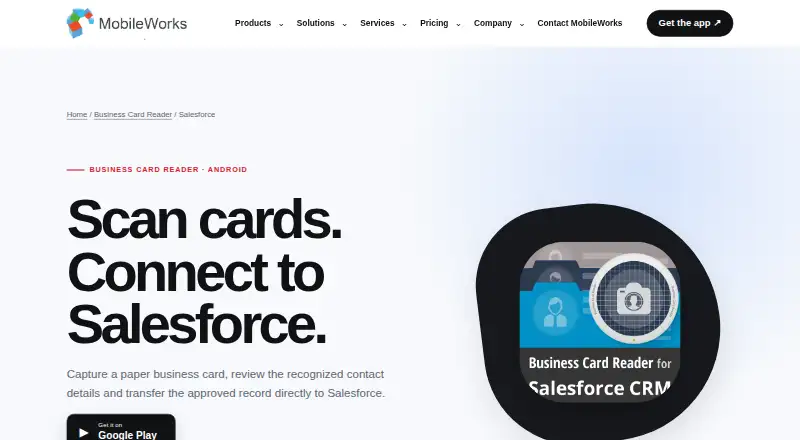
Salesforce Business Card Scanner is an Android mobile app from MobileWorks for professionals and teams collecting contact details at meetings, exhibitions, conferences, and in the field. It captures information from photographed or saved business-card images, then lets users review and correct recognized fields before sending an approved contact record to Salesforce. Text and voice notes, multilingual recognition, custom fields, and encrypted recognition-server connections extend the workflow beyond basic image capture.
Pricing covers individual and corporate use. Personal Starter costs $14.99 as a one-time per-user purchase, while Personal Basic costs $27.99, Personal Advanced costs $59.99, and Personal Professional costs $99.99; each personal plan includes a license for 1 user and 24/7 support. Corporate Starter costs $199 per year with annual billing, Corporate Basic costs $499 per year, Corporate Advanced costs $2,999 per year, and Corporate Professional costs $9,999 per year. The corporate plans list unlimited users and 24/7 support. Google Play describes a limited free version with 10 scans, after which paid recognitions are required.
The strongest fit is an Android-based Salesforce workflow that benefits from a review step before contact creation. Direct Salesforce transfer keeps the product focused, while saved-image processing helps handle cards already stored on the device. Notes and custom fields can add context to captured contacts, and multilingual recognition supports cards in multiple languages. The trade-off is a narrow ecosystem: Salesforce is the listed integration, and Android is the only supported platform. Teams using another CRM, people requiring iOS access, or buyers seeking broader platform coverage should consider an alternative. Choose this app when reviewed Salesforce contact transfer is the priority; avoid it when cross-platform access or multiple CRM connections matter more.
Your product? Our editors can test Salesforce Business Card Scanner in depth and publish a review, labelled as paid · from $149/mo →
Salesforce Business Card Scanner pricing
All 12 Salesforce Business Card Scanner plans and prices →
Salesforce Business Card Scanner fact sheet
| Free plan | No |
|---|---|
| Paid from | $99/yr |
| Included card scans | 110 cards/mo |
| CRM export | Yes |
| Address-book export | Not verified |
| Mobile platforms | Android |
| Batch scanning | Not verified |
| API access | Yes |
| Duplicate detection | Not verified |
| Deployment | Mobile |
| Platforms | Android |
| Compliance & security | GDPR |
| Support | Email, Live chat · 24/7 |
| Built for | Small business, Mid-market, Enterprise (editorial estimate) |
| Integrations | 1 integrations: Salesforce |
| Pricing | Paid (source) |
| Website | magneticonemobile.com |
| Facts checked | 21 Sep 2026 |
Salesforce Business Card Scanner integrations
Salesforce Business Card Scanner lists 1 integrations on its own site.
- Salesforce
Alternatives to Salesforce Business Card Scanner
- Business Card Scan AppA broad card and event scanner for CRM-heavy sales and recruiting teams.9.4
- CamCardA broad business-card scanner for teams that need CRM sync and shared contacts.9.2
- CardActionA low-cost mobile scanner with OCR, automation, offline use, and exports.9.0

See all Salesforce Business Card Scanner alternatives →
Used Salesforce Business Card Scanner? Be the first to review it
The editor score above is our own research. What this page doesn't have yet is a reader's view — what you used Salesforce Business Card Scanner for, what worked and what didn't. No stars are seeded and no review is paid for; an editor reads every one before it appears.
Write a reviewTwo minutes · verified accounts only · read by an editor before it appears
Featured on iTechGuides

Salesforce Business Card Scanner is listed in our Business Card Scanner Software directory. Add the badge to your site — it links back to this page.
<a href="https://www.itechguides.com/products/salesforce-business-card-scanner/"><img src="https://www.itechguides.com/best/badge/salesforce-business-card-scanner.svg" alt="Featured on iTechGuides" width="230" height="46"></a>
Reviewed by iTechGuides Editors · Editorial team · Updated Oct 2026
Advertiser disclosure: iTechGuides is reader-supported. Vendors can pay for top positions in our rankings and for a place on other products' pages, and we may earn a commission when you click some links. Bought places stand at the number bought; this page and our disclosure say so. Paying vendors may get a fuller, more detailed review from our editors, and that review can change their score. How we rank.
Last updated · How we research and update