
Sage Expense Management
Sage Expense Management: A broad expense platform with mileage tools and strong Sage accounting connections. Ranked #31 of 42 in Mileage Tracking Software by our editors (6.2/10); pricing: Paid; best for expense teams using Sage integrations.
At a glance
- Editor score6.2 / 10
- PricingPaid
- Best forExpense teams using Sage integrations
- Free planNo
- Paid from$11.99/user/mo
- Trip captureManual
- Facts checked20 Sep 2026
Where it wins
- Google Maps distance calculations and custom mileage rates
- Receipt capture with AI data extraction across multiple channels
- Sage, QuickBooks, Xero, and structured export support
Where it doesn't
- Mileage capture is manual
- The product covers broader expense management than mileage alone
- Growth and Business plans require annual billing
Our verdict on Sage Expense Management
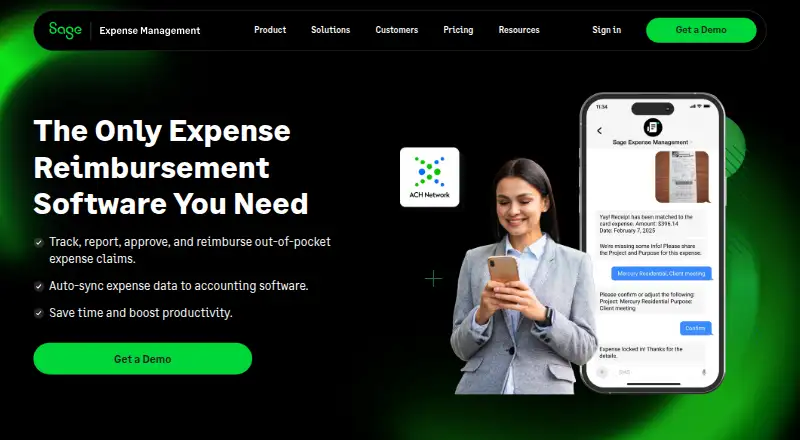
Sage Expense Management is cloud expense-management software for accounting teams and employees that also handles mileage and per diem tracking. It captures receipts through web, iOS, Android, email, text messaging, Gmail, Outlook, and Slack. Expense reports, policy checks, approval workflows, corporate card feeds, reconciliation, and accounting exports make it suited to organizations managing employee spend alongside mileage reimbursement. Mileage calculations use Google Maps distance data, with custom and vehicle-specific reimbursement rates available.
Pricing starts with the Growth plan at $11.99 per active user per month, billed annually. It includes unlimited expense tracking, real-time card feeds, unlimited receipt scanning with automated data extraction, mileage and per diem tracking, single-stage approvals, business rules, policy violation checks, and basic email and knowledge base support. Business costs $14.99 per active user per month, billed annually, and adds multi-organization and multi-stage approvals, ACH reimbursements in the US, project expense tracking, custom data exports including MIS, and premium support with business-hours live chat, email support, and a named account manager. Enterprise includes Business features plus IP whitelisting, Google, AD, and Okta single sign-on, branded accounts and emails, and a dedicated enterprise account manager.
Its strongest fit is an expense team that wants mileage, receipts, approvals, cards, and accounting synchronization in one system. Integrations include QuickBooks Online and Desktop, Sage Intacct, Sage 300 CRE, Sage 50, Xero, Perk, Gmail, Outlook, and Slack, with web, mobile, browser extension, and API access. AI receipt extraction and AI Copilot add automation around expense data and support. However, mileage capture is manual, so teams seeking a dedicated automatic trip-tracking tool may prefer a narrower alternative. Choose Sage Expense Management when accounting integration and broader spend control matter more than specialized mileage automation.
Your product? Our editors can test Sage Expense Management in depth and publish a review, labelled as paid · from $149/mo →
Sage Expense Management pricing
All 3 Sage Expense Management plans and prices →
Sage Expense Management fact sheet
| Free plan | No |
|---|---|
| Paid from | $11.99/user/mo |
| Trip capture | Manual |
| Reimbursement rates | Yes |
| Mileage reports | Yes |
| Mobile platforms | Both |
| Vehicle profiles | Not verified |
| Expense export | Yes |
| Deployment | Cloud, Mobile, Browser extension |
| Platforms | Web, iOS, Android, Chrome extension |
| Compliance & security | SOC 2, GDPR, PCI DSS, SSO/SAML |
| Support | Email, Live chat, Docs |
| Built for | Small business, Mid-market, Enterprise (editorial estimate) |
| Integrations | 10 integrations: QuickBooks Online, QuickBooks Desktop, Sage Intacct, Sage 300 CRE, Sage 50, Xero … See all → |
| Pricing | Paid (source) |
| Website | fylehq.com |
| Facts checked | 20 Sep 2026 |
Sage Expense Management integrations
Sage Expense Management lists 10 integrations on its own site.
- QuickBooks Online
- QuickBooks Desktop
- Sage Intacct
- Sage 300 CRE
- Sage 50
- Xero
- Perk
- Gmail
- Outlook
- Slack
See all Sage Expense Management integrations →
Alternatives to Sage Expense Management
- TripLogA low-cost mileage tracker with broad expense, reporting, and integration coverage.9.4
- MyCarTracksA low-cost mileage and fleet tracker with automatic capture, reports, maps, and exports.9.1
- MileIQA polished mileage tracker with automatic detection, reports, reimbursement tools, and team workflows.9.0



See all Sage Expense Management alternatives →
Also Ranked In
Sage Expense Management is ranked in 7 of our directories.
Used Sage Expense Management? Be the first to review it
The editor score above is our own research. What this page doesn't have yet is a reader's view — what you used Sage Expense Management for, what worked and what didn't. No stars are seeded and no review is paid for; an editor reads every one before it appears.
Write a reviewTwo minutes · verified accounts only · read by an editor before it appears
Featured on iTechGuides

Sage Expense Management is listed in our Mileage Tracking Software directory. Add the badge to your site — it links back to this page.
<a href="https://www.itechguides.com/products/sage-expense-management-mileage-tracking-software/"><img src="https://www.itechguides.com/best/badge/sage-expense-management-mileage-tracking-software.svg" alt="Featured on iTechGuides" width="230" height="46"></a>
Reviewed by iTechGuides Editors · Editorial team · Updated Oct 2026
Advertiser disclosure: iTechGuides is reader-supported. Vendors can pay for top positions in our rankings and for a place on other products' pages, and we may earn a commission when you click some links. Bought places stand at the number bought; this page and our disclosure say so. Paying vendors may get a fuller, more detailed review from our editors, and that review can change their score. How we rank.
Last updated · How we research and update