rmlint
rmlint: A configurable filesystem utility for duplicate discovery, reporting, and cleanup automation. Ranked #34 of 37 in Duplicate File Finders by our editors (5.0/10); pricing: Free plan; best for linux and macOS users with advanced filesystem needs.
At a glance
- Editor score5.0 / 10
- PricingFree plan
- Best forLinux and macOS users with advanced filesystem needs
- Free planYes
- Paid fromFree
- Platform coverageCross-platform
- Facts checked19 Sep 2026
Where it wins
- Hash and byte-by-byte comparison support
- Configurable prioritization, caching, and multiple output formats
- Optional GUI plus BTRFS deduplication operations
Where it doesn't
- No system Trash or Recycle Bin handling
- Primarily command-line oriented
- No documented built-in folder exclusions
Our verdict on rmlint
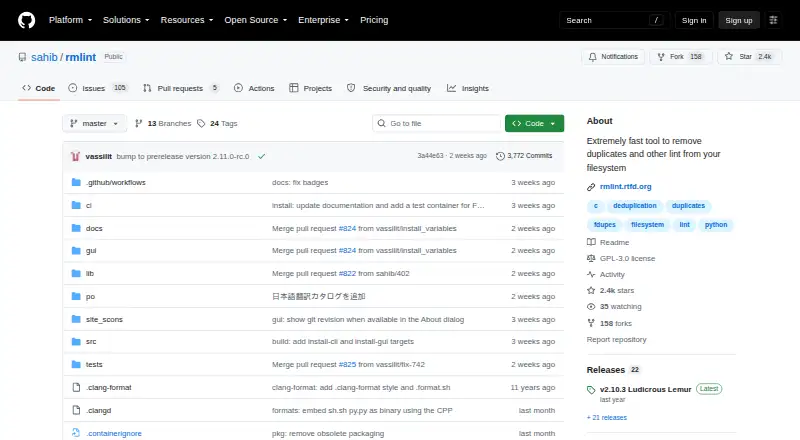
rmlint is an open-source filesystem utility for finding duplicate files and directories on Linux and macOS. It also identifies other space-wasting or broken items, including empty files, broken symbolic links, and files with invalid ownership IDs. Scans can cover local filesystem paths, mounted volumes, and file lists supplied through standard input. Matching supports file hashes, exact byte-by-byte comparison, and optional basename or extension matching, while file previews and configurable selection automation help users review results and prioritize originals.
Its strongest fit is for users who want control over how scan results are processed. rmlint can prefer or tag directories, apply configurable selection strategies, cache and replay scan results, and generate shell, JSON, CSV, and other output formats. The optional GTK-based Shredder interface provides a graphical review path, but the product remains centered on command-line workflows. Integration with the standard find utility also suits Unix-like filesystem routines. For BTRFS users, support for deduplication operations adds a specialized capability beyond basic duplicate reporting.
The cleanup model requires care: documentation describes deletion through generated shell scripts and rm commands rather than a system Trash or Recycle Bin. That approach can suit experienced Linux and macOS users who want scriptable control, but it is less forgiving for anyone expecting reversible deletion or a guided, consumer-oriented workflow. The published product scope also does not document built-in folder exclusions. Choose rmlint when open-source availability, filesystem-level control, configurable matching, and automation matter most. Users who prioritize broad platform coverage, Trash-based recovery, or a primarily graphical cleanup experience should consider an alternative.
Your product? Our editors can test rmlint in depth and publish a review, labelled as paid · from $149/mo →
rmlint pricing
rmlint fact sheet
| Free plan | Yes |
|---|---|
| Paid from | Free |
| Platform coverage | Cross-platform |
| Scan locations | Local filesystem paths, mounted volumes, and file lists supplied through standard input |
| Match methods | File hashes, exact byte-by-byte comparison, and optional basename or extension matching |
| File preview | Yes |
| Automatic selection | Yes |
| Recycle Bin / Trash | No |
| Folder exclusions | Not verified |
| Deployment | Desktop |
| Platforms | Linux, macOS |
| Integrations | 1 integrations: find |
| Pricing | Free plan |
| Website | github.com |
| Facts checked | 19 Sep 2026 |
rmlint integrations
rmlint lists 1 integrations on its own site.
- find
Alternatives to rmlint
- AllDupA fully free Windows duplicate finder with broad matching and cleanup controls.9.0
- CzkawkaA free, scriptable duplicate finder for technical users across Windows, macOS, Linux, and Android.8.8
- Wise Duplicate FinderA Windows duplicate finder with free manual cleanup and Pro date-based selection.8.7


Used rmlint? Be the first to review it
The editor score above is our own research. What this page doesn't have yet is a reader's view — what you used rmlint for, what worked and what didn't. No stars are seeded and no review is paid for; an editor reads every one before it appears.
Write a reviewTwo minutes · verified accounts only · read by an editor before it appears
Featured on iTechGuides

rmlint is listed in our Duplicate File Finders directory. Add the badge to your site — it links back to this page.
<a href="https://www.itechguides.com/products/rmlint/"><img src="https://www.itechguides.com/best/badge/rmlint.svg" alt="Featured on iTechGuides" width="230" height="46"></a>
Reviewed by iTechGuides Editors · Editorial team · Updated Sep 2026
Advertiser disclosure: iTechGuides is reader-supported. Vendors can pay for top positions in our rankings and for a place on other products' pages, and we may earn a commission when you click some links. Bought places stand at the number bought; this page and our disclosure say so. Paying vendors may get a fuller, more detailed review from our editors, and that review can change their score. How we rank.
Last updated · How we research and update