
AllDup
AllDup: A fully free Windows duplicate finder with broad matching and cleanup controls. Ranked #1 of 37 in Duplicate File Finders by our editors (9.0/10); pricing: Free plan; best for windows users wanting a fully free finder.
At a glance
- Editor score9.0 / 10
- PricingFree plan
- Best forWindows users wanting a fully free finder
- Free planYes
- Paid fromFree
- Platform coverageWindows
- Founded1999 · Chonburi, Thailand
- Facts checked19 Sep 2026
Where it wins
- Matches files by content, names, metadata, media similarity, and duration
- Scans local storage, network paths, and ZIP, RAR, and 7Z archives
- Previews results and automates selection before sending files to Recycle Bin
Where it doesn't
- Available only for Windows
- Does not include AI features
- Integrations focus on Windows media and document applications
Our verdict on AllDup
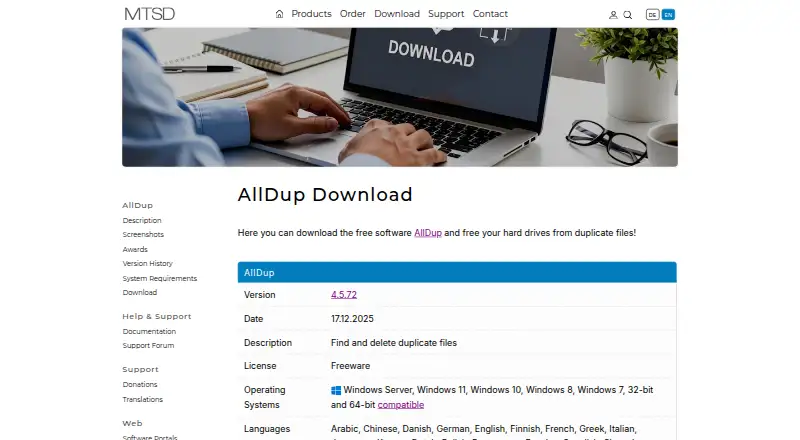
AllDup is a free Windows utility for locating and managing duplicate files across local drives, storage media, network paths, and supported archive files. It suits Windows users who want broad control without a paid plan, including private users and companies. Installable and portable editions give users two deployment options, while folder filters can exclude locations from searches. Results can be managed by deleting, moving, copying, renaming, backing up, or sending selected files to the Windows Recycle Bin.
The free model is the central advantage. AllDup covers identical and similar content, image and sound similarity, filenames, sizes, modification or creation dates, file attributes, hard links, and video or sound duration. That range supports both straightforward duplicate cleanup and more specialized searches, such as finding similar images or music files. Preview support for image, text, audio, and video files helps users inspect results before taking action, and configurable selection criteria can automate repetitive choices. The product has been available since 1999, adding a long operating history to its feature set.
AllDup is focused on Windows rather than cross-platform use. Its listed integrations include VLC Media Player, Windows Media Player, Microsoft WordPad, and Windows Internet Explorer, so it fits environments centered on Windows files and applications. Users who need macOS or Linux coverage, or AI-assisted duplicate detection, should choose an alternative built for those requirements. For Windows users who value archive scanning, network-path support, media matching, previews, and Recycle Bin handling in a fully free utility, AllDup is a focused choice.
Your product? Our editors can test AllDup in depth and publish a review, labelled as paid · from $149/mo →
AllDup pricing
AllDup fact sheet
| Free plan | Yes |
|---|---|
| Paid from | Free |
| Platform coverage | Windows |
| Scan locations | local drives and storage media; network paths and shares; archive files including ZIP, RAR, and 7Z |
| Match methods | file content; image similarity; sound similarity; filename; file size; modification or creation date; file attributes; hard links; video or sound duration |
| File preview | Yes |
| Automatic selection | Yes |
| Recycle Bin / Trash | Yes |
| Folder exclusions | Yes |
| Deployment | Desktop |
| Platforms | Windows |
| Integrations | 4 integrations: VLC Media Player, Windows Media Player, Microsoft WordPad, Windows Internet Explorer |
| Pricing | Free plan |
| Website | alldup.de |
| Facts checked | 19 Sep 2026 |
AllDup integrations
AllDup lists 4 integrations on its own site.
- VLC Media Player
- Windows Media Player
- Microsoft WordPad
- Windows Internet Explorer
Alternatives to AllDup
- CzkawkaA free, scriptable duplicate finder for technical users across Windows, macOS, Linux, and Android.8.8
- Wise Duplicate FinderA Windows duplicate finder with free manual cleanup and Pro date-based selection.8.7
- EaseUS DupFiles CleanerA guided Windows utility for finding duplicates and similar images before cleanup.8.5


AllDup vs the competition
- AllDup vs Czkawka
- AllDup vs Wise Duplicate Finder
- AllDup vs EaseUS DupFiles Cleaner
- AllDup vs Gemini 2
- AllDup vs dupeGuru
- AllDup vs Glary Duplicate Cleaner

Compare AllDup with any tool side by side →
Used AllDup? Be the first to review it
The editor score above is our own research. What this page doesn't have yet is a reader's view — what you used AllDup for, what worked and what didn't. No stars are seeded and no review is paid for; an editor reads every one before it appears.
Write a reviewTwo minutes · verified accounts only · read by an editor before it appears
Featured on iTechGuides

AllDup is listed in our Duplicate File Finders directory. Add the badge to your site — it links back to this page.
<a href="https://www.itechguides.com/products/alldup/"><img src="https://www.itechguides.com/best/badge/alldup.svg" alt="Featured on iTechGuides" width="230" height="46"></a>
Reviewed by iTechGuides Editors · Editorial team · Updated Sep 2026
Advertiser disclosure: iTechGuides is reader-supported. Vendors can pay for top positions in our rankings and for a place on other products' pages, and we may earn a commission when you click some links. Bought places stand at the number bought; this page and our disclosure say so. Paying vendors may get a fuller, more detailed review from our editors, and that review can change their score. How we rank.
Last updated · How we research and update