
Remo Video Repair
Remo Video Repair: A focused MOV and MP4 repair tool with reference-based recovery for Windows and macOS. Ranked #31 of 33 in File Repair Software by our editors (6.0/10); pricing: Paid; best for reference-based MOV and MP4 repair.
At a glance
- Editor score6.0 / 10
- PricingPaid
- Best forReference-based MOV and MP4 repair
- Free planNo
- Paid from$79.97/mo
- Repair categoriesMOV, MP4, AVI, DIVX, XVID
- Founded2011 · Bengaluru, Karnataka, India
- Facts checked20 Sep 2026
Where it wins
- Repairs MOV, MP4, AVI, DIVX, and XVID files
- Read-only processing preserves the original file
- Previews repaired videos before local saving
Where it doesn't
- No free plan is available
- Batch processing is not included
- The starting price is $79.97 per month
Our verdict on Remo Video Repair
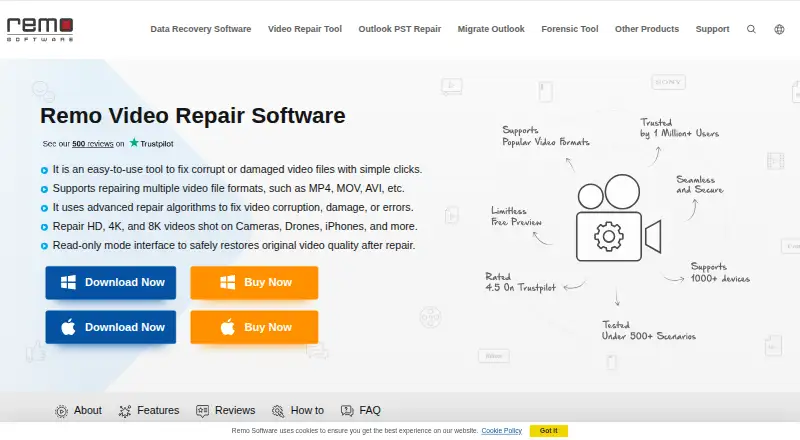
Remo Video Repair is desktop software for repairing corrupt, damaged, or unplayable video files on Windows and macOS. It is aimed at consumers and businesses handling files from phones, cameras, drones, camcorders, and other video sources. Supported formats include MOV, MP4, AVI, DIVX, and XVID. The repair process works on a copy of the original file, and users can preview the repaired video before saving it to a chosen local location.
Its standout capability is reference-based advanced repair. Users can provide a healthy reference file to support the repair of a damaged video, which makes the product a focused option for cases where standard recovery may not be enough. The read-only process helps preserve the original, while local repair and saving fit workflows where video files should remain on the user's computer. Support for both Windows and macOS also makes it suitable for mixed desktop environments.
Pricing is structured across three paid licenses. The 1 Month License costs $79.97 per month for one PC and includes standard tech support. The 6 Months License costs $89.97 per 6 months for one PC and adds remote advanced file repair assistance. The Lifetime License costs $399.97 one-time for one PC and includes lifetime licensing plus remote advanced file repair assistance. There is no free plan, and the product is a poor fit for buyers seeking batch processing or a lower-cost recurring option. Choose it when reference-based repair, previewing, and local recovery matter; consider an alternative when broader automation or batch workflows are priorities.
Your product? Our editors can test Remo Video Repair in depth and publish a review, labelled as paid · from $149/mo →
Remo Video Repair pricing
All 3 Remo Video Repair plans and prices →
Remo Video Repair fact sheet
| Free plan | No |
|---|---|
| Paid from | $79.97/mo |
| Repair categories | MOV, MP4, AVI, DIVX, XVID |
| Batch repair | Not verified |
| Preview before save | Yes |
| Supported platforms | Windows, macOS |
| Maximum file size | Not verified |
| Repair delivery | Local |
| Money-back guarantee | 30 days |
| Deployment | Desktop |
| Platforms | Windows, macOS |
| Support | Live chat, Docs · 24/7 |
| Built for | Solo, Small business (editorial estimate) |
| Pricing | Paid (source) |
| Website | remosoftware.com |
| Facts checked | 20 Sep 2026 |
Alternatives to Remo Video Repair
- IntactFileBroad file repair with local processing, free diagnosis, and flexible pay-per-repair pricing.9.4
- Wondershare RepairitA broad file-repair suite with batch processing, previews and sample-based repair.9.1
- EaseUS FixoBroad file repair across web, Windows, and macOS, with batch processing and previews.8.9



See all Remo Video Repair alternatives →
Also Ranked In
Remo Video Repair is ranked in 2 of our directories.
Used Remo Video Repair? Be the first to review it
The editor score above is our own research. What this page doesn't have yet is a reader's view — what you used Remo Video Repair for, what worked and what didn't. No stars are seeded and no review is paid for; an editor reads every one before it appears.
Write a reviewTwo minutes · verified accounts only · read by an editor before it appears
Featured on iTechGuides

Remo Video Repair is listed in our File Repair Software directory. Add the badge to your site — it links back to this page.
<a href="https://www.itechguides.com/products/remo-video-repair/"><img src="https://www.itechguides.com/best/badge/remo-video-repair.svg" alt="Featured on iTechGuides" width="230" height="46"></a>
Reviewed by iTechGuides Editors · Editorial team · Updated Oct 2026
Advertiser disclosure: iTechGuides is reader-supported. Vendors can pay for top positions in our rankings and for a place on other products' pages, and we may earn a commission when you click some links. Bought places stand at the number bought; this page and our disclosure say so. Paying vendors may get a fuller, more detailed review from our editors, and that review can change their score. How we rank.
Last updated · How we research and update