redroid
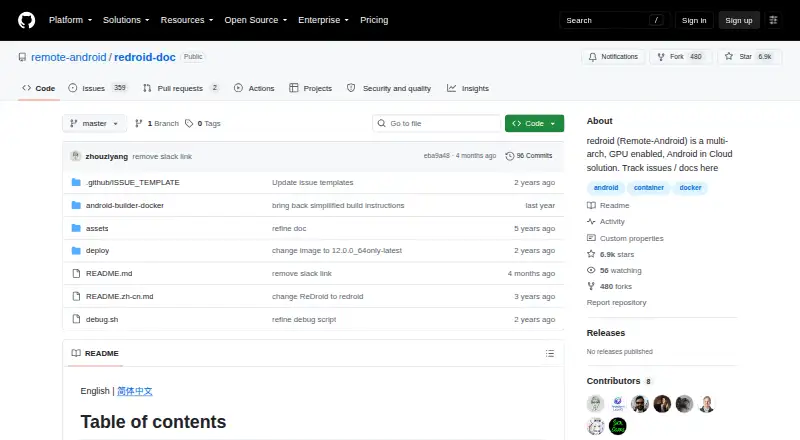
redroid: An open-source option for running and managing Android instances in Linux containers. Ranked #12 of 19 in Android Emulators by our editors (7.5/10); pricing: Open source; best for containerized Android instances on Linux.
At a glance
- Editor score7.5 / 10
- PricingOpen source
- Best forContainerized Android instances on Linux
- Paid fromFree
- Facts checked19 Sep 2026
Where it wins
- Deploy instances with Docker, Podman, or Kubernetes.
- Supports arm64 and amd64, with configurable display settings.
- Connect through ADB and view screens with scrcpy.
Where it doesn't
- Limited to Linux hosts rather than broader desktop platforms.
- Optional GMS depends on external packages such as Open GApps or MicroG.
- Root shell access requires the debug setting ro.secure=0.
Our verdict on redroid
For teams and developers who need Android instances on Linux, redroid runs GPU-accelerated Android in containers. It is open source and supports multiple instances, making it relevant to cloud gaming, virtualized phones, and automation testing. Linux hosts can deploy it with Docker, Podman, or Kubernetes, and the project supports arm64 and amd64 architectures. Its focus is containerized, self-hosted Android rather than a general desktop emulator experience.
The container and device-access workflow is a central strength. ADB provides connectivity to instances, while scrcpy can display their screens. Display width, height, DPI, and FPS are configurable, and native-bridge support lets ARM apps run on x86. These options suit workflows that need controllable virtual devices or access to Android instances in a Linux environment. They also make redroid a more infrastructure-oriented choice than an emulator aimed primarily at an individual desktop user.
Google Mobile Services can be added through external packages including Open GApps, MicroG, or MindTheGapps; Google Play support itself is not stated. The documented root shell requires the debug setting ro.secure=0, a consideration for teams evaluating their device configuration. redroid is a good fit when Linux container deployment, multiple instances, and ADB or scrcpy access are priorities. Those seeking a broader desktop-platform emulator or a straightforward packaged setup should consider alternatives better matched to those needs.
Your product? Our editors can test redroid in depth and publish a review, labelled as paid · from $149/mo →
redroid pricing
redroid fact sheet
| Free plan | Not verified |
|---|---|
| Paid from | Free |
| Desktop platforms | Linux |
| Google Play support | Not verified |
| Multi-instance | Yes |
| Keyboard mapping | Not verified |
| Gamepad support | Not verified |
| Root access | Yes |
| Instance limit | Not verified |
| Deployment | Desktop, Self-hosted |
| Platforms | Linux |
| Integrations | 5 integrations: Docker, Podman, Kubernetes, ADB, scrcpy |
| Pricing | Open source |
| Website | github.com |
| Facts checked | 19 Sep 2026 |
redroid integrations
redroid lists 5 integrations on its own site.
- Docker
- Podman
- Kubernetes
- ADB
- scrcpy
Alternatives to redroid
- Android EmulatorA free, configurable emulator for testing Android apps across device types and system images.9.4
- Genymotion DesktopCustomizable virtual devices and testing tools, with a free personal-use plan.8.9
- CuttlefishA Linux-based, AOSP-aligned emulator built for configurable devices and parallel testing.8.6



See all redroid alternatives →
Used redroid? Be the first to review it
The editor score above is our own research. What this page doesn't have yet is a reader's view — what you used redroid for, what worked and what didn't. No stars are seeded and no review is paid for; an editor reads every one before it appears.
Write a reviewTwo minutes · verified accounts only · read by an editor before it appears
Featured on iTechGuides

redroid is listed in our Android Emulators directory. Add the badge to your site — it links back to this page.
<a href="https://www.itechguides.com/products/redroid/"><img src="https://www.itechguides.com/best/badge/redroid.svg" alt="Featured on iTechGuides" width="230" height="46"></a>
Guides on android emulators
- Top Android Emulators for Windows in 2026Aug 2026
- Best Android Emulator for Windows 11: 9 Must-Have ToolsAug 2026
- 5 Best Android Emulators for Windows 11Aug 2026
Reviewed by iTechGuides Editors · Editorial team · Updated Oct 2026
Advertiser disclosure: iTechGuides is reader-supported. Vendors can pay for top positions in our rankings and for a place on other products' pages, and we may earn a commission when you click some links. Bought places stand at the number bought; this page and our disclosure say so. Paying vendors may get a fuller, more detailed review from our editors, and that review can change their score. How we rank.
Last updated · How we research and update