
Recuva
Recuva: A practical Windows recovery tool for ordinary deleted files and removable storage. Ranked #13 of 129 in Data Recovery Software by our editors (8.0/10); pricing: Free plan; best for budget users recovering ordinary deleted files.
At a glance
- Editor score8.0 / 10
- PricingFree plan
- Best forBudget users recovering ordinary deleted files
- Free planYes
- Paid from₹990 one-time
- Facts checked21 Sep 2026
Where it wins
- Free plan includes advanced file recovery
- Deep scans damaged, formatted, and removable drives
- Filtering, previews, and a guided recovery wizard simplify recovery
Where it doesn't
- Limited to Windows environments
- Virtual hard-drive support requires Professional
- Automatic updates and priority support require Professional
Our verdict on Recuva
Recuva is Windows file-recovery software for people restoring deleted pictures, music, documents, videos, emails, and other files. It works with Windows computers, Recycle Bin contents, digital camera cards, MP3 players, memory cards, external hard drives, USB sticks, and VHD images. Its focus is practical file recovery rather than a broad multi-platform toolkit, making it a fit for home users and budget-conscious Windows users handling ordinary deletion, damaged drives, or newly formatted media.
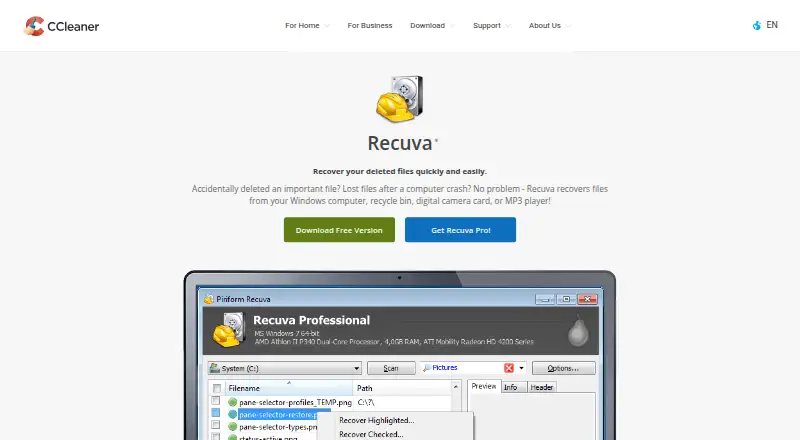
Recovery depth is the product's main strength. A guided wizard supports a simpler workflow, while Advanced mode adds drive, file-type, and filename filtering. Deep scanning is designed to locate buried deleted files, and image-file previews help identify recoverable content before restoration. Recuva also includes secure file overwriting, alongside recovery from damaged or newly formatted drives. This combination gives users several ways to narrow searches when a quick scan is not enough, while keeping the product centered on individual files and common removable storage.
Recuva uses a freemium structure. Recuva Free includes advanced file recovery. Recuva Professional adds virtual hard-drive support, automatic updates, and priority support. That division makes the free edition the natural starting point for standard deleted-file recovery, while Professional is more relevant when VHD images or additional service features matter. Windows users seeking a focused, accessible recovery utility should consider Recuva; users working outside Windows or needing a wider recovery environment should look elsewhere.
Your product? Our editors can test Recuva in depth and publish a review, labelled as paid · from $149/mo →
Recuva pricing
All 2 Recuva plans and prices →
Recuva fact sheet
| Free plan | Yes |
|---|---|
| Paid from | ₹990 one-time |
| Recovery sources | Windows computer, Recycle Bin, memory cards, USB drives, external hard drives, digital camera cards, music players, virtual hard drives |
| Operating systems | Windows 10, 8.1, 7, Vista and XP |
| Free recovery limit | Not verified |
| Memory card recovery | Yes |
| RAID recovery | Not verified |
| Bootable recovery | Not verified |
| File preview | Yes |
| Deployment | Desktop |
| Platforms | Windows |
| Support | Docs |
| Built for | Solo, Small business (editorial estimate) |
| Pricing | Free plan (source) |
| Website | ccleaner.com |
| Facts checked | 21 Sep 2026 |
Alternatives to Recuva
- R-StudioA broad recovery toolkit for professionals handling disks, RAID, images, and networks.9.3
- TestDiskA capable free choice for partition repair, filesystem recovery, and file undelete.9.1
- RecoveritA broad recovery toolkit with strong media repair and storage-device coverage.9.0


Also Ranked In
Recuva is ranked in 4 of our directories.
Used Recuva? Be the first to review it
The editor score above is our own research. What this page doesn't have yet is a reader's view — what you used Recuva for, what worked and what didn't. No stars are seeded and no review is paid for; an editor reads every one before it appears.
Write a reviewTwo minutes · verified accounts only · read by an editor before it appears
Featured on iTechGuides

Recuva is listed in our Data Recovery Software directory. Add the badge to your site — it links back to this page.
<a href="https://www.itechguides.com/products/recuva/"><img src="https://www.itechguides.com/best/badge/recuva.svg" alt="Featured on iTechGuides" width="230" height="46"></a>
Reviewed by iTechGuides Editors · Editorial team · Updated Oct 2026
Advertiser disclosure: iTechGuides is reader-supported. Vendors can pay for top positions in our rankings and for a place on other products' pages, and we may earn a commission when you click some links. Bought places stand at the number bought; this page and our disclosure say so. Paying vendors may get a fuller, more detailed review from our editors, and that review can change their score. How we rank.
Last updated · How we research and update