
QZ Tray
QZ Tray: A developer-focused bridge between web apps and local, thermal, and receipt printers. Ranked #34 of 37 in Print Management Software by our editors (5.4/10); pricing: Free plan; best for web apps and thermal-label printing.
At a glance
- Editor score5.4 / 10
- PricingFree plan
- Best forWeb apps and thermal-label printing
- Free planYes
- Founded2013 · Canastota, New York, United States
- Facts checked22 Sep 2026
Where it wins
- Supports ZPL, EPL, ESC/POS, SBPL, PDFs, images, HTML, and more
- Connects web apps with USB, serial, HID, socket, file, and network devices
- Offers a free plan, open-source software, APIs, and print-server deployment
Where it doesn't
- Paid support is billed annually, starting at $749 per year
- Free printing includes warning dialogs rather than silent printing
- It focuses on printer integration, not quotas, policies, or reporting
Our verdict on QZ Tray
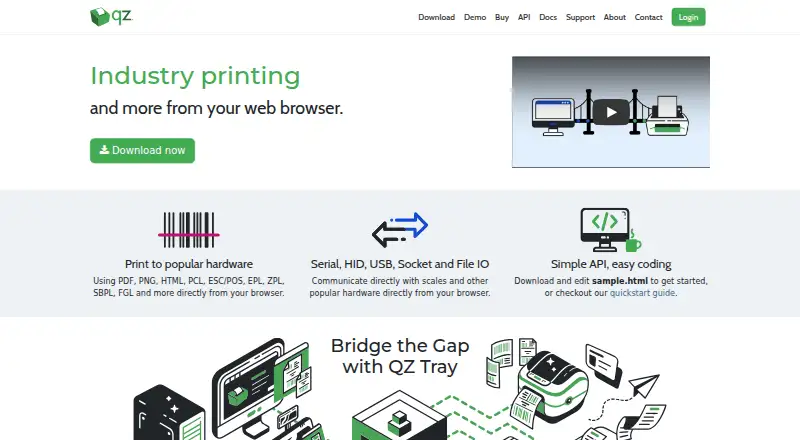
QZ Tray is desktop software and a JavaScript API for connecting web applications with local printers and other hardware. It is aimed at developers and organizations building point-of-sale, shipping, warehouse, receipt, barcode, and label-printing workflows. The product supports Windows, macOS, Linux, iOS, Android, and API-based deployments, with dedicated print-server deployment for clients such as mobile devices. Its focus is browser-to-printer communication rather than administration of a broad print environment.
Printing support is a major strength. QZ Tray handles PDFs, PNGs, HTML, images, thermal labels, barcodes, and receipts, along with raw printer languages including ZPL, EPL, ESC/POS, and SBPL. It can communicate through USB, serial, HID, socket, file, and network connections, while printer discovery and status communication help web applications interact with connected devices. Digitally signed silent printing is available through the paid Premium Support tier, while the free QZ Tray plan provides printing with warning dialogs and community support.
The published plans show a free download and use option, Premium Support at $749 per year, and Company Branded + Premium Support at $3,499 per year. Premium Support adds a trusted key pair, silent printing, software updates, critical bug-fix support, 48-hour developer email support, and phone support by appointment. The branded tier adds a branded build and custom build portal. QZ Tray suits teams that need technical control over browser-based printing and hardware connectivity; organizations seeking verified quotas, print policies, or reporting should choose a dedicated print-management suite instead.
Your product? Our editors can test QZ Tray in depth and publish a review, labelled as paid · from $149/mo →
QZ Tray pricing
All 4 QZ Tray plans and prices →
QZ Tray fact sheet
| Free plan | Yes |
|---|---|
| Paid from | Not verified |
| Secure release | Not verified |
| Print quotas | Not verified |
| Print policy rules | Not verified |
| Deployment | On-premises |
| Mobile printing | Yes |
| Reporting | Not verified |
| Supported platforms | Windows, macOS, Linux, iOS, Android, ChromeOS |
| Deployment | Desktop, Self-hosted |
| Platforms | Web, Windows, macOS, Linux, iOS, Android |
| Support | Email, Phone, Community, Docs |
| Built for | Solo, Small business, Mid-market, Enterprise (editorial estimate) |
| Pricing | Free plan (source) |
| Website | qz.io |
| Facts checked | 22 Sep 2026 |
Alternatives to QZ Tray
- ApeosWare Management Suite 2Advanced print accounting and authenticated workflows for organizations managing networked devices.9.2
- Xerox Workplace SuiteA strong fit for organizations needing controlled, accountable printing on shared fleets.9.0
- PaperCut MFA mature choice for enterprises needing secure, policy-driven control across mixed print estates.8.8



See all QZ Tray alternatives →
Used QZ Tray? Be the first to review it
The editor score above is our own research. What this page doesn't have yet is a reader's view — what you used QZ Tray for, what worked and what didn't. No stars are seeded and no review is paid for; an editor reads every one before it appears.
Write a reviewTwo minutes · verified accounts only · read by an editor before it appears
Featured on iTechGuides

QZ Tray is listed in our Print Management Software directory. Add the badge to your site — it links back to this page.
<a href="https://www.itechguides.com/products/qz-tray/"><img src="https://www.itechguides.com/best/badge/qz-tray.svg" alt="Featured on iTechGuides" width="230" height="46"></a>
Reviewed by iTechGuides Editors · Editorial team · Updated Oct 2026
Advertiser disclosure: iTechGuides is reader-supported. Vendors can pay for top positions in our rankings and for a place on other products' pages, and we may earn a commission when you click some links. Bought places stand at the number bought; this page and our disclosure say so. Paying vendors may get a fuller, more detailed review from our editors, and that review can change their score. How we rank.
Last updated · How we research and update