
Quiver
Quiver: A strong Mac notebook for developers who want code and rich notes together. Ranked #127 of 214 in Note-Taking Apps by our editors (3.0/10); pricing: Paid; best for mac developers mixing code and notes.
At a glance
- Editor score3.0 / 10
- PricingPaid
- Best forMac developers mixing code and notes
- Free planNo
- Facts checked22 Sep 2026
Where it wins
- Combines text, code, Markdown, LaTeX, images and diagrams in cells
- Syntax highlighting supports more than 120 languages
- Search, tags, exports, backups and shared notebooks cover core workflows
Where it doesn't
- Available only on macOS
- There is no free plan
- Its programmer-focused structure may not suit general note-taking
Our verdict on Quiver
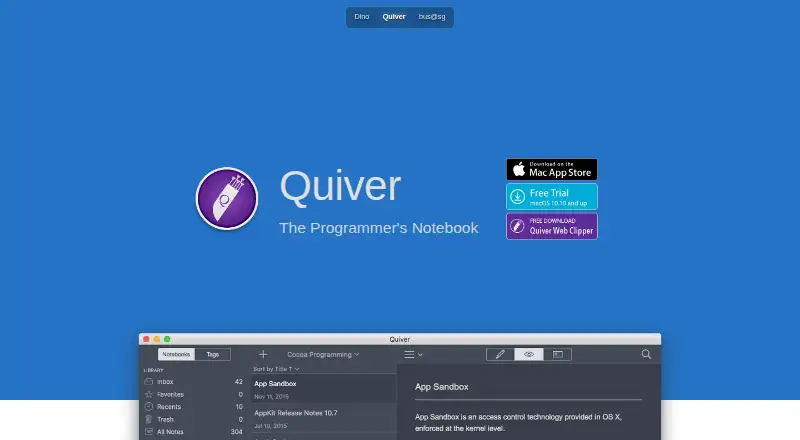
Quiver is a Mac notebook designed for programmers who want code and written notes in one workspace. Its cell-based structure supports text, code, Markdown, LaTeX, images, files and diagrams, making it suitable for technical documentation, research notes, programming references and project material. Live Markdown and LaTeX previews, syntax highlighting, full-text search and presentation mode give the notebook a clear technical orientation rather than a general-purpose notes focus.
The platform fit is defined by macOS and file-based cloud syncing. Quiver supports Dropbox, iCloud Drive and Google Drive, along with other file-based cloud services, for synchronizing notebooks across supported workflows. Shared notebooks allow team viewing and editing, while plain JSON storage supports a format that is friendly to version-control workflows. HTML and PDF export add practical options for turning notes into shareable or portable documents. The published feature set also includes tags, nested note organization, autosave, backup and recovery.
Quiver is a focused choice for Mac developers who value mixed code-and-document cells, broad syntax highlighting and Markdown or LaTeX preview in the same notebook. It is less suitable for people who need a cross-platform notes app, a free entry tier or a simpler general note-taking experience. The paid model and macOS-only availability narrow its reach, but the feature set is well aligned with technical users who want structured notes and code together. Teams can also consider it when shared notebooks and file-based cloud services fit their workflow.
Your product? Our editors can test Quiver in depth and publish a review, labelled as paid · from $149/mo →
Quiver pricing
All 1 Quiver plans and prices →
Quiver fact sheet
| Free plan | No |
|---|---|
| Paid from | Not verified |
| Offline access | Not verified |
| Supported platforms | macOS |
| Note sharing | Yes |
| Real-time collaboration | Not verified |
| Storage limit | Not verified |
| Integrations | Dropbox, iCloud Drive, Google Drive, file-based cloud services |
| Deployment | Desktop |
| Platforms | macOS |
| Support | Email, Docs |
| Built for | Solo, Small business (editorial estimate) |
| Integrations | 4 integrations: Dropbox, iCloud Drive, Google Drive, file-based cloud services |
| Pricing | Paid (source) |
| Website | yliansoft.com |
| Facts checked | 22 Sep 2026 |
Quiver integrations
Quiver lists 4 integrations on its own site.
- Dropbox
- iCloud Drive
- Google Drive
- file-based cloud services
Alternatives to Quiver
- Microsoft OneNoteA broad, collaborative note system with strong Microsoft integration and a capable free option.9.3
- NotionA flexible workspace for teams that want notes and knowledge bases alongside databases and collaboration.9.2
- EvernoteA broad note-taking workspace for organizing information, tasks, calendars, and documents.9.0


Also Ranked In
Quiver is ranked in 2 of our directories.
Used Quiver? Be the first to review it
The editor score above is our own research. What this page doesn't have yet is a reader's view — what you used Quiver for, what worked and what didn't. No stars are seeded and no review is paid for; an editor reads every one before it appears.
Write a reviewTwo minutes · verified accounts only · read by an editor before it appears
Featured on iTechGuides

Quiver is listed in our Note-Taking Apps directory. Add the badge to your site — it links back to this page.
<a href="https://www.itechguides.com/products/quiver-note-taking-app/"><img src="https://www.itechguides.com/best/badge/quiver-note-taking-app.svg" alt="Featured on iTechGuides" width="230" height="46"></a>
Reviewed by iTechGuides Editors · Editorial team · Updated Oct 2026
Advertiser disclosure: iTechGuides is reader-supported. Vendors can pay for top positions in our rankings and for a place on other products' pages, and we may earn a commission when you click some links. Bought places stand at the number bought; this page and our disclosure say so. Paying vendors may get a fuller, more detailed review from our editors, and that review can change their score. How we rank.
Last updated · How we research and update