Quick File Rename
Quick File Rename: A capable Windows renamer with scheduling and automation in higher-priced tiers. Ranked #19 of 31 in File Renaming Software by our editors (6.4/10); pricing: Paid; best for scheduled Windows renaming.
At a glance
- Editor score6.4 / 10
- PricingPaid
- Best forScheduled Windows renaming
- Paid from$49.95 one-time
- Regex renamingYes
- Facts checked22 Sep 2026
Where it wins
- Chained rules, regex matching, and metadata-based renaming
- Preview with duplicate-name conflict checking and unlimited undo/redo
- Scheduling, command-line support, CSV workflows, and Explorer integration
Where it doesn't
- Windows-only, with no listed support for other platforms
- Scheduler and command-line utility require selected higher-priced plans
- Metadata support is excluded from the $49.95 Lite plan
Our verdict on Quick File Rename
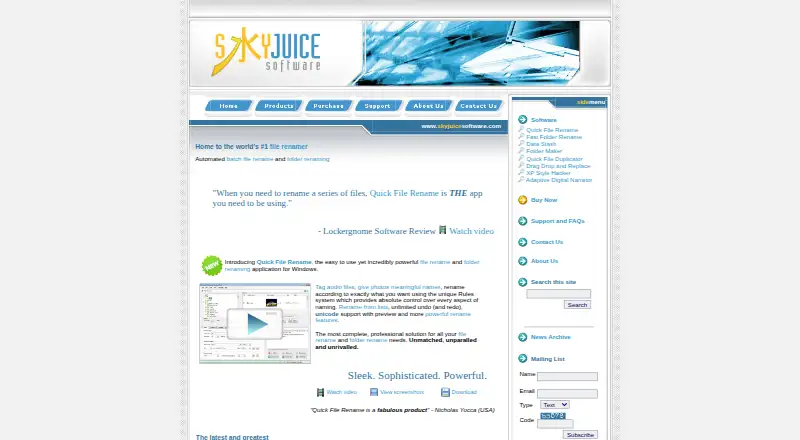
Quick File Rename is a Windows desktop utility for batch-renaming files and folders. It is aimed at photographers, music users, webmasters, corporations, and others managing large collections. Its rule system supports chained operations and regular-expression matching, while metadata-based naming can use EXIF, IPTC, XMP, file properties, and audio tags. Custom-list and CSV-based renaming add structured workflows for repeatable jobs.
Pricing is one-time rather than subscription-based. The Single User License Lite costs $49.95 and excludes the scheduler, command-line utility, and tag and metadata support. The Single User License costs $59.95 and excludes the scheduler and command-line utility. The Single User + Unlimited Upgrades plan costs $99.95 and includes scheduling, command-line renaming, and unlimited lifetime updates. Corporate licensing costs $199.95 without those two automation features, while Corporate + Unlimited Upgrades costs $299.95 and includes them along with unlimited lifetime updates. The published plans make the $99.95 single-user tier the relevant choice for scheduled or command-line workflows.
The feature set is strongest when file organization needs more than simple find-and-replace renaming. Rename previews with duplicate-name conflict checking can help identify collisions before changes are applied, and unlimited undo and redo provide a recovery path. Windows Explorer integration keeps the utility connected to the file-management environment, while scheduled operations and command-line support extend it into recurring or automated tasks. The main boundary is platform scope: this is a Windows-only product. Users who need scheduled Windows renaming, metadata rules, and automation should consider the $99.95 single-user plan; users on another platform or seeking a lower-cost basic renamer may prefer an alternative.
Your product? Our editors can test Quick File Rename in depth and publish a review, labelled as paid · from $149/mo →
Quick File Rename pricing
All 5 Quick File Rename plans and prices →
Quick File Rename fact sheet
| Free plan | Not verified |
|---|---|
| Paid from | $49.95 one-time |
| Platform coverage | Windows_only |
| Regex renaming | Yes |
| Metadata-based renaming | Yes |
| Rename preview | Yes |
| Folder renaming | Yes |
| Undo changes | Yes |
| Deployment | Desktop |
| Platforms | Windows |
| Support | Email, Docs |
| Built for | Solo, Small business (editorial estimate) |
| Integrations | 1 integrations: Windows Explorer |
| Pricing | Paid (source) |
| Website | skyjuicesoftware.com |
| Facts checked | 22 Sep 2026 |
Quick File Rename integrations
Quick File Rename lists 1 integrations on its own site.
- Windows Explorer
Alternatives to Quick File Rename
- KRenameA capable free Linux renamer for expressions, metadata, folders, and undo.9.0
- Bulk Rename UtilityA feature-rich Windows renamer for precise batch operations, scripting, and metadata rules.8.9
- Name ManglerA focused Mac renamer with advanced rules, previews, reversal, and Dropbox or Box support.8.4



See all Quick File Rename alternatives →
Used Quick File Rename? Be the first to review it
The editor score above is our own research. What this page doesn't have yet is a reader's view — what you used Quick File Rename for, what worked and what didn't. No stars are seeded and no review is paid for; an editor reads every one before it appears.
Write a reviewTwo minutes · verified accounts only · read by an editor before it appears
Featured on iTechGuides

Quick File Rename is listed in our File Renaming Software directory. Add the badge to your site — it links back to this page.
<a href="https://www.itechguides.com/products/quick-file-rename/"><img src="https://www.itechguides.com/best/badge/quick-file-rename.svg" alt="Featured on iTechGuides" width="230" height="46"></a>
Reviewed by iTechGuides Editors · Editorial team · Updated Oct 2026
Advertiser disclosure: iTechGuides is reader-supported. Vendors can pay for top positions in our rankings and for a place on other products' pages, and we may earn a commission when you click some links. Bought places stand at the number bought; this page and our disclosure say so. Paying vendors may get a fuller, more detailed review from our editors, and that review can change their score. How we rank.
Last updated · How we research and update