Quest Secure Copy
Quest Secure Copy: A focused Windows tool for preserving permissions and coordinating file-share migrations. Ranked #14 of 24 in Storage Migration Software by our editors (7.7/10); pricing: Pricing on request · 30-day trial; best for windows file-share migrations.
At a glance
- Editor score7.7 / 10
- PricingPricing on request · 30-day trial
- Best forWindows file-share migrations
- Free planNo
- Migration modeBatch
- Facts checked20 Sep 2026
Where it wins
- Preserves NTFS permissions, ownership, attributes, and settings
- Recreates file shares and migrates local users and groups
- Adds scheduling, throttling, reporting, and link-update utilities
Where it doesn't
- Windows-only platform focus limits broader migration use cases
- Paid pricing is handled through contact sales
- No free plan is offered
Our verdict on Quest Secure Copy
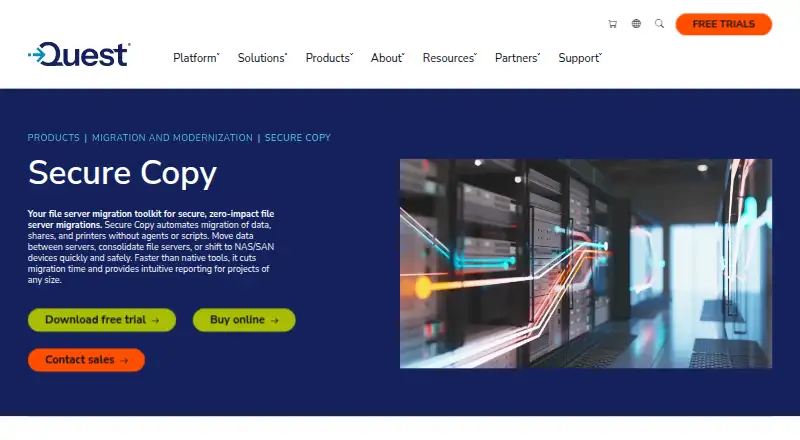
Quest Secure Copy is Windows software for moving files and folders between file servers, Windows systems, NAS devices, SAN environments using CIFS, and Azure file shares. It is aimed at server migrations, file-server consolidation, and storage moves where preserving access settings matters. The product covers NTFS permissions, ownership, attributes, other file metadata, share permissions, local users, and groups, making it suited to administrators coordinating batch migrations across supported Windows and storage environments.
For larger or staged moves, Secure Copy provides scheduled copy jobs, synchronization options, multithreading, bandwidth throttling, and pre- and post-migration tasks. Job dashboards, logs, and migration reports support operational tracking, while share recreation helps carry file-share structures to target systems. Utilities for home paths, profile paths, shortcuts, and links extend the workflow beyond copying files alone. These capabilities make the product a fit when migration control, access preservation, and cutover coordination are more important than a narrow file-transfer operation.
Quest advertises a 30-day trial, while paid access is handled through contact sales. The product’s Windows focus suits organizations working with Windows Server, Windows clients, supported NAS and SAN environments, Dell storage, Hitachi NAS, or Azure file shares. Teams seeking permission-aware, reportable file-share migrations should consider it; organizations needing a broader cross-platform migration tool or a self-service free plan should look elsewhere.
Your product? Our editors can test Quest Secure Copy in depth and publish a review, labelled as paid · from $149/mo →
Quest Secure Copy pricing
Quest Secure Copy fact sheet
| Free plan | No |
|---|---|
| Paid from | Not verified |
| Workload scope | File |
| Migration mode | Batch |
| Metadata preservation | Yes |
| Access preservation | Yes |
| Supported platforms | Windows Server 2016, Windows Server 2019, Windows Server 2022, Windows 10, Windows 8.1, EMC NAS, NetApp NAS/SAN, Dell storage, Hitachi NAS, Azure file share |
| Cutover orchestration | Yes |
| Migration reporting | Yes |
| Free trial | 30 days |
| Deployment | Desktop |
| Platforms | Windows |
| Support | Docs |
| Built for | Mid-market, Enterprise (editorial estimate) |
| Pricing | Pricing on request · 30-day trial |
| Website | quest.com |
| Facts checked | 20 Sep 2026 |
Alternatives to Quest Secure Copy
- NetApp Data MigratorA free, migration-focused option for enterprise NAS moves into NetApp cloud storage.9.4
- Komprise Elastic Data MigrationA broad enterprise platform for complex file and object migrations across hybrid storage.9.2
- Azure Storage MoverA free, Azure-focused service for scheduled file and object-storage migrations.9.0


See all Quest Secure Copy alternatives →
Also Ranked In
Quest Secure Copy is ranked in 2 of our directories.
Used Quest Secure Copy? Be the first to review it
The editor score above is our own research. What this page doesn't have yet is a reader's view — what you used Quest Secure Copy for, what worked and what didn't. No stars are seeded and no review is paid for; an editor reads every one before it appears.
Write a reviewTwo minutes · verified accounts only · read by an editor before it appears
Featured on iTechGuides

Quest Secure Copy is listed in our Storage Migration Software directory. Add the badge to your site — it links back to this page.
<a href="https://www.itechguides.com/products/quest-secure-copy/"><img src="https://www.itechguides.com/best/badge/quest-secure-copy.svg" alt="Featured on iTechGuides" width="230" height="46"></a>
Reviewed by iTechGuides Editors · Editorial team · Updated Oct 2026
Advertiser disclosure: iTechGuides is reader-supported. Vendors can pay for top positions in our rankings and for a place on other products' pages, and we may earn a commission when you click some links. Bought places stand at the number bought; this page and our disclosure say so. Paying vendors may get a fuller, more detailed review from our editors, and that review can change their score. How we rank.
Last updated · How we research and update