
QtPass
QtPass: A capable local vault for technical users who prefer pass, GPG, and Git. Ranked #67 of 90 in Password Managers by our editors (6.0/10); pricing: Free plan; best for technical users preferring GPG and Git workflows.
At a glance
- Editor score6.0 / 10
- PricingFree plan
- Best forTechnical users preferring GPG and Git workflows
- Free planYes
- Paid fromFree
- Facts checked20 Sep 2026
Where it wins
- GPG-encrypted local storage with no account requirement
- Git synchronization, TOTP generation, and configurable password creation
- Smartcard, YubiKey, sharing-key, and multi-profile support
Where it doesn't
- Desktop-focused rather than mobile-accessible
- No verified passkey support
- No family plans or business administration controls
Our verdict on QtPass
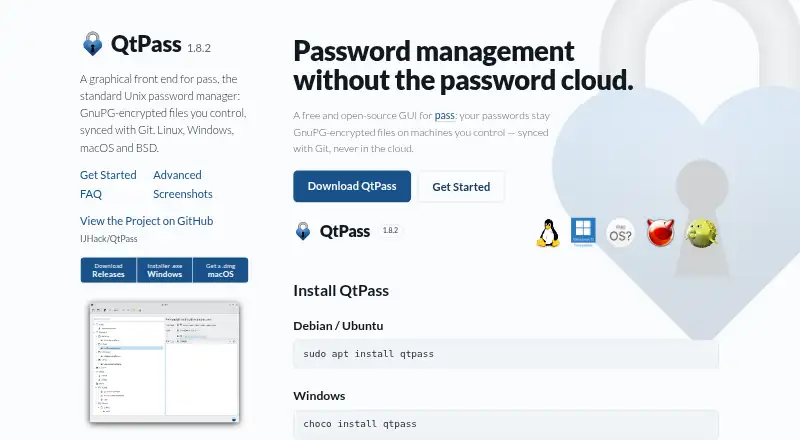
QtPass is an open-source desktop password manager for individuals and technical teams who want local password storage under their own control. It provides a graphical interface for pass, stores entries in GPG-encrypted files, and runs locally without accounts, telemetry, or network code. Its best fit is someone comfortable with GnuPG and Git-based workflows rather than someone seeking a hosted password-management service with centralized administration.
The product’s ecosystem is focused and coherent: QtPass works with pass, GnuPG, and Git, while supporting desktop use across Linux, BSD, macOS, and Windows. Git-based password-store synchronization suits users who already manage encrypted files through version-controlled workflows. The feature set also extends beyond basic credentials, with built-in TOTP generation, configurable password generation, custom template fields, clipboard auto-clear, and multiple password-store profiles. Per-folder encryption keys, GPG recipient management, smartcard support, and YubiKey support add useful options for controlled sharing and key-based access.
QtPass is strongest as a narrow, locally controlled desktop tool. It is not suited to buyers who need mobile access, verified passkeys, password-manager account login, family plans, or business administration controls. Teams can use sharing keys and per-folder encryption, but the product’s model remains centered on GPG identities, local files, and Git synchronization rather than managed organizational workflows. Choose QtPass if open-source software, encrypted file storage, and command-line-aligned tooling matter more than broad platform convenience. Choose an alternative if a password manager must provide mobile clients, passkeys, or administrative features for larger organizations.
Questions about QtPass
What does QtPass run on? Windows, macOS and Linux. It runs as a desktop app.
What does QtPass integrate with? 3 integrations: Git, GnuPG and pass.
Who is QtPass built for? Solo users and small businesses (our editorial estimate).
Your product? Our editors can test QtPass in depth and publish a review, labelled as paid · from $149/mo →
QtPass pricing
QtPass fact sheet
| Free plan | Yes |
|---|---|
| Paid from | Free |
| Passkey support | Not verified |
| Secure sharing | Yes |
| Business admin controls | Not verified |
| Supported platforms | Linux, BSD, macOS, Windows |
| Family plan | Not verified |
| Passwordless account login | Not verified |
| Deployment | Desktop |
| Platforms | Windows, macOS, Linux |
| Support | Email, Community, Docs |
| Built for | Solo, Small business (editorial estimate) |
| Integrations | 3 integrations: Git, GnuPG, pass |
| Pricing | Free plan |
| Website | qtpass.org |
| Facts checked | 20 Sep 2026 |
QtPass integrations
QtPass lists 3 integrations on its own site.
- Git
- GnuPG
- pass
Alternatives to QtPass
- Proton PassA broad free password manager with passkeys, sharing, and apps across major platforms.9.4
- 1PasswordBroad vault, passkey, sharing, and administration features, with no free plan.9.2
- NordPassA broad password manager with a capable free plan and clear business tiers.9.0


Used QtPass? Be the first to review it
The editor score above is our own research. What this page doesn't have yet is a reader's view — what you used QtPass for, what worked and what didn't. No stars are seeded and no review is paid for; an editor reads every one before it appears.
Write a reviewTwo minutes · verified accounts only · read by an editor before it appears
Featured on iTechGuides

QtPass is listed in our Password Managers directory. Add the badge to your site — it links back to this page.
<a href="https://www.itechguides.com/products/qtpass/"><img src="https://www.itechguides.com/best/badge/qtpass.svg" alt="Featured on iTechGuides" width="230" height="46"></a>
Reviewed by iTechGuides Editors · Editorial team · Updated Nov 2026
Advertiser disclosure: iTechGuides is reader-supported. Vendors can pay for top positions in our rankings and for a place on other products' pages, and we may earn a commission when you click some links. Bought places stand at the number bought; this page and our disclosure say so. Paying vendors may get a fuller, more detailed review from our editors, and that review can change their score. How we rank.
Last updated · How we research and update