qpwgraph
qpwgraph: A focused, free routing tool for Linux users managing complex PipeWire layouts. Ranked #26 of 30 in Audio Enhancement Software by our editors (6.4/10); pricing: Free plan; best for linux users managing PipeWire layouts.
At a glance
- Editor score6.4 / 10
- PricingFree plan
- Best forLinux users managing PipeWire layouts
- Free planYes
- Paid fromFree
- Founded2021
- Facts checked20 Sep 2026
Where it wins
- Visual graph canvas for connecting PipeWire nodes and ports
- Saves and restores layouts with Patchbay and exclusive mode
- Supports audio, video, and PipeWire, JACK, and ALSA MIDI ports
Where it doesn't
- Available for Linux only
- Manages routing rather than enhancing audio
- Requires a PipeWire-based workflow
Our verdict on qpwgraph
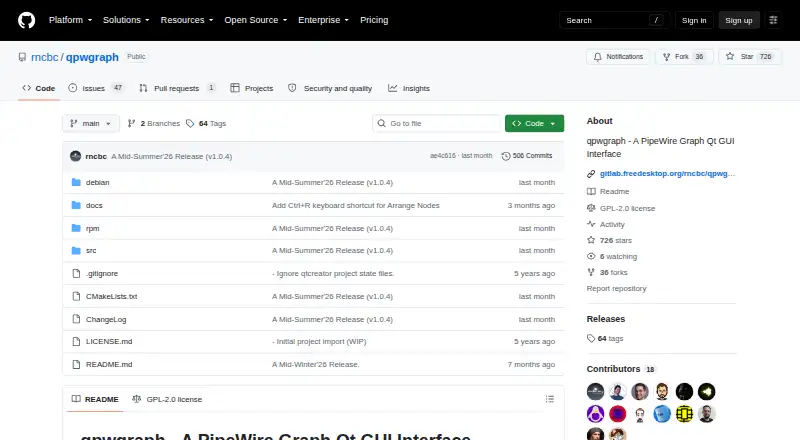
qpwgraph is a free, open-source desktop graph manager for PipeWire. It is designed for Linux users who need to view, connect, disconnect, and organize audio and media nodes through a Qt interface. The graph canvas shows available nodes and ports, while support for audio, video, PipeWire MIDI, JACK MIDI, and ALSA MIDI makes it suitable for broader media-routing setups. Its focus is connection management rather than audio enhancement, so it fits routing workflows better than users looking for processing or sound-improvement tools.
Layout management is the standout feature. Patchbay can save and restore connection layouts, and exclusive Patchbay mode can remove connections outside a stored layout. Users can also filter or hide nodes with case-insensitive regular expressions, merge nodes by configurable name prefixes, preserve node positions, and assign custom node or port names. Automatic pinning and disconnection options add control over Patchbay connections, which is useful when a project or workstation needs repeatable routing arrangements.
qpwgraph’s platform and ecosystem fit are clear: it works with Linux and connects with PipeWire, ALSA MIDI, and JACK MIDI. Because it is open source and distributed for free, it suits users who want a focused routing utility without a paid tier. The trade-off is its narrow scope and Linux-only availability. Choose qpwgraph when visual PipeWire connection management, saved layouts, filtering, and MIDI routing are priorities. Choose an alternative when the main requirement is audio enhancement, processing, or support for platforms beyond Linux.
Your product? Our editors can test qpwgraph in depth and publish a review, labelled as paid · from $149/mo →
qpwgraph pricing
qpwgraph fact sheet
| Free plan | Yes |
|---|---|
| Paid from | Free |
| Noise reduction | Not verified |
| Equalizer | Not verified |
| Virtual surround | Not verified |
| Audio routing | Yes |
| App-specific profiles | Not verified |
| Supported platforms | linux |
| Equalizer bands | Not verified |
| Deployment | Desktop |
| Platforms | Linux |
| Integrations | 3 integrations: PipeWire, ALSA MIDI, JACK MIDI |
| Pricing | Free plan |
| Website | github.com |
| Facts checked | 20 Sep 2026 |
qpwgraph integrations
qpwgraph lists 3 integrations on its own site.
- PipeWire
- ALSA MIDI
- JACK MIDI
Alternatives to qpwgraph
- SteelSeries SonarA capable free Windows audio suite for gamers and streamers who want detailed control.9.4
- VoicemeeterA deep Windows audio router with free tiers for mixing, effects, and network audio.9.2
- Elgato Wave LinkA free mixer for creators who need flexible routing, multiple mixes, and plugin effects.9.1


See all qpwgraph alternatives →
Used qpwgraph? Be the first to review it
The editor score above is our own research. What this page doesn't have yet is a reader's view — what you used qpwgraph for, what worked and what didn't. No stars are seeded and no review is paid for; an editor reads every one before it appears.
Write a reviewTwo minutes · verified accounts only · read by an editor before it appears
Featured on iTechGuides

qpwgraph is listed in our Audio Enhancement Software directory. Add the badge to your site — it links back to this page.
<a href="https://www.itechguides.com/products/qpwgraph/"><img src="https://www.itechguides.com/best/badge/qpwgraph.svg" alt="Featured on iTechGuides" width="230" height="46"></a>
Reviewed by iTechGuides Editors · Editorial team · Updated Oct 2026
Advertiser disclosure: iTechGuides is reader-supported. Vendors can pay for top positions in our rankings and for a place on other products' pages, and we may earn a commission when you click some links. Bought places stand at the number bought; this page and our disclosure say so. Paying vendors may get a fuller, more detailed review from our editors, and that review can change their score. How we rank.
Last updated · How we research and update