Qiqqa
Qiqqa: A PDF-focused reference manager with OCR, annotation, Word citations, and shared libraries. Ranked #15 of 23 in Citation Management Software by our editors (7.3/10); pricing: Free plan · paid from $6.67/mo; best for windows users needing PDF-centric free management.
At a glance
- Editor score7.3 / 10
- PricingFree plan · paid from $6.67/mo
- Best forWindows users needing PDF-centric free management
- Free planYes
- Paid from$6.67/mo
- PDF annotationYes
- Facts checked20 Sep 2026
Where it wins
- Detailed PDF annotation, OCR, and full-text search
- Microsoft Word citation and bibliography creation
- Imports from Mendeley, Zotero, EndNote, and JabRef
Where it doesn't
- Desktop coverage is limited to Windows
- Mobile companion support is limited to Android
- Web cloud sync was removed from the open-source repository
Our verdict on Qiqqa
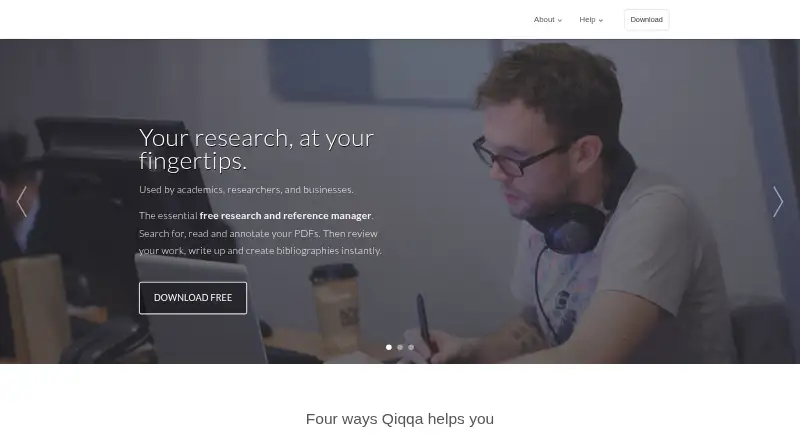
Qiqqa is an open-source research and reference manager for academics, researchers, and businesses that work extensively with PDF libraries. It combines PDF organization with annotation, highlighting, free-form drawing, OCR, full-text search, metadata extraction, BibTeX editing, automatic tagging, and hierarchical tags. Microsoft Word support covers citation and bibliography creation, while shared group libraries add member roles for collaborative collections.
Its freemium structure gives the Free plan PDF management, annotation reports, Expedition for library theme analysis, and 2 GB of free online storage at $0 per month. Premium costs $6.67 per month and adds no adverts, annotation report filtering, the ability to open password-protected PDFs, 10 GB of free storage, and private intranet read-only syncing. Premium+ costs $41.67 per month and includes Premium features, private intranet syncing, Microsoft Word to PDF conversion, 50 GB of free online storage, and business-focused positioning. The paid tiers therefore matter most for storage, document access, filtering, and intranet workflows.
Qiqqa fits users whose citation workflow centers on Windows, PDFs, and Microsoft Word. BibTeX and PDF library export, plus imports from Mendeley, Zotero, EndNote, and JabRef through BibTeX, support movement between reference-management systems. Android coverage provides a companion option, but the platform range is narrower than a cross-platform or browser-first workflow. The open-source repository states that web cloud sync was removed, and current releases are Windows setup executables. Choose Qiqqa for PDF-heavy research, annotation reports, OCR, and a free starting plan; choose an alternative if broad desktop coverage or web-based synchronization is essential.
Qiqqa pricing
All 3 Qiqqa plans and prices →
Qiqqa fact sheet
| Free plan | Yes |
|---|---|
| Paid from | $6.67/mo |
| PDF annotation | Yes |
| Browser extension | Not verified |
| Citation styles | Not verified |
| Word processor support | Microsoft_word |
| Mobile apps | Android |
| Import formats | BibTeX |
| Team collaboration | Yes |
| Deployment | Desktop, Mobile |
| Platforms | Windows, Android |
| Support | Community, Docs |
| Built for | Solo, Small business, Mid-market, Enterprise (editorial estimate) |
| Integrations | 6 integrations: Mendeley, Zotero, EndNote, JabRef, Microsoft Word, Google Scholar |
| Pricing | Free plan · paid from $6.67/mo (source) |
| Website | jimmejardine.github.io |
| Facts checked | 20 Sep 2026 |
Qiqqa integrations
Qiqqa lists 6 integrations on its own site.
- Mendeley
- Zotero
- EndNote
- JabRef
- Microsoft Word
- Google Scholar
Alternatives to Qiqqa
- ZoteroA flexible, free citation manager with strong capture, annotation, and writing-tool support.9.4
- EndNoteA mature citation suite with broad writing support, PDF tools, collaboration, and AI assistance.9.2
- Mendeley Reference ManagerA flexible, cross-platform reference manager with PDF tools, Word integration, and tiered AI features.9.0



Used Qiqqa? Be the first to review it
The editor score above is our own research. What this page doesn't have yet is a reader's view — what you used Qiqqa for, what worked and what didn't. No stars are seeded and no review is paid for; an editor reads every one before it appears.
Write a reviewTwo minutes · verified accounts only · read by an editor before it appears
Featured on iTechGuides

Qiqqa is listed in our Citation Management Software directory. Add the badge to your site — it links back to this page.
<a href="https://www.itechguides.com/products/qiqqa/"><img src="https://www.itechguides.com/best/badge/qiqqa.svg" alt="Featured on iTechGuides" width="230" height="46"></a>
Reviewed by iTechGuides Editors · Editorial team · Updated Oct 2026
Advertiser disclosure: iTechGuides is reader-supported. Vendors can pay for top positions in our rankings and for a place on other products' pages, and we may earn a commission when you click some links. How we rank.
Last updated · How we research and update