
Zotero
Zotero: A flexible, free citation manager with strong capture, annotation, and writing-tool support. Ranked #1 of 23 in Citation Management Software by our editors (9.4/10); pricing: Free plan; best for most researchers needing broad, free citation management.
At a glance
- Editor score9.4 / 10
- PricingFree plan
- Best forMost researchers needing broad, free citation management
- Free planYes
- Paid from$20/yr
- PDF annotationYes
- Facts checked20 Sep 2026
Where it wins
- Free core reference management with 300 MB of storage
- PDF annotation, browser capture, and extensive import support
- Plugins for Word, LibreOffice, and Google Docs
Where it doesn't
- Paid storage subscriptions are needed for larger file libraries
- The many tools and settings may require time to organize
- Storage tiers are billed annually rather than monthly
Our verdict on Zotero
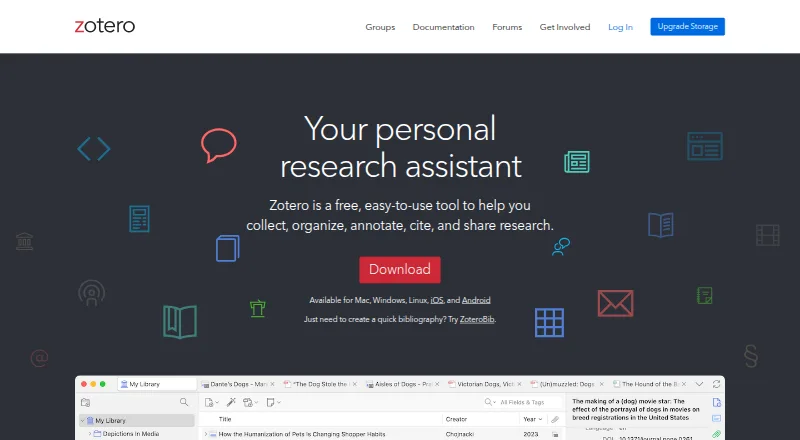
Zotero is a reference-management application for students, researchers, educators, and research teams. It captures bibliographic information from webpages, organizes sources with collections, tags, and saved searches, and generates citations and bibliographies. Its free, open-source core also supports PDF reading and annotation, notes, attachments, group libraries, and synchronization across devices. The combination suits researchers who want one workspace for collecting sources, managing a library, and citing material while writing.
The published plans show a free tier with 300 MB of storage, while paid Zotero Storage subscriptions add capacity for attached files such as PDFs and images. The 2 GB plan costs $20 per year, 6 GB costs $60 per year, and Unlimited costs $120 per year. The desktop reference manager and core data syncing are free, so paid storage is mainly relevant to researchers with larger file collections or teams that need to synchronize more attachments. This structure keeps the main citation workflow accessible while making storage the primary paid consideration.
Zotero fits a wide range of research setups. It offers web, Windows, macOS, Linux, iOS, and Android access, plus a Chrome extension and browser capture through Firefox, Chrome, and Safari. Writing integrations cover Microsoft Word, LibreOffice, and Google Docs, while WebDAV provides another file-storage connection. Import support includes formats such as BibTeX, BibLaTeX, RIS, EndNote XML, MODS, MARC, MEDLINE/nbib, PubMed XML, and Web of Science Tagged. Researchers who need broad platform coverage, collaborative group libraries, and detailed source organization should consider Zotero. Those who want larger synchronized file storage without a subscription may prefer a different tool.
Your product? Our editors can test Zotero in depth and publish a review, labelled as paid · from $149/mo →
Zotero pricing
All 4 Zotero plans and prices →
Zotero fact sheet
| Free plan | Yes |
|---|---|
| Paid from | $20/yr |
| PDF annotation | Yes |
| Browser extension | Yes |
| Citation styles | Not verified |
| Word processor support | Both |
| Mobile apps | Both |
| Import formats | Zotero RDF, CSL JSON, BibTeX, BibLaTeX, RIS, Bibliontology RDF, MODS, EndNote XML, Citavi XML, MAB2, MARC, MARCXML, MEDLINE/nbib, OVID Tagged, PubMed XML, RefWorks Tagged, Web of Science Tagged, Refer/BibIX, XML ContextObject, Unqualified Dublin Core RDF |
| Team collaboration | Yes |
| Deployment | Cloud, Desktop, Mobile, Browser extension |
| Platforms | Web, Windows, macOS, Linux, iOS, Android, Chrome extension |
| Support | Community, Docs, Email |
| Built for | Solo, Small business, Mid-market, Enterprise (editorial estimate) |
| Integrations | 7 integrations: Microsoft Word, LibreOffice, Google Docs, Firefox, Chrome, Safari … |
| Pricing | Free plan (source) |
| Website | zotero.org |
| Facts checked | 20 Sep 2026 |
Zotero integrations
Zotero lists 7 integrations on its own site.
- Microsoft Word
- LibreOffice
- Google Docs
- Firefox
- Chrome
- Safari
- WebDAV
Alternatives to Zotero
- EndNoteA mature citation suite with broad writing support, PDF tools, collaboration, and AI assistance.9.2
- Mendeley Reference ManagerA flexible, cross-platform reference manager with PDF tools, Word integration, and tiered AI features.9.0
- CitaviA deep research workspace for teams managing references, PDFs, notes, and citations.8.8


Zotero vs the competition
- Zotero vs EndNote
- Zotero vs Mendeley Reference Manager
- Zotero vs Citavi
- Zotero vs RefWorks
- Zotero vs JabRef
- Zotero vs BibDesk



Compare Zotero with any tool side by side →
Also Ranked In
Zotero is ranked in 3 of our directories.
Used Zotero? Be the first to review it
The editor score above is our own research. What this page doesn't have yet is a reader's view — what you used Zotero for, what worked and what didn't. No stars are seeded and no review is paid for; an editor reads every one before it appears.
Write a reviewTwo minutes · verified accounts only · read by an editor before it appears
Featured on iTechGuides

Zotero is listed in our Citation Management Software directory. Add the badge to your site — it links back to this page.
<a href="https://www.itechguides.com/products/zotero/"><img src="https://www.itechguides.com/best/badge/zotero.svg" alt="Featured on iTechGuides" width="230" height="46"></a>
Reviewed by iTechGuides Editors · Editorial team · Updated Oct 2026
Advertiser disclosure: iTechGuides is reader-supported. Vendors can pay for top positions in our rankings and for a place on other products' pages, and we may earn a commission when you click some links. Bought places stand at the number bought; this page and our disclosure say so. Paying vendors may get a fuller, more detailed review from our editors, and that review can change their score. How we rank.
Last updated · How we research and update