PVE Hardware Monitor
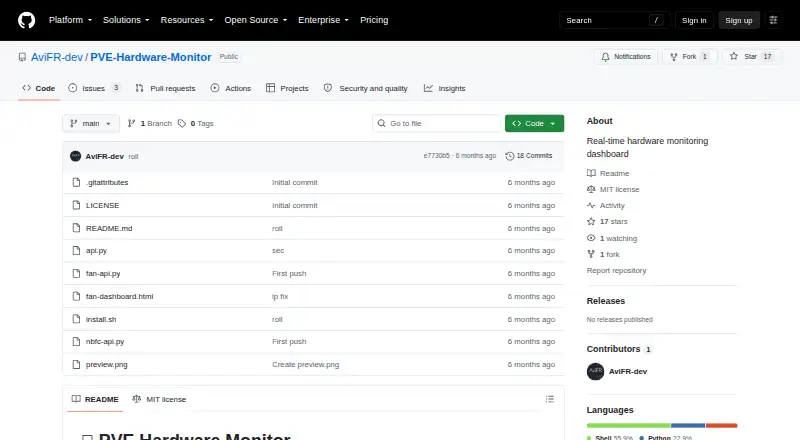
PVE Hardware Monitor: A focused open-source dashboard for Proxmox host hardware and system metrics. Ranked #34 of 59 in Hardware Monitoring Software by our editors (5.4/10); pricing: Open source; best for proxmox host hardware monitoring.
At a glance
- Editor score5.4 / 10
- PricingOpen source
- Best forProxmox host hardware monitoring
- Paid fromFree
- Remote monitoringYes
- Facts checked19 Sep 2026
Where it wins
- Monitors fans, temperatures, IPMI, battery, power and system metrics
- Automatically detects available sensors and IPMI data
- Includes ASUS fan profiles and five-minute history charts
Where it doesn't
- Early-stage project tested on limited hardware
- Focused on Proxmox VE rather than broad platform coverage
- Best suited to dashboard visibility instead of alert-driven workflows
Our verdict on PVE Hardware Monitor
PVE Hardware Monitor is a self-hosted, open-source dashboard for monitoring hardware and system health on Proxmox VE hosts. Its local web interface runs on the Proxmox host and supports Linux hardware monitoring, IPMI data and ASUS laptop embedded-controller sensors. It is aimed at Proxmox administrators who want a consolidated view of fan speeds, temperatures, power, battery information, memory and load without adding a separate monitoring platform.
The monitoring scope is unusually specific for Proxmox hardware. Fan RPM data can come through hwmon, embedded-controller registers or IPMI, while temperature coverage includes the CPU, NVMe, PCH, board and IPMI sensors. IPMI monitoring also covers fan speeds, power, PSU status and voltage rails. Battery charge, power draw, voltage, capacity and cycle metrics extend the dashboard to supported mobile hardware. Automatic sensor and IPMI detection reduces the need to identify each source manually, and the five-minute rolling history chart adds short-term context to current readings.
PVE Hardware Monitor also includes ASUS fan profile control with Silent, Normal and Boost modes, making it more than a read-only dashboard on supported systems. Its ecosystem fit is centered on Proxmox VE, IPMI and lm-sensors, with web and Linux support and remote monitoring through the host-served interface. The project is described as early-stage and tested on limited hardware, so hardware compatibility should matter when evaluating it. Choose it for focused, local Proxmox hardware visibility and open-source deployment; choose an alternative when you need broad infrastructure coverage or a mature alerting workflow.
Your product? Our editors can test PVE Hardware Monitor in depth and publish a review, labelled as paid · from $149/mo →
PVE Hardware Monitor pricing
PVE Hardware Monitor fact sheet
| Free plan | Not verified |
|---|---|
| Paid from | Free |
| Supported platforms | Linux; web browser |
| Remote monitoring | Yes |
| Monitored device limit | Not verified |
| Sensor history | Not verified |
| Alert channels | Not verified |
| Custom sensor support | Not verified |
| Deployment | Cloud, Desktop |
| Platforms | Web, Linux |
| Integrations | 3 integrations: Proxmox VE, IPMI, lm-sensors |
| Pricing | Open source |
| Website | github.com |
| Facts checked | 19 Sep 2026 |
PVE Hardware Monitor integrations
PVE Hardware Monitor lists 3 integrations on its own site.
- Proxmox VE
- IPMI
- lm-sensors
Alternatives to PVE Hardware Monitor
- GlassmkrFree monitoring for Linux hardware, with hosted simplicity or self-hosted control.9.3
- Supermicro SuperDoctor 5A free, focused monitor for Supermicro server health, alerts, logs, and remote power control.9.2
- HWiNFOA deep Windows diagnostics suite for users who need detailed sensors, reports, and alerts.9.1

See all PVE Hardware Monitor alternatives →
Used PVE Hardware Monitor? Be the first to review it
The editor score above is our own research. What this page doesn't have yet is a reader's view — what you used PVE Hardware Monitor for, what worked and what didn't. No stars are seeded and no review is paid for; an editor reads every one before it appears.
Write a reviewTwo minutes · verified accounts only · read by an editor before it appears
Featured on iTechGuides

PVE Hardware Monitor is listed in our Hardware Monitoring Software directory. Add the badge to your site — it links back to this page.
<a href="https://www.itechguides.com/products/pve-hardware-monitor/"><img src="https://www.itechguides.com/best/badge/pve-hardware-monitor.svg" alt="Featured on iTechGuides" width="230" height="46"></a>
Reviewed by iTechGuides Editors · Editorial team · Updated Sep 2026
Advertiser disclosure: iTechGuides is reader-supported. Vendors can pay for top positions in our rankings and for a place on other products' pages, and we may earn a commission when you click some links. Bought places stand at the number bought; this page and our disclosure say so. Paying vendors may get a fuller, more detailed review from our editors, and that review can change their score. How we rank.
Last updated · How we research and update