ProxyBoy
ProxyBoy: A broad, free Windows proxy for traffic inspection, editing, mocking, and AI-assisted analysis. Ranked #17 of 27 in Web Debugging Proxies by our editors (7.6/10); pricing: Free plan; best for windows users wanting a free AI-assisted proxy.
At a glance
- Editor score7.6 / 10
- PricingFree plan
- Best forWindows users wanting a free AI-assisted proxy
- Free planYes
- Paid fromFree
- PlatformsDesktop
- Facts checked20 Sep 2026
Where it wins
- Captures, inspects, edits, mocks, throttles, and chains HTTP/HTTPS traffic
- Inspects WebSockets and Server-Sent Events with HAR import and export
- AI assistant searches traffic, analyzes requests, and creates rules
Where it doesn't
- Windows-only desktop availability
- The project is described as personal and experimental
- Verified replay is not included
Our verdict on ProxyBoy
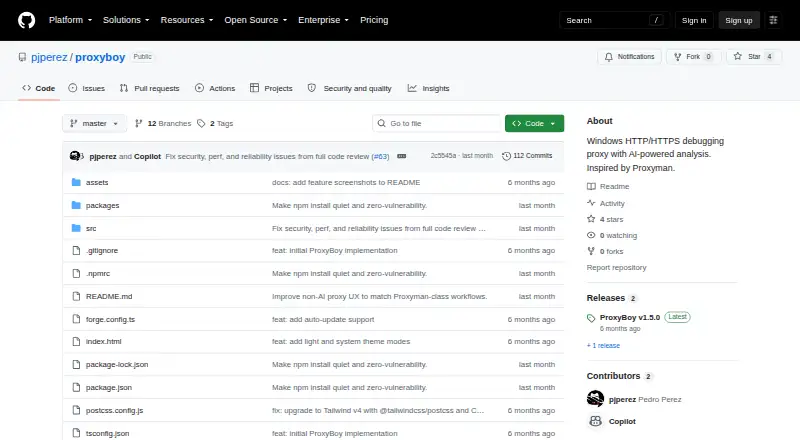
ProxyBoy is an open-source Windows desktop HTTP/HTTPS debugging proxy built with Electron. It is aimed at developers who need to capture, inspect, and modify network traffic through a man-in-the-middle proxy. The product covers request and response headers, bodies, timing, and metadata, while automatic SSL certificate generation supports HTTPS traffic inspection. Its free plan and Windows focus make it particularly relevant to Windows users seeking a no-cost proxy with AI assistance.
Its strongest trait is the breadth of debugging controls in one desktop tool. Breakpoint rules can pause and edit requests or responses, while local and remote mapping rules support response mocking and request forwarding. Upstream HTTP and SOCKS5 proxy chaining extends its fit for routed traffic workflows. ProxyBoy also handles WebSocket and Server-Sent Events inspection, HAR import and export, and network throttling with preset or custom profiles. The embedded GitHub Copilot-powered assistant adds traffic search, request analysis, rule creation, and data export.
The main tradeoff is scope. ProxyBoy is Windows-only, so it does not fit teams that need a cross-platform desktop proxy. The project is also described as personal and experimental, which makes its positioning different from a mature, broadly supported enterprise tool. Verified replay is not part of the listed feature set, limiting its fit for workflows centered on replaying captured requests. Choose ProxyBoy if Windows compatibility, open-source access, traffic manipulation, mocking, protocol inspection, and AI-assisted analysis are the priorities. Choose another proxy if cross-platform availability, verified replay, or a more established project posture matters more.
Your product? Our editors can test ProxyBoy in depth and publish a review, labelled as paid · from $149/mo →
ProxyBoy pricing
ProxyBoy fact sheet
| Free plan | Yes |
|---|---|
| Paid from | Free |
| Platforms | Desktop |
| Request/response editing | Yes |
| Breakpoint rules | Yes |
| Traffic replay | Not verified |
| Response mocking | Yes |
| WebSocket inspection | Yes |
| Proxy chaining | Yes |
| Deployment | Desktop |
| Platforms | Windows |
| Support | Docs |
| Built for | Solo, Small business (editorial estimate) |
| Integrations | 1 integrations: GitHub Copilot |
| Pricing | Free plan |
| Website | github.com |
| Facts checked | 20 Sep 2026 |
ProxyBoy integrations
ProxyBoy lists 1 integrations on its own site.
- GitHub Copilot
Alternatives to ProxyBoy
- mitmproxyA broad, programmable proxy for debugging HTTP, HTTPS, WebSockets, and related traffic.9.4
- FluxzyA broad debugging proxy with a capable free personal tier and €49 perpetual Pro access.9.3
- HTTP ToolkitA broad HTTP debugging proxy for teams working across browsers, apps, containers, and APIs.9.2



See all ProxyBoy alternatives →
Used ProxyBoy? Be the first to review it
The editor score above is our own research. What this page doesn't have yet is a reader's view — what you used ProxyBoy for, what worked and what didn't. No stars are seeded and no review is paid for; an editor reads every one before it appears.
Write a reviewTwo minutes · verified accounts only · read by an editor before it appears
Featured on iTechGuides

ProxyBoy is listed in our Web Debugging Proxies directory. Add the badge to your site — it links back to this page.
<a href="https://www.itechguides.com/products/proxyboy/"><img src="https://www.itechguides.com/best/badge/proxyboy.svg" alt="Featured on iTechGuides" width="230" height="46"></a>
Reviewed by iTechGuides Editors · Editorial team · Updated Oct 2026
Advertiser disclosure: iTechGuides is reader-supported. Vendors can pay for top positions in our rankings and for a place on other products' pages, and we may earn a commission when you click some links. Bought places stand at the number bought; this page and our disclosure say so. Paying vendors may get a fuller, more detailed review from our editors, and that review can change their score. How we rank.
Last updated · How we research and update