
mitmproxy
mitmproxy: A broad, programmable proxy for debugging HTTP, HTTPS, WebSockets, and related traffic. Ranked #1 of 27 in Web Debugging Proxies by our editors (9.4/10); pricing: Free plan; best for teams wanting a free, programmable proxy.
At a glance
- Editor score9.4 / 10
- PricingFree plan
- Best forTeams wanting a free, programmable proxy
- Free planYes
- Paid fromFree
- Facts checked20 Sep 2026
Where it wins
- Covers HTTP/1, HTTP/2, HTTP/3, HTTPS, and WebSockets
- Combines browser, command-line, and Python addon interfaces
- Supports replay, mocking, recording, and upstream proxy chaining
Where it doesn't
- No AI-assisted features
- The web interface runs as part of the local mitmproxy tool
- Advanced automation requires Python-based scripted addons
Our verdict on mitmproxy
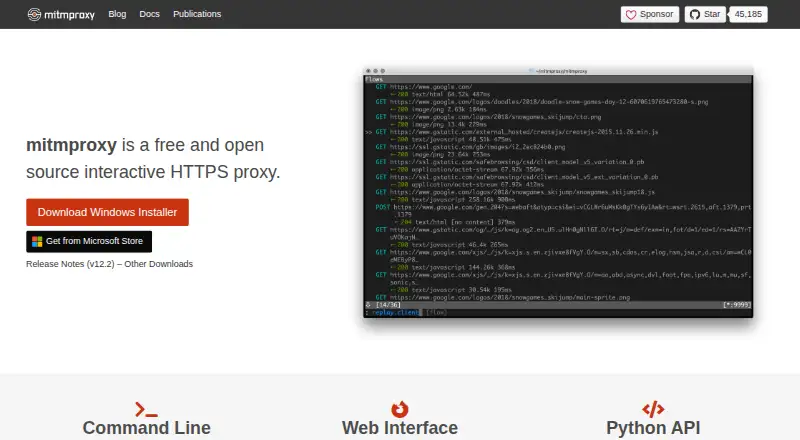
mitmproxy is a free, open-source intercepting proxy for developers, testers, security researchers, and privacy analysts. It captures, inspects, modifies, records, and replays network traffic through command-line, browser-based, and Python interfaces. The project supports desktop, browser, CLI, API, and self-hosted use, with Windows, macOS, and Linux coverage. Its proxy modes include regular, reverse, transparent, local-capture, WireGuard, SOCKS, and upstream configurations.
Its strongest differentiator is breadth paired with programmability. mitmproxy can inspect HTTP, HTTPS, HTTP/1, HTTP/2, HTTP/3, and WebSocket traffic, while allowing interactive request and response editing, breakpoint rules, WebSocket message manipulation, and complete conversation recording. The mitmweb interface provides browser-based control, mitmdump supports command-line workflows, and the Python API enables programmable addons. Those addons can transform traffic, generate responses, create mocks, and automate replay workflows. Upstream proxy mode also supports proxy chaining.
The product suits teams that want direct control over traffic analysis without a paid license or closed platform. Its free and open-source model is a strong fit for local development, repeatable debugging, scripted testing, and traffic inspection across varied protocols. The main trade-off is that its flexibility is centered on proxy configuration, command-line operation, and Python scripting rather than a managed service. mitmweb is documented as a web-based interface but runs as part of the local mitmproxy tool. Teams seeking AI-assisted workflows or a hosted debugging environment should choose a different product; teams comfortable with programmable local tooling should find mitmproxy a focused fit.
Your product? Our editors can test mitmproxy in depth and publish a review, labelled as paid · from $149/mo →
mitmproxy pricing
mitmproxy fact sheet
| Free plan | Yes |
|---|---|
| Paid from | Free |
| Platforms | Not verified |
| Request/response editing | Yes |
| Breakpoint rules | Yes |
| Traffic replay | Yes |
| Response mocking | Yes |
| WebSocket inspection | Yes |
| Proxy chaining | Yes |
| Deployment | Desktop, Browser extension, Self-hosted |
| Platforms | Web, Windows, macOS, Linux |
| Support | Community, Docs |
| Built for | Solo, Small business, Mid-market, Enterprise (editorial estimate) |
| Pricing | Free plan |
| Website | mitmproxy.org |
| Facts checked | 20 Sep 2026 |
Alternatives to mitmproxy
- FluxzyA broad debugging proxy with a capable free personal tier and €49 perpetual Pro access.9.3
- HTTP ToolkitA broad HTTP debugging proxy for teams working across browsers, apps, containers, and APIs.9.2
- Fiddler EverywhereA broad desktop and mobile debugging proxy with replay, mocking, rules, and collaboration.8.9



See all mitmproxy alternatives →
mitmproxy vs the competition
- mitmproxy vs Fluxzy
- mitmproxy vs HTTP Toolkit
- mitmproxy vs Fiddler Everywhere
- mitmproxy vs NetworkSpy
- mitmproxy vs HTTPeep
- mitmproxy vs Whistle



Compare mitmproxy with any tool side by side →
Also Ranked In
mitmproxy is ranked in 4 of our directories.
Used mitmproxy? Be the first to review it
The editor score above is our own research. What this page doesn't have yet is a reader's view — what you used mitmproxy for, what worked and what didn't. No stars are seeded and no review is paid for; an editor reads every one before it appears.
Write a reviewTwo minutes · verified accounts only · read by an editor before it appears
Featured on iTechGuides

mitmproxy is listed in our Web Debugging Proxies directory. Add the badge to your site — it links back to this page.
<a href="https://www.itechguides.com/products/mitmproxy/"><img src="https://www.itechguides.com/best/badge/mitmproxy.svg" alt="Featured on iTechGuides" width="230" height="46"></a>
Reviewed by iTechGuides Editors · Editorial team · Updated Oct 2026
Advertiser disclosure: iTechGuides is reader-supported. Vendors can pay for top positions in our rankings and for a place on other products' pages, and we may earn a commission when you click some links. Bought places stand at the number bought; this page and our disclosure say so. Paying vendors may get a fuller, more detailed review from our editors, and that review can change their score. How we rank.
Last updated · How we research and update