
Professionally AI Email Writer
Professionally AI Email Writer: A focused AI email assistant for Gmail and Outlook users who want flexible rewriting tools. Ranked #12 of 28 in AI Email Writing Tools by our editors (7.2/10); pricing: 30-day trial; best for budget-conscious Gmail and Outlook users.
At a glance
- Editor score7.2 / 10
- Pricing30-day trial
- Best forBudget-conscious Gmail and Outlook users
- Free planNo
- Paid from$5.40/seat/mo
- Tone controlsYes
- Facts checked20 Sep 2026
Where it wins
- Custom tones, grammar correction, translation, and thread summaries
- Supports Gmail and Outlook across web, desktop, and browser workflows
- 30-day trial includes full access with no credit card required
Where it doesn't
- There is no ongoing free plan after the 30-day trial
- Trial access is limited to up to 200 emails
- Gmail access relies on a browser extension rather than a dedicated add-in
Our verdict on Professionally AI Email Writer
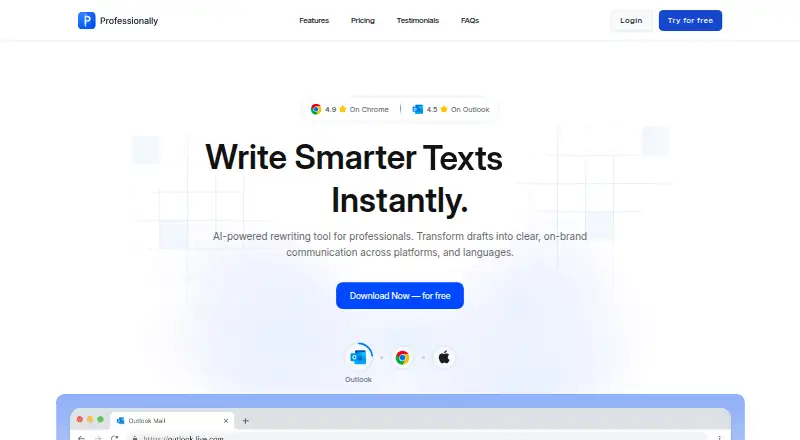
Professionally AI Email Writer helps professionals and Microsoft 365 teams write and revise email. Its feature set covers AI rewriting, predefined and custom tones, grammar and clarity correction, translation, email-thread summaries, and quick reply suggestions. The service works with Outlook, Gmail through a browser extension, and iOS, while its browser extension also supports web text fields. The vendor says it supports 12 writing languages, making it suited to users who need more than basic draft polishing.
Pricing is structured around a 30-day Free Trial, Premium, and Team. The trial provides full access, requires no credit card, and covers up to 200 emails. Premium costs $11.99 per month when billed monthly or $5.99 per month when billed annually, with unlimited rewrites, priority chat support, access on five devices, and one license across inboxes. Team costs $5.40 per seat per month when billed annually and adds an admin dashboard, single billing, priority customer support, and unlimited rewrites. The annual Premium tier is the lower-cost individual option, but the product does not provide an ongoing free plan.
Its strongest fit is for people who want writing assistance inside familiar mail and browser environments rather than a standalone drafting workflow. Outlook users get an add-in for desktop and web, while Gmail users work through the browser extension; integrations also include LinkedIn and Microsoft Edge. The combination of tone controls, custom instructions, translation, summaries, and quick replies gives the tool useful breadth for everyday correspondence. Users who need a free plan, more than 200 trial emails, or a different Gmail integration model should look elsewhere. Others should choose it for flexible email editing across common platforms.
Your product? Our editors can test Professionally AI Email Writer in depth and publish a review, labelled as paid · from $149/mo →
Professionally AI Email Writer pricing
All 3 Professionally AI Email Writer plans and prices →
Professionally AI Email Writer fact sheet
| Free plan | No |
|---|---|
| Paid from | $5.40/seat/mo |
| Tone controls | Yes |
| Custom instructions | Yes |
| Email context input | Thread |
| Browser extension | Yes |
| Mail client support | Both |
| Supported languages | 12 languages |
| Free trial | 30 days · no card needed |
| Deployment | Cloud, Desktop, Mobile, Browser extension |
| Platforms | Web, Windows, macOS, iOS, Chrome extension |
| Compliance & security | GDPR |
| Support | Email, Live chat, Docs |
| Built for | Solo, Small business, Mid-market, Enterprise (editorial estimate) |
| Integrations | 4 integrations: Microsoft Outlook, Gmail, LinkedIn, Microsoft Edge |
| Pricing | 30-day trial (source) |
| Website | professionally.ai |
| Facts checked | 20 Sep 2026 |
Professionally AI Email Writer integrations
Professionally AI Email Writer lists 4 integrations on its own site.
- Microsoft Outlook
- Gmail
- Microsoft Edge
Alternatives to Professionally AI Email Writer
- WPS AI Email WriterA free, unlimited prompt-based drafter for common email messages across six platforms.9.1
- MailMaestroA practical AI assistant for writing, organizing, and following up across Gmail and Outlook.8.8
- LavenderA sales-focused email coach with drafting, scoring, personalization, and team coaching.8.5


See all Professionally AI Email Writer alternatives →
Used Professionally AI Email Writer? Be the first to review it
The editor score above is our own research. What this page doesn't have yet is a reader's view — what you used Professionally AI Email Writer for, what worked and what didn't. No stars are seeded and no review is paid for; an editor reads every one before it appears.
Write a reviewTwo minutes · verified accounts only · read by an editor before it appears
Featured on iTechGuides

Professionally AI Email Writer is listed in our AI Email Writing Tools directory. Add the badge to your site — it links back to this page.
<a href="https://www.itechguides.com/products/professionally-ai-email-writer/"><img src="https://www.itechguides.com/best/badge/professionally-ai-email-writer.svg" alt="Featured on iTechGuides" width="230" height="46"></a>
Reviewed by iTechGuides Editors · Editorial team · Updated Oct 2026
Advertiser disclosure: iTechGuides is reader-supported. Vendors can pay for top positions in our rankings and for a place on other products' pages, and we may earn a commission when you click some links. Bought places stand at the number bought; this page and our disclosure say so. Paying vendors may get a fuller, more detailed review from our editors, and that review can change their score. How we rank.
Last updated · How we research and update