
Print&Share
Print&Share: Routes, edits and distributes Windows print jobs, with secure Follow-You release in CQ. Ranked #31 of 37 in Print Management Software by our editors (5.7/10); pricing: Pricing on request · 30-day trial; best for windows document-routing workflows.
At a glance
- Editor score5.7 / 10
- PricingPricing on request · 30-day trial
- Best forWindows document-routing workflows
- Free planNo
- Secure releaseYes
- Facts checked23 Sep 2026
Where it wins
- Routes jobs by content, page count, colour coverage, proximity or owner
- Sends jobs to printers, email, fax and archive destinations
- Customizes, combines or splits jobs and creates PDF/A files
Where it doesn't
- Windows-only support limits platform fit
- Reporting is basic
- Does not include cost registration
Our verdict on Print&Share
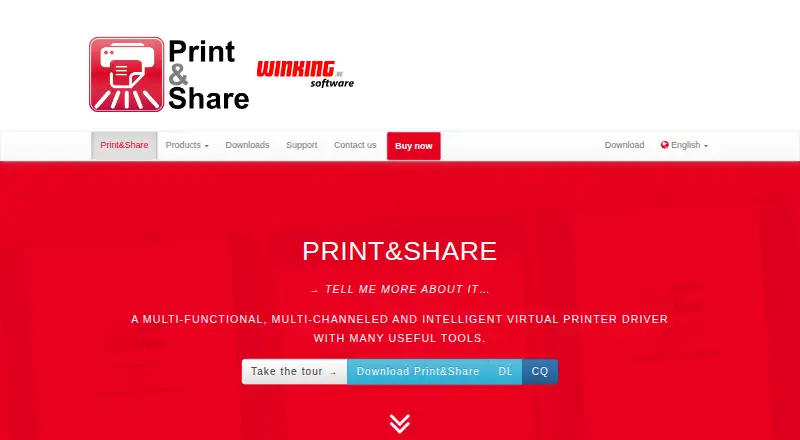
Print&Share combines a virtual printer driver with software for processing and distributing print jobs. It is aimed at organizations that need Windows document-routing workflows, from small businesses to enterprise teams. Rules can route jobs according to document content, page count, colour coverage, proximity or job owner, while a single workflow can send output to printers, email, fax or archive destinations. That makes it relevant where print handling is part of a broader document process rather than simply sending pages to a device.
The product has desktop/server software (DL) and a print-server service (CQ). Secure Follow-You printing is listed for CQ, and secure release can use a PIN, key card or Windows AD account through Smart Device Integration. Integrations include Microsoft Active Directory, Microsoft OneDrive, Google Drive, DocuWare and Microsoft Exchange Online. For document handling, teams can add watermarks, page numbers, notes, logos or overlays, combine or split jobs, insert extra pages, and create PDF/A files. Archiving supports local or network folders, FTP and document management systems, with dynamic paths and filenames based on recognized job values.
Pricing is contact-sales, and a 30-day free trial is offered. The published product information distinguishes DL from CQ but does not give plan-by-plan prices. Print&Share focuses on workflow automation and document manipulation; its homepage says it includes some print-management functionality but excludes cost registration. Reporting is basic, and Windows is the supported platform, so organizations seeking cost registration, deeper reporting or cross-platform support should consider alternatives. It is a better fit for teams prioritizing rule-based routing, secure release and archiving within Windows environments.
Your product? Our editors can test Print&Share in depth and publish a review, labelled as paid · from $149/mo →
Print&Share pricing
Print&Share fact sheet
| Free plan | No |
|---|---|
| Paid from | Not verified |
| Secure release | Yes |
| Print quotas | Not verified |
| Print policy rules | Yes |
| Deployment | Hybrid |
| Mobile printing | Not verified |
| Reporting | Basic |
| Supported platforms | Windows |
| Free trial | 30 days |
| Deployment | Desktop, Self-hosted |
| Platforms | Windows |
| Support | Docs |
| Built for | Small business, Mid-market, Enterprise (editorial estimate) |
| Integrations | 5 integrations: Microsoft Active Directory, Microsoft OneDrive, Google Drive, DocuWare, Microsoft Exchange Online |
| Pricing | Pricing on request · 30-day trial (source) |
| Website | printandshare.info |
| Facts checked | 23 Sep 2026 |
Print&Share integrations
Print&Share lists 5 integrations on its own site.
- Microsoft Active Directory
- Microsoft OneDrive
- Google Drive
- DocuWare
- Microsoft Exchange Online
Alternatives to Print&Share
- ApeosWare Management Suite 2Advanced print accounting and authenticated workflows for organizations managing networked devices.9.2
- Xerox Workplace SuiteA strong fit for organizations needing controlled, accountable printing on shared fleets.9.0
- PaperCut MFA mature choice for enterprises needing secure, policy-driven control across mixed print estates.8.8



See all Print&Share alternatives →
Used Print&Share? Be the first to review it
The editor score above is our own research. What this page doesn't have yet is a reader's view — what you used Print&Share for, what worked and what didn't. No stars are seeded and no review is paid for; an editor reads every one before it appears.
Write a reviewTwo minutes · verified accounts only · read by an editor before it appears
Featured on iTechGuides

Print&Share is listed in our Print Management Software directory. Add the badge to your site — it links back to this page.
<a href="https://www.itechguides.com/products/print-share/"><img src="https://www.itechguides.com/best/badge/print-share.svg" alt="Featured on iTechGuides" width="230" height="46"></a>
Reviewed by iTechGuides Editors · Editorial team · Updated Oct 2026
Advertiser disclosure: iTechGuides is reader-supported. Vendors can pay for top positions in our rankings and for a place on other products' pages, and we may earn a commission when you click some links. Bought places stand at the number bought; this page and our disclosure say so. Paying vendors may get a fuller, more detailed review from our editors, and that review can change their score. How we rank.
Last updated · How we research and update