
PickMeApp
PickMeApp: A focused Windows tool for packaging, transferring, and managing applications. Ranked #15 of 26 in PC Migration Software by our editors (6.8/10); pricing: Free plan; best for application-heavy migrations.
At a glance
- Editor score6.8 / 10
- PricingFree plan
- Best forApplication-heavy migrations
- Free planYes
- Application migrationYes
- Facts checked20 Sep 2026
Where it wins
- Captures applications with files, registry settings, and customized settings
- Supports selective capture, package management, and silent installation
- Offers portable operation and application relocation to another drive
Where it doesn't
- Windows-only, with transfers limited to compatible Windows PCs
- Focuses on applications rather than full user-profile migration
- Light and Pro are annual licenses without a full-software trial
Our verdict on PickMeApp
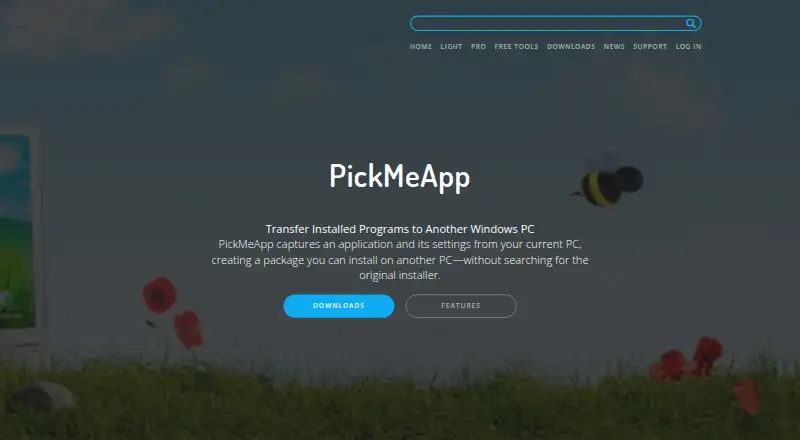
PickMeApp is Windows desktop software for capturing installed applications and their customary settings into transferable packages, then installing those packages on another compatible Windows PC. It is aimed at personal users who need to move, back up, reinstall, or manage applications without locating the original installers. The product can capture application files and registry settings, preserve customized settings when enabled, and create portable versions that run from removable storage. Selective filters let users choose individual applications or groups of applications for capture.
Its product family covers different levels of application management. PickMeApp Relocator includes an application launcher, relocation to another drive, an uninstaller, and a software analyzer. PickMeApp Installer adds package management, software updates, an application store, and the same launcher, uninstaller, and analyzer functions. PickMeApp Light costs $10 per year and includes capture and transfer, free application capture, fast application scanning, and portable operation. PickMeApp Pro costs $30 per year and combines capture and transfer with application relocation, package management, launching, uninstalling, and repackaging. The product also supports installing, upgrading, repairing, and uninstalling applications.
PickMeApp fits application-heavy migrations where selective packaging and application settings matter more than moving an entire Windows user environment. The free Installer and Relocator tools provide a starting point, while the paid tiers add capture, transfer, and broader management capabilities. The published licensing notes describe Light and Pro as annual licenses; their full software has no trial version, while downloadable demos have limited functionality. Because it is Windows-only and centered on applications, it suits users moving or maintaining software across compatible Windows PCs. Users seeking a broader migration of personal profiles should choose a tool designed around that scope instead.
Your product? Our editors can test PickMeApp in depth and publish a review, labelled as paid · from $149/mo →
PickMeApp pricing
All 4 PickMeApp plans and prices →
PickMeApp fact sheet
| Free plan | Yes |
|---|---|
| Paid from | Not verified |
| Application migration | Yes |
| User profile migration | Not verified |
| Settings migration | Yes |
| Transfer methods | Storage |
| Selective transfer | Yes |
| Included devices | Not verified |
| Deployment | Desktop |
| Platforms | Windows |
| Support | Tickets, Community, Docs |
| Built for | Solo, Small business (editorial estimate) |
| Pricing | Free plan (source) |
| Website | pickmeapp.com |
| Facts checked | 20 Sep 2026 |
Alternatives to PickMeApp
- EaseUS Todo PCTransA broad Windows migration toolkit with free access and extensive paid transfer options.9.2
- Laplink PCmoverA paid Windows migration tool with broad transfer controls and multiple connection options.8.7
- IObit PCtransferA portable, free option for selective file and settings transfers between Windows PCs.8.1

See all PickMeApp alternatives →
Used PickMeApp? Be the first to review it
The editor score above is our own research. What this page doesn't have yet is a reader's view — what you used PickMeApp for, what worked and what didn't. No stars are seeded and no review is paid for; an editor reads every one before it appears.
Write a reviewTwo minutes · verified accounts only · read by an editor before it appears
Featured on iTechGuides

PickMeApp is listed in our PC Migration Software directory. Add the badge to your site — it links back to this page.
<a href="https://www.itechguides.com/products/pickmeapp/"><img src="https://www.itechguides.com/best/badge/pickmeapp.svg" alt="Featured on iTechGuides" width="230" height="46"></a>
Reviewed by iTechGuides Editors · Editorial team · Updated Oct 2026
Advertiser disclosure: iTechGuides is reader-supported. Vendors can pay for top positions in our rankings and for a place on other products' pages, and we may earn a commission when you click some links. Bought places stand at the number bought; this page and our disclosure say so. Paying vendors may get a fuller, more detailed review from our editors, and that review can change their score. How we rank.
Last updated · How we research and update