
EaseUS Todo PCTrans
EaseUS Todo PCTrans: A broad Windows migration toolkit with free access and extensive paid transfer options. Ranked #1 of 26 in PC Migration Software by our editors (9.2/10); pricing: Free plan; best for most complete general Windows PC migration.
At a glance
- Editor score9.2 / 10
- PricingFree plan
- Best forMost complete general Windows PC migration
- Free planYes
- Paid from$59.95/yr
- Application migrationYes
- Founded2004
- Facts checked20 Sep 2026
Where it wins
- Moves applications, files, accounts, and settings
- Supports network, cable, image, and unbootable-disk transfers
- Offers selective migration and product-key scanning
Where it doesn't
- Windows-only platform support
- Free edition includes transfer limits
- Paid plans use several separate license tiers
Our verdict on EaseUS Todo PCTrans
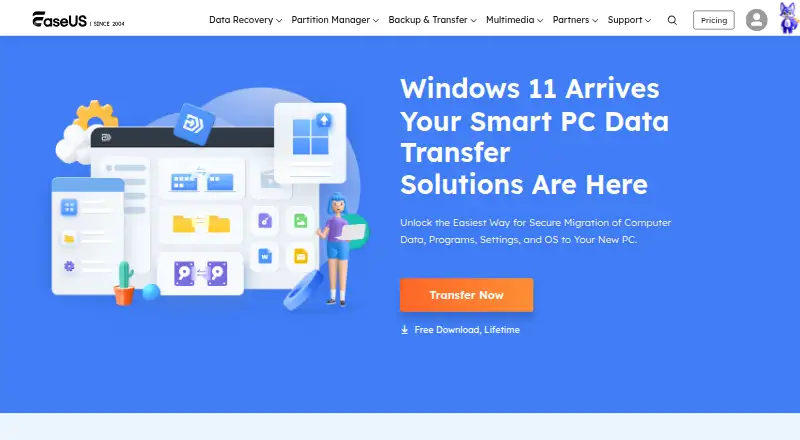
EaseUS Todo PCTrans is Windows desktop software for moving applications, files, user accounts, and system settings from an old PC to a new one. It suits individuals, businesses, and service providers that need more than a basic file copy, including application migration, selective transfers, backup and restore, or recovery from an unbootable system disk. The product also supports local application migration between drives, product-key scanning and export, and system and large-file cleanup.
The pricing structure starts with a Free edition, while the Professional range is available monthly, annually, or as a lifetime license. Professional monthly costs $49.95 per month, Professional annual costs $59.95 per year, and Professional lifetime costs $69.95 one time; each includes a single license for 2 PCs, unlimited data transfer, and unlimited program transfer. Server plans cost $299 per year, $499 per 2 years, or $799 one time for a single license covering 2 servers. The Technician annual plan costs $399 per year and includes multiple PCs and servers, unlimited usage within one company, and technical service to clients.
Its main strength is breadth: PC-to-PC transfer can run over a network or cable, while image-based backup and restore provides another migration path. Selective control covers applications, files, and accounts, and the unbootable-disk option adds a recovery-focused route. That range makes Todo PCTrans a strong fit for general Windows migrations with varied transfer needs. The tradeoff is platform scope and plan complexity. Users moving between non-Windows systems should choose another product, and people needing only a simple file transfer may find its application, account, settings, backup, and server capabilities broader than necessary.
Your product? Our editors can test EaseUS Todo PCTrans in depth and publish a review, labelled as paid · from $149/mo →
EaseUS Todo PCTrans pricing
All 10 EaseUS Todo PCTrans plans and prices →
EaseUS Todo PCTrans fact sheet
| Free plan | Yes |
|---|---|
| Paid from | $59.95/yr |
| Application migration | Yes |
| User profile migration | Yes |
| Settings migration | Yes |
| Transfer methods | Multiple |
| Selective transfer | Yes |
| Included devices | 2 |
| Money-back guarantee | 30 days |
| Deployment | Desktop |
| Platforms | Windows |
| Support | Email, Live chat, Phone, Docs · 24/7 |
| Built for | Small business, Mid-market, Enterprise (editorial estimate) |
| Pricing | Free plan (source) |
| Website | easeus.com |
| Facts checked | 20 Sep 2026 |
Alternatives to EaseUS Todo PCTrans
- Laplink PCmoverA paid Windows migration tool with broad transfer controls and multiple connection options.8.7
- IObit PCtransferA portable, free option for selective file and settings transfers between Windows PCs.8.1
- Dell MigrateA focused Windows migration service for moving personal content to a new Dell PC.7.8

See all EaseUS Todo PCTrans alternatives →
EaseUS Todo PCTrans vs the competition
- EaseUS Todo PCTrans vs Laplink PCmover
- EaseUS Todo PCTrans vs IObit PCtransfer
- EaseUS Todo PCTrans vs Dell Migrate
- EaseUS Todo PCTrans vs FastMove
- EaseUS Todo PCTrans vs Zinstall Migration Kit Pro
- EaseUS Todo PCTrans vs ForensiT User Profile Wizard


Compare EaseUS Todo PCTrans with any tool side by side →
Used EaseUS Todo PCTrans? Be the first to review it
The editor score above is our own research. What this page doesn't have yet is a reader's view — what you used EaseUS Todo PCTrans for, what worked and what didn't. No stars are seeded and no review is paid for; an editor reads every one before it appears.
Write a reviewTwo minutes · verified accounts only · read by an editor before it appears
Featured on iTechGuides

EaseUS Todo PCTrans is listed in our PC Migration Software directory. Add the badge to your site — it links back to this page.
<a href="https://www.itechguides.com/products/easeus-todo-pctrans/"><img src="https://www.itechguides.com/best/badge/easeus-todo-pctrans.svg" alt="Featured on iTechGuides" width="230" height="46"></a>
Reviewed by iTechGuides Editors · Editorial team · Updated Oct 2026
Advertiser disclosure: iTechGuides is reader-supported. Vendors can pay for top positions in our rankings and for a place on other products' pages, and we may earn a commission when you click some links. Bought places stand at the number bought; this page and our disclosure say so. Paying vendors may get a fuller, more detailed review from our editors, and that review can change their score. How we rank.
Last updated · How we research and update