
PhotoRec
PhotoRec: A free, open-source file carver for damaged filesystems and broad media recovery. Ranked #6 of 129 in Data Recovery Software by our editors (8.7/10); pricing: Free plan; best for free forensic-style file carving.
At a glance
- Editor score8.7 / 10
- PricingFree plan
- Best forFree forensic-style file carving
- Free planYes
- Paid fromFree
- Founded1998
- Facts checked21 Sep 2026
Where it wins
- Free and open source across Windows, macOS, and Linux
- Recovers files from damaged or reformatted filesystems
- Supports disk images, RAID devices, and command-line automation
Where it doesn't
- Does not provide verified file previews before recovery
- Does not provide bootable recovery media
- Signature-based carving may not preserve original filesystem structure
Our verdict on PhotoRec
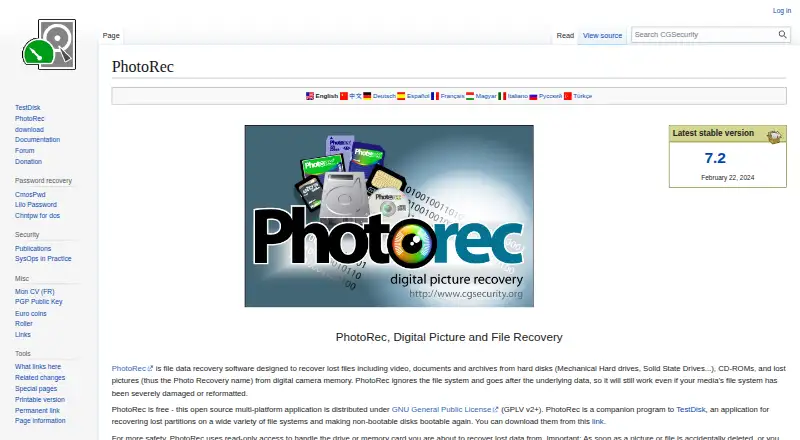
PhotoRec is free, open-source file recovery software for retrieving photographs, videos, documents, archives, and other file types. It is designed for people recovering data from hard disks, optical media, memory cards, USB drives, and disk images, including cases where a filesystem is severely damaged or reformatted. The software runs on Windows, macOS, Linux, FreeBSD, NetBSD, OpenBSD, Sun Solaris, and DOS/Windows 9x. Its free availability makes it suitable for individuals, technicians, and organizations that need file recovery without a paid plan.
PhotoRec’s main strength is signature-based file carving. It can scan an entire partition or only unallocated space, recover selected file types, and work with raw DD and EnCase E01 disk images. Read-only access to source drives and memory cards helps keep the original media unchanged during recovery. Support for Linux software RAID devices extends its use beyond straightforward single-drive recovery, while resume support helps continue interrupted jobs. Command-line automation and logging also make it a practical fit for repeatable or scripted recovery workflows.
PhotoRec is less suited to workflows that depend on verified previews before recovery or bootable recovery media. Its carving-focused approach is a strong match for damaged or reformatted filesystems, but users seeking a more visual recovery process or integrated boot environment should choose another tool. Choose PhotoRec when broad source support, open-source access, disk-image recovery, and forensic-style file carving matter most. Avoid it when preview-driven selection or bootable recovery is central to the job.
Your product? Our editors can test PhotoRec in depth and publish a review, labelled as paid · from $149/mo →
PhotoRec pricing
All 1 PhotoRec plans and prices →
PhotoRec fact sheet
| Free plan | Yes |
|---|---|
| Paid from | Free |
| Recovery sources | hard disks; CD-ROMs; memory cards; USB memory drives; DD raw images; EnCase E01 images |
| Operating systems | Windows; Linux; macOS; DOS; FreeBSD; NetBSD; OpenBSD; Solaris; other Unix systems |
| Free recovery limit | Not verified |
| Memory card recovery | Yes |
| RAID recovery | Yes |
| Bootable recovery | Not verified |
| File preview | Not verified |
| Deployment | Desktop |
| Platforms | Windows, macOS, Linux |
| Support | Community, Docs |
| Built for | Solo, Small business (editorial estimate) |
| Pricing | Free plan (source) |
| Website | cgsecurity.org |
| Facts checked | 21 Sep 2026 |
Alternatives to PhotoRec
- R-StudioA broad recovery toolkit for professionals handling disks, RAID, images, and networks.9.3
- TestDiskA capable free choice for partition repair, filesystem recovery, and file undelete.9.1
- RecoveritA broad recovery toolkit with strong media repair and storage-device coverage.9.0


See all PhotoRec alternatives →
PhotoRec vs the competition
- PhotoRec vs R-Studio
- PhotoRec vs TestDisk
- PhotoRec vs Recoverit
- PhotoRec vs Disk Drill
- PhotoRec vs DMDE
- PhotoRec vs UFS Explorer



Compare PhotoRec with any tool side by side →
Also Ranked In
PhotoRec is ranked in 4 of our directories.
Used PhotoRec? Be the first to review it
The editor score above is our own research. What this page doesn't have yet is a reader's view — what you used PhotoRec for, what worked and what didn't. No stars are seeded and no review is paid for; an editor reads every one before it appears.
Write a reviewTwo minutes · verified accounts only · read by an editor before it appears
Featured on iTechGuides

PhotoRec is listed in our Data Recovery Software directory. Add the badge to your site — it links back to this page.
<a href="https://www.itechguides.com/products/photorec/"><img src="https://www.itechguides.com/best/badge/photorec.svg" alt="Featured on iTechGuides" width="230" height="46"></a>
Reviewed by iTechGuides Editors · Editorial team · Updated Oct 2026
Advertiser disclosure: iTechGuides is reader-supported. Vendors can pay for top positions in our rankings and for a place on other products' pages, and we may earn a commission when you click some links. Bought places stand at the number bought; this page and our disclosure say so. Paying vendors may get a fuller, more detailed review from our editors, and that review can change their score. How we rank.
Last updated · How we research and update