
Pennywick
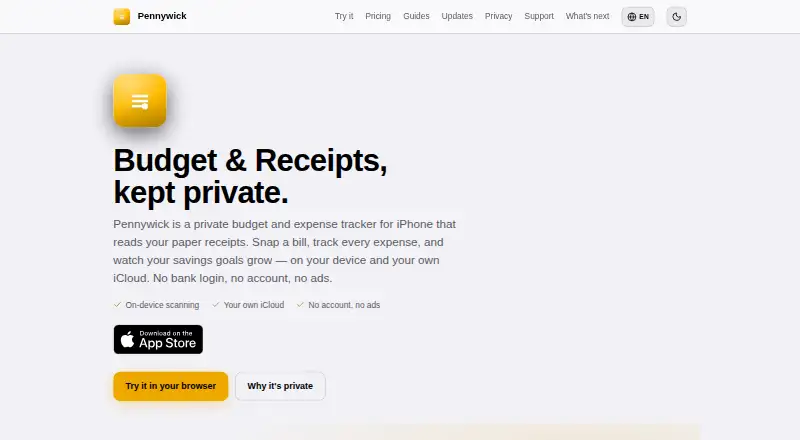
Pennywick: A detailed iPhone expense tracker with line-item OCR, budgets, exports, and iCloud sharing. Ranked #14 of 29 in Receipt Scanner Apps by our editors (7.0/10); pricing: Free plan; best for iPhone users wanting detailed personal budgets.
At a glance
- Editor score7.0 / 10
- PricingFree plan
- Best foriPhone users wanting detailed personal budgets
- Free planYes
- Mobile platformsIos
- Facts checked20 Sep 2026
Where it wins
- Extracts merchant, tax, tip, payment, and line-item details
- Includes budgets, trends, savings goals, and recurring entries
- Supports CSV export, full backups, iCloud sync, and Face ID lock
Where it doesn't
- The free tier allows five receipt scans per week
- Available only on iPhone and iPad
- Does not offer accounting integrations
Our verdict on Pennywick
Pennywick is an iPhone and iPad budgeting and expense-tracking app for people who want receipt capture alongside a full personal ledger. It scans receipts from the camera or files, extracts structured expense details on-device, and supports manual entries, budgets, savings goals, spending trends, recurring income and bills, household sharing, and exports. It does not require a bank login or separate account, and it runs on iOS or iPadOS 18 and later.
The free plan includes manual entries, the full ledger, budgets, savings goals, five receipt scans per week, CSV and full backup export, iCloud sync, and Face ID lock. Standard adds unlimited receipt scanning, household sharing, quarterly and yearly insights, recurring entries, and the option to use your own OpenAI or Google Gemini API key. Pro includes everything in Standard plus hosted cloud receipt reading. The published plans also describe Standard as a one-time unlock and Pro as an optional subscription, with current App Store pricing varying by local currency.
Receipt detail is Pennywick’s defining strength: its extraction covers the merchant, date, total, category, tax, tip, payment method, receipt number, and individual line items. On-device OCR and categorization suit users who want receipt data handled within an iPhone-focused workflow, while iCloud and CloudKit Sharing support household use. Foreign-currency conversion uses European Central Bank reference rates. Choose Pennywick if you want detailed personal budgets, receipt-level records, and flexible exports without connecting a bank. Consider an alternative if you need Android access or accounting integrations.
Your product? Our editors can test Pennywick in depth and publish a review, labelled as paid · from $149/mo →
Pennywick pricing
All 3 Pennywick plans and prices →
Pennywick fact sheet
| Free plan | Yes |
|---|---|
| Paid from | Not verified |
| Monthly scan limit | Not verified |
| OCR field coverage | Full line items |
| Line-item OCR | Yes |
| Accounting integrations | Not verified |
| Mobile platforms | Ios |
| Export formats | Csv |
| Deployment | Mobile |
| Platforms | iOS |
| Support | |
| Built for | Solo, Small business (editorial estimate) |
| Integrations | 4 integrations: Apple iCloud, Apple CloudKit Sharing, OpenAI, Google Gemini |
| Pricing | Free plan (source) |
| Website | pennywick.app |
| Facts checked | 20 Sep 2026 |
Pennywick integrations
Pennywick lists 4 integrations on its own site.
- Apple iCloud
- Apple CloudKit Sharing
- OpenAI
- Google Gemini
Alternatives to Pennywick
- ShoeboxedA multi-channel receipt service with verified extraction, accounting sync, and paid-only plans.8.8
- AutoEntryA document-capture platform for accounting teams with complex review and coding workflows.8.6
- Affinda Receipt ExtractionA business-focused receipt extraction platform with full line-item OCR and workflow integrations.8.2



See all Pennywick alternatives →
Used Pennywick? Be the first to review it
The editor score above is our own research. What this page doesn't have yet is a reader's view — what you used Pennywick for, what worked and what didn't. No stars are seeded and no review is paid for; an editor reads every one before it appears.
Write a reviewTwo minutes · verified accounts only · read by an editor before it appears
Featured on iTechGuides

Pennywick is listed in our Receipt Scanner Apps directory. Add the badge to your site — it links back to this page.
<a href="https://www.itechguides.com/products/pennywick/"><img src="https://www.itechguides.com/best/badge/pennywick.svg" alt="Featured on iTechGuides" width="230" height="46"></a>
Reviewed by iTechGuides Editors · Editorial team · Updated Oct 2026
Advertiser disclosure: iTechGuides is reader-supported. Vendors can pay for top positions in our rankings and for a place on other products' pages, and we may earn a commission when you click some links. Bought places stand at the number bought; this page and our disclosure say so. Paying vendors may get a fuller, more detailed review from our editors, and that review can change their score. How we rank.
Last updated · How we research and update