
Pearson OnVUE
Pearson OnVUE: A controlled remote exam service for organizations delivering Pearson VUE assessments. Ranked #4 of 28 in Online Proctoring Software by our editors (7.4/10); pricing: Pricing on request; best for pearson VUE exam delivery environments.
At a glance
- Editor score7.4 / 10
- PricingPricing on request
- Best forPearson VUE exam delivery environments
- Free planNo
- Identity verificationYes
- Founded1994 · Bloomington, Minnesota, USA
- Facts checked21 Sep 2026
Where it wins
- Combines ID checks, room scans, human monitoring, and AI assistance
- Includes recorded audio and video sessions with browser lockdown
- Connects remote delivery with Pearson VUE registration and exam records
Where it doesn't
- Pricing requires contact with Pearson VUE
- No free plan is available
- Its fit is centered on Pearson VUE exam delivery rather than broad LMS use
Our verdict on Pearson OnVUE
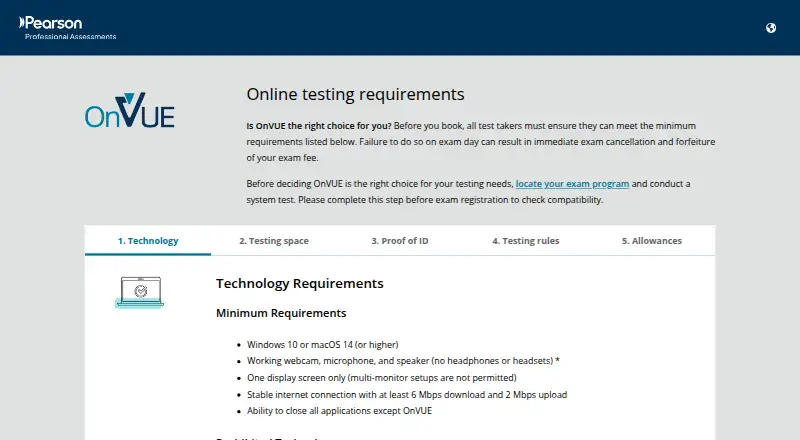
Pearson OnVUE is Pearson VUE’s online proctoring system for delivering eligible certification, licensure, and other high-stakes exams remotely. It is designed for exam owners that want candidates to test from a private location while retaining identity checks, environment checks, session recording, human oversight, and application controls. Candidates use a supported Windows or macOS computer with a webcam, microphone, and internet connection. Remote delivery connects with Pearson VUE exam registration and records, making the product most relevant to organizations already operating within that environment.
The exam-control workflow covers several stages of remote delivery. Before registration, candidates can complete system compatibility testing. During check-in, the service uses a government-issued photo ID, candidate photo verification, and a 360-degree room scan. During the exam, human proctors provide monitoring and in-exam chat, while assistive AI monitoring tools add automated oversight. Recorded video and audio sessions support review, and the secure browser and application lockdown help control the testing environment. Recording retention is determined by the test owner, so operational policies can vary by exam.
Pricing is handled through contact with Pearson VUE, and the product has no free plan. That model suits organizations procuring managed exam delivery rather than individuals seeking a self-serve proctoring tool. OnVUE is a strong fit when Pearson VUE registration, records, human monitoring, identity verification, and lockdown are central requirements. Organizations seeking a broader LMS integration layer or publicly structured entry pricing should consider a different category fit. Candidates should also expect compatibility checks and a private testing location as part of the delivery process.
Pearson OnVUE pricing
Pearson OnVUE fact sheet
| Free plan | No |
|---|---|
| Paid from | Not verified |
| Identity verification | Yes |
| Automated monitoring | Yes |
| Live proctoring | Yes |
| Browser lockdown | Yes |
| LMS integrations | Not verified |
| Recording retention | Not verified |
| Deployment | Cloud, Desktop |
| Platforms | Web, Windows, macOS |
| Compliance & security | ISO 27001, PCI DSS |
| Support | Email, Live chat, Phone, Docs |
| Built for | Mid-market, Enterprise (editorial estimate) |
| Pricing | Pricing on request |
| Website | pearsonvue.com |
| Facts checked | 21 Sep 2026 |
Alternatives to Pearson OnVUE
- Constructor ProctorBroad exam-integrity coverage for institutions managing varied proctoring workflows.9.0
- ExamSoftA mature assessment suite for secure delivery, mixed grading, and performance reporting.8.2
- Janison RemoteA broad remote assessment toolkit with offline desktop support and LMS delivery.7.7


See all Pearson OnVUE alternatives →
Pearson OnVUE vs the competition
- Pearson OnVUE vs Constructor Proctor
- Pearson OnVUE vs ExamSoft
- Pearson OnVUE vs Janison Remote
- Pearson OnVUE vs SUMADI
- Pearson OnVUE vs Inspera Proctoring
- Pearson OnVUE vs Proctor360


Compare Pearson OnVUE with any tool side by side →
Used Pearson OnVUE? Be the first to review it
The editor score above is our own research. What this page doesn't have yet is a reader's view — what you used Pearson OnVUE for, what worked and what didn't. No stars are seeded and no review is paid for; an editor reads every one before it appears.
Write a reviewTwo minutes · verified accounts only · read by an editor before it appears
Featured on iTechGuides

Pearson OnVUE is listed in our Online Proctoring Software directory. Add the badge to your site — it links back to this page.
<a href="https://www.itechguides.com/products/pearson-onvue/"><img src="https://www.itechguides.com/best/badge/pearson-onvue.svg" alt="Featured on iTechGuides" width="230" height="46"></a>
Reviewed by iTechGuides Editors · Editorial team · Updated Sep 2026
Advertiser disclosure: iTechGuides is reader-supported. We may earn a commission when you click some links. How we rank.
Last updated · How we research and update