
PDFWix
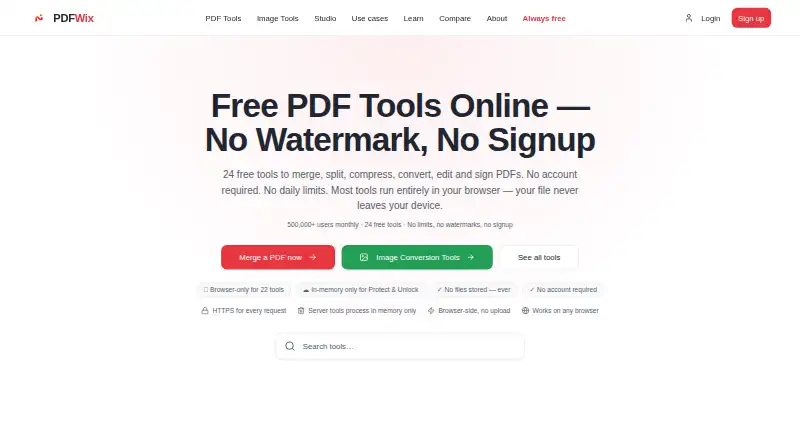
PDFWix: A free web toolkit for filling existing AcroForms, signing PDFs and managing common PDF tasks. Ranked #21 of 26 in PDF Form Software by our editors (7.1/10); pricing: Free plan; best for free browser-based AcroForm filling.
At a glance
- Editor score7.1 / 10
- PricingFree plan
- Best forFree browser-based AcroForm filling
- Free planYes
- Paid fromNone
- Import existing PDFsNo
- Facts checked20 Sep 2026
Where it wins
- Fills text, checkbox, radio, dropdown and multi-select AcroForm fields
- No signup, watermarks or daily task limits on the Free plan
- Adds drawn, typed or uploaded electronic signatures
Where it doesn't
- Does not create PDF form fields
- Does not provide signature fields
- Browser-side processing applies to most, not every, tool
Our verdict on PDFWix
PDFWix is a free, browser-based PDF toolkit for individuals and teams handling existing PDF documents. It fills AcroForm text, checkbox, radio, dropdown and multi-select fields, with optional flattening before download. Separate tools cover electronic signatures, conversion, merging, splitting, compression, organization, redaction, password protection and unlocking. The web app is suited to users who need practical PDF operations without installing desktop software or creating an account.
The Free plan includes PDF tools without signup, no watermarks and no daily task limits. That makes PDFWix a straightforward choice for occasional document work as well as repeated form-filling tasks. Browser-side processing is available for most tools, which supports a workflow centered on handling files in the web browser. PDFWix also includes AI-powered PDF chat and summarization tools, extending the product beyond form completion into document review and information extraction.
Its strongest fit is filling and signing forms that already contain AcroForm fields. Optional flattening can help preserve completed fields as part of the downloaded PDF, while the separate signature tool supports drawn, typed or uploaded electronic signatures. The main boundary is form creation: PDFWix does not create fields and does not provide signature fields. Organizations building new interactive forms or requiring a dedicated form-authoring workflow should choose a product designed for that purpose instead. PDFWix is better suited to users who want free browser-based PDF handling, existing-form completion and a broad set of supporting PDF utilities.
Your product? Our editors can test PDFWix in depth and publish a review, labelled as paid · from $99/mo →
PDFWix pricing
All 1 PDFWix plans and prices →
PDFWix fact sheet
| Free plan | Yes |
|---|---|
| Paid from | None |
| Import existing PDFs | No |
| Field validation | Not verified |
| Conditional logic | Not verified |
| Data export | |
| API access | Yes |
| Bulk PDF processing | Not verified |
| Signature fields | No |
| Deployment | Cloud |
| Platforms | Web |
| Compliance & security | GDPR |
| Support | |
| Built for | Solo, Small business, Mid-market (editorial estimate) |
| Pricing | Free plan (source) |
| Website | pdfwix.com |
| Facts checked | 20 Sep 2026 |
Alternatives to PDFWix
- FormForgeA free, local-first PDF form editor with field detection, validation, and AcroForm export.9.4
- FillableA practical PDF workflow tool for conditional forms, signatures, OCR, and API automation.9.2
- PDF StudioA one-time-license PDF editor for advanced forms across Windows, macOS, and Linux.8.9



Also Ranked In
PDFWix is ranked in 2 of our directories.
Used PDFWix? Be the first to review it
The editor score above is our own research. What this page doesn't have yet is a reader's view — what you used PDFWix for, what worked and what didn't. No stars are seeded and no review is paid for; an editor reads every one before it appears.
Write a reviewTwo minutes · verified accounts only · read by an editor before it appears
Featured on iTechGuides

PDFWix is listed in our PDF Form Software directory. Add the badge to your site — it links back to this page.
<a href="https://www.itechguides.com/products/pdfwix/"><img src="https://www.itechguides.com/best/badge/pdfwix.svg" alt="Featured on iTechGuides" width="230" height="46"></a>
Reviewed by iTechGuides Editors · Editorial team · Updated Oct 2026
Advertiser disclosure: iTechGuides is reader-supported. Vendors can pay for top positions in our rankings and for a place on other products' pages, and we may earn a commission when you click some links. How we rank.
Last updated · How we research and update