
PcapAI
PcapAI: Affordable AI-assisted PCAP analysis with reports, detection, and automation support. Ranked #23 of 31 in Network Packet Analyzer Software by our editors (6.4/10); pricing: Free plan; best for affordable AI-assisted PCAP reports.
At a glance
- Editor score6.4 / 10
- PricingFree plan
- Best forAffordable AI-assisted PCAP reports
- Free planYes
- Paid from$114/yr
- Operating systemsWindows, macOS, Linux
- Facts checked21 Sep 2026
Where it wins
- Analyzes PCAP and PCAPNG files with deep protocol inspection
- Maps findings to MITRE ATT&CK and detects anomalies
- Generates PDF reports with REST API and MCP support
Where it doesn't
- Analyzes uploaded captures rather than live network traffic
- MCP workflows upload captures for server-side analysis
- Paid tiers repeat core PCAP analysis and PDF report features
Our verdict on PcapAI
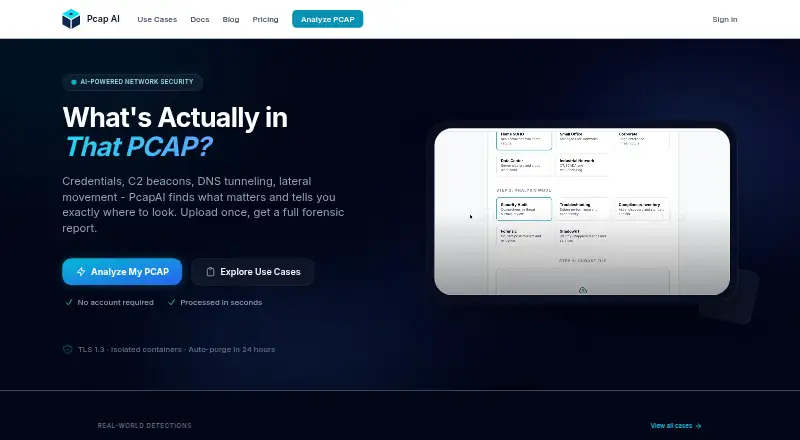
PcapAI is a web-based network packet analysis platform for SOC analysts, incident responders, security consultants, and network engineers. It analyzes uploaded PCAP and PCAPNG files through deep packet inspection, protocol analysis, machine-learning anomaly detection, credential and cleartext traffic detection, network troubleshooting, and MITRE ATT&CK technique mapping. Its output includes PDF forensic reports, while Windows, macOS, Linux, web, and API access support different working environments.
Pricing covers both occasional investigations and recurring use. A Single Report costs $9 one time and includes one PCAP upload, AI analysis, and one PDF report. Monthly plans are Starter at $19, Pro at $49, and Advanced at $99. Each includes PCAP analysis and PDF reports; Advanced adds REST API access. Annual plans are Starter at $114, Pro at $294, and Advanced at $594, with the same stated feature distinctions. A free plan is also available. The paid structure suits teams that need repeat analysis or automation, while the one-time report option fits a single investigation.
PcapAI’s strongest distinction is its workflow coverage around uploaded captures: REST API access supports automated uploads, integrations include SIEM pipelines and CI/CD workflows, and an open-source MCP server supports Claude Desktop. The platform can also assist with threat mapping, credential detection, and performance troubleshooting in one analysis flow. It is a practical choice for report-driven investigations and AI-assisted review of existing captures. Teams that require direct live traffic capture from a network interface should choose a packet analyzer built around live capture instead. The MCP server is not fully offline because captures are uploaded for server-side analysis.
Your product? Our editors can test PcapAI in depth and publish a review, labelled as paid · from $149/mo →
PcapAI pricing
All 4 PcapAI plans and prices →
PcapAI fact sheet
| Free plan | Yes |
|---|---|
| Paid from | $114/yr |
| Live capture | No |
| Command-line tool | Yes |
| Traffic decryption | Not verified |
| Operating systems | Windows, macOS, Linux |
| Capture file formats | PCAP, PCAPNG |
| Protocol dissectors | Yes |
| Deployment | Cloud |
| Platforms | Web, Windows, macOS, Linux |
| Support | Docs |
| Built for | Small business, Mid-market, Enterprise (editorial estimate) |
| Integrations | 4 integrations: Claude Desktop, REST API, SIEM pipelines, CI/CD workflows See all → |
| Pricing | Free plan (source) |
| Website | pcapai.com |
| Facts checked | 21 Sep 2026 |
PcapAI integrations
PcapAI lists 4 integrations on its own site.
- Claude Desktop
- REST API
- SIEM pipelines
- CI/CD workflows
Alternatives to PcapAI
- WiresharkA complete free analyzer for live capture, offline analysis, protocol inspection, and packet decryption.9.4
- TSharkA free, open-source choice for structured, scriptable packet analysis.9.2
- tcpdumpA free, open-source choice for precise capture, filtering, and PCAP inspection.9.0


Used PcapAI? Be the first to review it
The editor score above is our own research. What this page doesn't have yet is a reader's view — what you used PcapAI for, what worked and what didn't. No stars are seeded and no review is paid for; an editor reads every one before it appears.
Write a reviewTwo minutes · verified accounts only · read by an editor before it appears
Featured on iTechGuides

PcapAI is listed in our Network Packet Analyzer Software directory. Add the badge to your site — it links back to this page.
<a href="https://www.itechguides.com/products/pcapai/"><img src="https://www.itechguides.com/best/badge/pcapai.svg" alt="Featured on iTechGuides" width="230" height="46"></a>
Reviewed by iTechGuides Editors · Editorial team · Updated Oct 2026
Advertiser disclosure: iTechGuides is reader-supported. Vendors can pay for top positions in our rankings and for a place on other products' pages, and we may earn a commission when you click some links. Bought places stand at the number bought; this page and our disclosure say so. Paying vendors may get a fuller, more detailed review from our editors, and that review can change their score. How we rank.
Last updated · How we research and update